


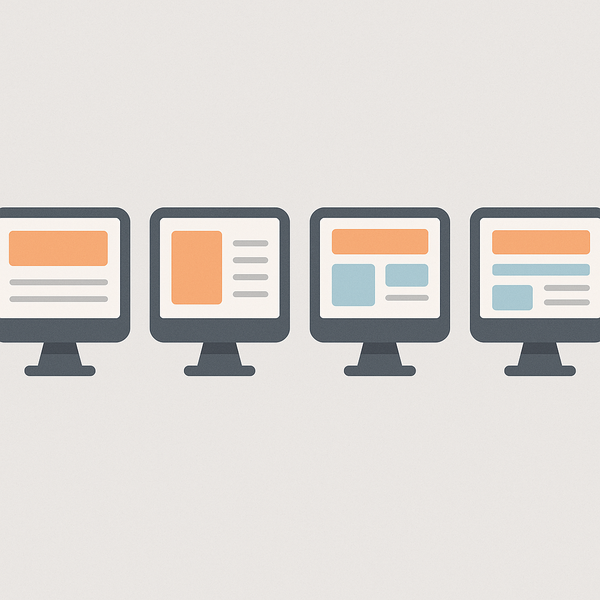
Creating your first website doesn’t have to be overwhelming. If you’re wondering what is the simplest website to make, you’re not alone. Thousands of beginners ask this same question every day, and the good news is that building a basic website has never been easier. Whether you’re looking to establish an online presence for personal branding, share your thoughts through a blog, or showcase your work, there are simple website options that require no coding experience whatsoever.
In today’s digital landscape, having a website is essential, but that doesn’t mean you need to create something complex. Simple websites can be just as effective as elaborate ones, especially when you’re just starting out. This comprehensive guide will walk you through the easiest website types to build, provide step-by-step instructions, and help you avoid common pitfalls that beginners often encounter.
Before diving into the specifics, it’s worth noting that if you’re concerned about costs, you can explore options to Are the any 100% free website builders? The answer is yes, and we’ll cover some of these options throughout this guide.
What is the simplest website to make for beginners?
When determining what is the simplest website to make, it’s important to understand that simplicity doesn’t mean ineffective. The easiest websites to create are those with straightforward structures, minimal features, and clear purposes. These typically include one-page websites, basic blogs, simple portfolios, and landing pages.
Understanding website complexity levels
Website complexity exists on a spectrum. At the simplest end, you have static one-page sites that display basic information. These require minimal setup and can be created in just a few hours. Moving up the complexity scale, you’ll find multi-page websites with navigation menus, followed by sites with interactive features like contact forms and image galleries.
The most complex websites include e-commerce platforms, membership sites, and custom web applications. For beginners, staying at the simpler end of this spectrum is crucial for success. A simple website allows you to focus on content and design without getting bogged down in technical details.
Understanding these complexity levels helps you make informed decisions about your first website project. Start simple, master the basics, and gradually add features as your skills and confidence grow.
Why simple websites work best for starters
Simple websites offer numerous advantages for beginners. First, they’re faster to launch, meaning you can establish your online presence quickly. This rapid deployment allows you to start building your audience or showcasing your work without months of development time.
Second, simple websites are easier to maintain. With fewer moving parts, there’s less that can go wrong. You won’t need to worry about complex updates, plugin conflicts, or extensive troubleshooting. This simplicity translates to more time focusing on your content and less time dealing with technical issues.
Third, simple websites often perform better in terms of loading speed and user experience. Visitors appreciate clean, fast-loading sites that deliver information efficiently. Search engines also favor websites that load quickly and provide good user experiences, which can help your site rank better in search results.
7 Types of Simple Websites You Can Build Today
Now that we understand why simple websites are ideal for beginners, let’s explore the specific types you can create. Each of these options represents an answer to «what is the simplest website to make» depending on your specific needs and goals.
One-page personal websites
One-page websites are arguably the simplest website type to create. These sites contain all information on a single scrollable page, eliminating the need for complex navigation systems. They’re perfect for personal branding, online resumes, or simple business cards.
A typical one-page website includes sections for an introduction, about information, services or skills, and contact details. The beauty of this format lies in its simplicity – visitors can access all information by scrolling down, making it incredibly user-friendly.
Creating a one-page website requires minimal planning. You simply need to organize your content into logical sections and choose a clean, readable design. Many website builders offer specific one-page templates that make the process even easier.
Basic blog sites
Blogs remain one of the most popular simple website types. Modern blogging platforms have streamlined the process so much that you can have a professional-looking blog running within minutes. These platforms handle all the technical aspects, allowing you to focus on writing and publishing content.
A basic blog typically consists of a homepage displaying recent posts, individual post pages, and perhaps an about page. This simple structure is perfect for sharing thoughts, expertise, or documenting personal journeys. The chronological nature of blogs makes content organization automatic.
What makes blogs particularly simple is the abundance of pre-designed templates available. These templates handle layout, typography, and responsive design, ensuring your blog looks professional on all devices without any coding knowledge required.
Simple portfolio pages
For creative professionals, a portfolio website showcases work samples effectively. These sites typically feature a gallery or grid of projects, with each item linking to more detailed information. Despite their professional appearance, portfolio sites can be surprisingly simple to create.
Modern portfolio websites often use minimalist designs that highlight the work itself. This approach not only looks professional but also simplifies the creation process. You need only upload your work samples, add brief descriptions, and organize them into categories if desired.
The key to a successful simple portfolio is quality over quantity. Start with your best work samples and expand gradually. This approach keeps the initial setup manageable while ensuring your portfolio makes a strong first impression.
Step-by-Step Guide: Building Your First Simple Website
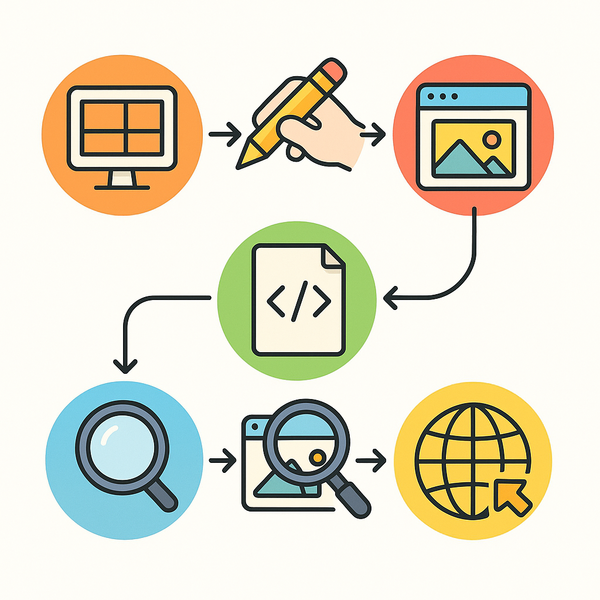
Understanding what is the simplest website to make is just the beginning. Now let’s walk through the actual process of creating your first simple website. This guide assumes no prior technical knowledge and focuses on the most straightforward approach.
Choosing the right platform
Your choice of platform significantly impacts how simple the website creation process will be. Website builders like Wix, Squarespace, and WordPress.com offer drag-and-drop interfaces that eliminate coding requirements. These platforms provide pre-designed templates, hosting, and technical support in one package.
When selecting a platform, consider your specific needs. If you want maximum simplicity, choose a platform with templates closely matching your vision. Look for platforms offering free trials so you can test the interface before committing. Remember, the best platform is one that feels intuitive to you.
For those wondering about free options, you can learn How do i make my own website totally free? Many platforms offer free tiers perfect for getting started.
Setting up your domain and hosting
While many website builders include hosting in their packages, understanding domains and hosting helps you make informed decisions. A domain name is your website’s address (like example.com), while hosting is where your website files live on the internet.
For the simplest setup, choose a website builder that includes both domain registration and hosting. This all-in-one approach eliminates technical configuration and ensures everything works together seamlessly. Many platforms offer free subdomains (like yoursite.platform.com) for testing purposes.
If you decide to purchase a custom domain, keep it short, memorable, and relevant to your content. Avoid complex spellings or hyphens that might confuse visitors. Most website builders make connecting a custom domain a simple process with step-by-step instructions.
Creating your first page
With your platform chosen and domain set up, it’s time to create your first page. Start by selecting a template that closely matches your vision. Templates provide professional designs and layouts, eliminating the need to start from scratch.
Begin with your homepage, as this creates the strongest first impression. Add a clear headline that explains what your site offers. Include a brief introduction that engages visitors and encourages them to explore further. Keep text concise and break it up with headings and images for better readability.
Most website builders use block-based editing, where you add elements like text, images, and buttons by dragging them onto your page. Experiment with different layouts, but remember that simplicity often creates the best user experience. Focus on clear communication rather than complex designs.
Essential Tools for Creating Simple Websites
Having the right tools makes website creation significantly easier. When exploring what is the simplest website to make, the tools you choose can make the difference between a frustrating experience and an enjoyable one.
Website builders comparison
Different website builders excel at different things. Wix offers maximum design flexibility with its drag-and-drop editor, making it ideal for creative projects. Squarespace provides stunning templates perfect for portfolios and visual-heavy sites. WordPress.com balances simplicity with powerful blogging features.
For absolute beginners, platforms like Weebly and GoDaddy Website Builder offer extremely simplified interfaces. These might have fewer customization options, but they excel at getting basic sites online quickly. Google Sites provides a free option that integrates well with other Google services.
Consider your long-term goals when choosing a builder. While you want simplicity now, ensure your chosen platform can accommodate future growth. Look for builders that allow easy upgrades and additional features as your needs evolve.
Free vs paid options
Free website builders provide excellent starting points for beginners. They typically include basic features, templates, and hosting. However, free plans often come with limitations like ads on your site, limited storage, or restricted features.
Paid plans remove these limitations and add professional features like custom domains, advanced analytics, and priority support. The cost varies significantly, from budget-friendly options under $10 monthly to premium plans exceeding $40 monthly.
Start with a free plan to learn the platform and understand your needs. As your website grows and your requirements become clearer, upgrading to a paid plan becomes a natural progression. This approach minimizes initial investment while ensuring you choose the right platform.
Must-have features for beginners
When evaluating website builders, certain features prove essential for beginners. Look for platforms with intuitive drag-and-drop editors that show real-time previews of your changes. This visual approach eliminates guesswork and helps you understand how edits affect your site. When it comes to what is the simplest website to make, this is one of the fastest checks to run.
Mobile responsiveness should be automatic. Your chosen platform should ensure your site looks great on all devices without additional effort. Similarly, basic SEO tools help your site appear in search results without requiring technical knowledge.
Quality customer support proves invaluable for beginners. Look for platforms offering multiple support channels, including tutorials, documentation, and direct assistance. Some builders provide community forums where you can learn from other users’ experiences.
Real Examples: What is the simplest website to make in different niches
Seeing real examples helps visualize what’s possible with simple websites. These examples demonstrate that simplicity doesn’t mean sacrificing professionalism or effectiveness.
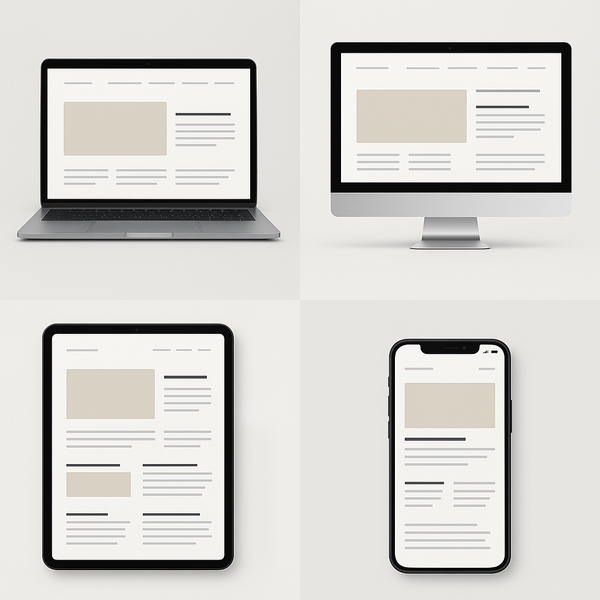
Personal brand websites
Personal brand websites showcase individuals and their professional offerings. A simple personal brand site might include an eye-catching homepage with a professional photo and tagline, an about section detailing background and expertise, and a contact form for inquiries.
These sites often use minimalist designs that put the focus on the person rather than flashy graphics. Clean typography, plenty of white space, and a limited color palette create professional appearances without complexity. Adding testimonials or work samples provides credibility without complicating the site structure.
The key to effective personal brand websites lies in clear messaging. Visitors should immediately understand who you are and what you offer. This clarity, combined with simple navigation, creates powerful online presences that convert visitors into clients or connections.
Small business sites
Small businesses benefit tremendously from simple websites. A basic business site typically includes a homepage highlighting key services, an about page building trust and credibility, a services or products page with clear descriptions, and contact information with business hours.
These sites prioritize information delivery over complex features. Customers visit to find specific information like location, hours, or services offered. By keeping the design simple and navigation intuitive, businesses ensure customers find what they need quickly.
Many successful small business websites use single-page designs with clear sections. This approach works particularly well for businesses with straightforward offerings. The simplicity also makes maintenance easier, important for busy business owners without dedicated web staff.
Creative portfolios
Creative professionals often worry that simple websites won’t adequately showcase their work. However, many successful portfolios embrace minimalism, letting the work speak for itself. A simple portfolio might feature a grid layout on the homepage, individual project pages with descriptions, and a brief about section.
The advantage of simple portfolio designs is that they don’t compete with the showcased work. Clean backgrounds, consistent spacing, and intuitive navigation create professional presentations without overshadowing the creative content.
Starting with a simple portfolio also allows for easy updates. As you complete new projects, adding them becomes straightforward. This ease of maintenance ensures your portfolio stays current, crucial for attracting new clients or opportunities.
Common Mistakes to Avoid When Building Simple Websites
Even when creating the simplest website to make, certain pitfalls can complicate the process or diminish your site’s effectiveness. Understanding these common mistakes helps ensure your website project stays on track.
Overcomplicating the design
The most common mistake beginners make is adding too many elements to their websites. Excitement about design possibilities often leads to cluttered pages with multiple fonts, excessive colors, and unnecessary animations. This complexity not only makes creation harder but also confuses visitors.
Resist the temptation to use every available feature. Instead, focus on clear communication and user experience. Choose one or two fonts maximum, limit your color palette to three or four colors, and use animations sparingly. White space is your friend – it helps important elements stand out.
Remember that professional websites often succeed through restraint rather than abundance. By keeping your design simple, you ensure faster loading times, better mobile experiences, and clearer messaging. These benefits far outweigh any perceived advantages of complex designs.
Ignoring mobile responsiveness
With mobile devices accounting for over half of web traffic, ignoring mobile responsiveness is a critical error. Even when asking what is the simplest website to make, mobile compatibility must be a priority. Fortunately, most modern website builders handle this automatically.
Always preview your website on different devices before publishing. Check that text remains readable without zooming, buttons are easily clickable with fingers, and images scale appropriately. Pay special attention to navigation menus, which often require different approaches on mobile devices.
If your chosen platform doesn’t provide automatic mobile responsiveness, consider switching to one that does. The effort saved and improved user experience justify any migration hassles. Mobile-friendly websites also rank better in search results, providing additional benefits.
Skipping basic SEO
Search engine optimization might sound complex, but basic SEO is actually quite simple. Many beginners skip these fundamentals, limiting their website’s visibility. Even the simplest websites benefit from basic optimization practices.
Start with descriptive page titles that include relevant keywords. Write meta descriptions that accurately summarize page content. Use heading tags (H1, H2, H3) to structure your content logically. Include alt text for images, describing what they show.
These simple steps help search engines understand your content and show it to relevant audiences. Most website builders include SEO tools that guide you through these basics. Taking a few extra minutes for SEO during creation pays dividends through increased visibility and traffic.
Moving Forward with Your Simple Website
Now that you understand what is the simplest website to make and how to create one, it’s time to take action. Remember that every professional website started as a simple idea. The key is beginning with something manageable and improving over time.
Start by clarifying your website’s primary purpose. Whether it’s sharing information, showcasing work, or building a personal brand, this clarity guides all subsequent decisions. Choose the simplest website type that fulfills this purpose effectively.
Select a website builder that feels intuitive to you. Take advantage of free trials to test different platforms before committing. Don’t hesitate to start with free plans – you can always upgrade as your needs grow and your confidence increases.
Focus on creating quality content rather than complex features. Visitors value clear information and good user experiences over flashy designs. By keeping things simple, you ensure your message reaches your audience effectively.
Remember that websites are living documents. Launch with a simple version and improve it gradually based on visitor feedback and your growing skills. This iterative approach prevents overwhelm and ensures steady progress.
Consider seeking feedback from friends or colleagues once your site is live. Fresh perspectives often reveal improvement opportunities you might miss. However, don’t let perfectionism prevent you from launching – a simple website online serves you better than a perfect one that never launches.
As you gain experience, you’ll naturally identify areas for enhancement. Perhaps you’ll add a blog section, integrate social media feeds, or expand your portfolio. These additions become much easier when building upon a solid, simple foundation.
For ongoing learning, explore online tutorials and community forums related to your chosen platform. Many website builders offer extensive learning resources specifically designed for beginners. These resources help you maximize your platform’s potential while maintaining simplicity.
Conclusion
Determining what is the simplest website to make depends on your specific goals, but the options we’ve explored – one-page sites, basic blogs, and simple portfolios – provide excellent starting points for beginners. The key is choosing an approach that aligns with your objectives while remaining manageable.
Remember that simplicity is a strength, not a limitation. Simple websites load faster, provide better user experiences, and are easier to maintain. They allow you to establish an online presence quickly and effectively, without getting bogged down in technical complexities.
The tools and platforms available today make website creation more accessible than ever. With drag-and-drop builders, pre-designed templates, and comprehensive support resources, anyone can create a professional-looking website regardless of technical background.
Avoid common pitfalls by maintaining design simplicity, ensuring mobile responsiveness, and implementing basic SEO. These fundamentals set your website up for success from the start, providing a solid foundation for future growth.
Take action today. Choose your website type, select a platform, and start building. Remember that your first website doesn’t need to be perfect – it just needs to exist. With each update and improvement, you’ll gain confidence and skills that make future enhancements easier.
Whether you’re building a personal brand, showcasing creative work, or establishing a business presence, a simple website serves as your digital foundation. By starting simple and growing gradually, you ensure sustainable success in your online journey.
The question «what is the simplest website to make» has many answers, but they all share common themes: clear purpose, straightforward design, and user-friendly experiences. Embrace these principles, and you’ll create a website that serves your needs effectively while remaining manageable and enjoyable to maintain.
Your online presence starts with a single step. Make that step today by choosing the simple website type that best fits your needs and beginning your creation journey. The digital world awaits your unique contribution, and a simple website is your perfect starting point.
what is the simplest website to make — Practical Checklist & Next Steps
Here’s a quick way to pressure-test your approach so you don’t end up with a “free” solution that costs you more in time, missed leads, or rebuilds.
- What you need live in the next 7 days vs. what can wait
- Must-have features (forms, payments, booking, blog, integrations)
- Branding limits and whether platform branding/ads are acceptable
- SEO essentials you control (titles, URLs, indexing, speed)
- How easy it is to move later (exporting content, redirects, domain)
- Who will maintain it (you, a contractor, or a managed service)
- Compliance basics (privacy, accessibility, security headers/SSL)
- Your realistic monthly budget after launch
Common mistakes people make with what is the simplest website to make
Most issues come from unclear expectations. People choose the fastest option, then realize later they needed better SEO control, cleaner performance, or fewer platform limits. A simple checklist now saves weeks later.
If you’re trying to make a solid decision around what is the simplest website to make, focus on outcomes, constraints, and tradeoffs—not just the headline promise. Start by listing what “success” means for you (speed, quality, cost, control, support), then rank those priorities. This makes it easier to choose the best path and avoid redoing everything later.
If you’re trying to make a solid decision around, focus on outcomes, constraints, and tradeoffs—not just the headline promise. Start by listing what “success” means for you (speed, quality, cost, control, support), then rank those priorities. This makes it easier to choose the best path and avoid redoing everything later.
How to move forward after choosing what is the simplest website to make
Once you’ve decided, document your requirements (pages, calls-to-action, tracking, and the 3–5 key actions you want visitors to take). That document becomes your build plan and makes future improvements straightforward.

Juan is a Digital Advertising / SEM Specialist with over 10 years of experience with Google AdWords, Bing Ad Center, Facebook, LinkedIn, Google Analytics, HTML, and WordPress. He is a co-founder of Sheaf Media Group and has work in several online advertising projects for retail, automotive, and service industries. Additionally, Juan holds a bachelor’s degree in Psychology and has a deep interest in the science of human behavior which he attributes as the key factor for his success in the advertising world.