
Google Ads Campaign Structure Examples – Getting started with Google Ads can feel confusing. You might wonder: How should I organize my campaigns? What’s the best way to set things up?
The good news is that you don’t need a complicated system to get great results. In this guide, we’ll show you three proven campaign structures that work for different types of businesses. These examples are simple enough for anyone to follow, even if you’re just starting with search engine marketing for small business.
Why Campaign Structure Matters
Think of your Google Ads account like organizing your closet. If you throw everything in one pile, it’s hard to find what you need. But if you sort your clothes into categories (shirts, pants, shoes), everything becomes easier to manage.
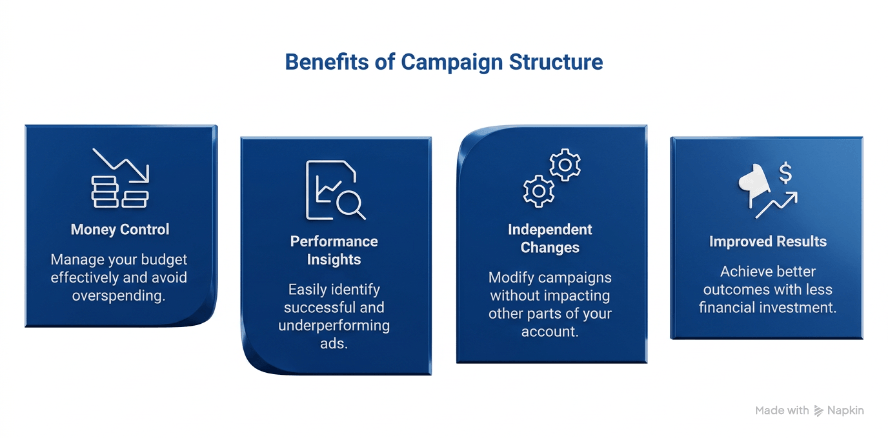
The same is true for your ads. A good structure helps you:
- Control where your money goes
- See what’s working and what’s not
- Make changes without messing up other campaigns
- Get better results for less money
According to Google’s official guidance, organizing your campaigns properly helps Google’s AI work better for you. When your ads are organized well, Google can show them to the right people at the right time.
Understanding how campaigns fit within your overall Google Ads account hierarchy is the foundation of any successful setup. Now let’s look at three campaign structures that work great for different business types.
Structure #1: The Simple Store Setup (Best for Small Online Shops)
This structure works well if you sell products online and want to keep things simple.
How the Simple Store Setup Works
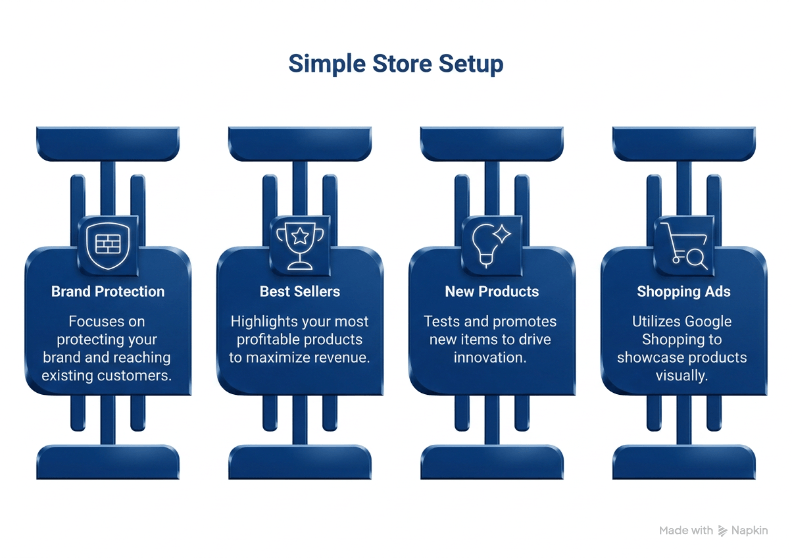
Campaign 1: Brand Protection
- Put your company name and brand keywords here
- Set a small budget (maybe $5-10 per day)
- These are people who already know you
- They usually buy more and cost less
Campaign 2: Best Sellers
- Focus on your top products
- These make you the most money
- Give this campaign the biggest budget
- Watch it closely and adjust bids
Campaign 3: New Products
- Test new items here
- Start with small bids
- Learn what works before spending more
- Move winners to your Best Sellers campaign
Campaign 4: Shopping Ads
- Use Google Shopping campaigns
- Show your products with pictures and prices
- Let Google handle most of the work
- Check performance every week
Budget Split Example
If you have $1,000 per month to spend:
- $100 for Brand Protection (10%)
- $600 for Best Sellers (60%)
- $150 for New Products (15%)
- $150 for Shopping Ads (15%)
This setup is perfect for businesses getting started with PPC management for small business. It’s simple to manage and easy to understand.
Real Results
Online stores using this structure often see their Shopping campaigns become their biggest money-maker. About 80% of clicks come from Shopping ads because people can see the product before clicking.
Structure #2: The Service Business Blueprint (Best for Local Services)
If you offer services like plumbing, landscaping, or consulting, this structure works great. For a deeper look at how local service businesses specifically can set up their campaigns, see these proven Google Ads structure examples for local businesses.
How the Service Business Blueprint Works
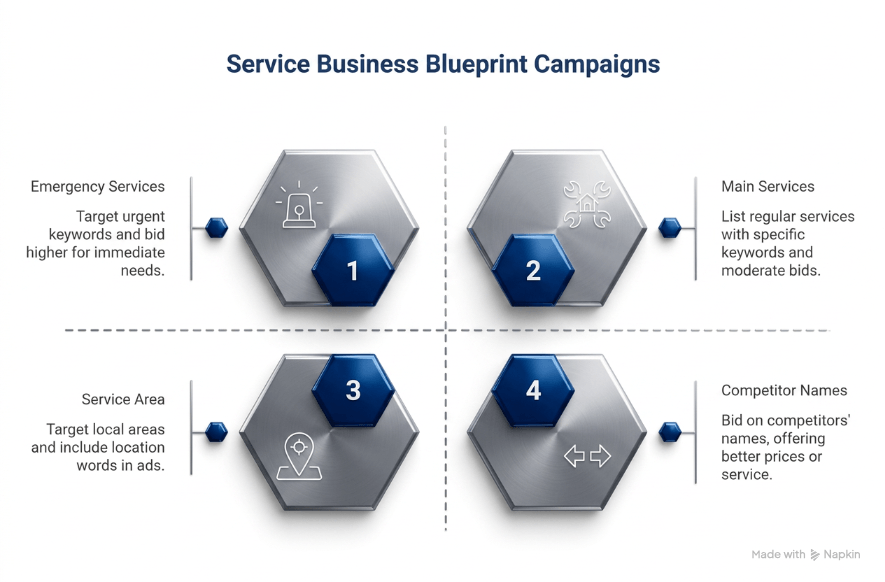
Campaign 1: Emergency/Urgent Services
- Target keywords like “emergency plumber” or “24 hour locksmith”
- Bid higher because these people need help NOW
- They’re ready to call immediately
- Worth paying more per click
Campaign 2: Your Main Services
- List all your regular services
- Create one ad group for each service type
- Use specific keywords for each service
- Set moderate bids
Campaign 3: Your Service Area
- Target your city and nearby towns
- Include location words in your ads
- Show up when people search “near me”
- Use location extensions
Campaign 4: Competitor Names
- Bid on your competitors’ business names
- Offer better prices or faster service
- This catches people comparing options
- Only do this if you have a clear advantage
Ad Group Example for Plumbers
Inside your “Main Services” campaign, create ad groups like:
- Water Heater Repair (keywords: fix water heater, broken heater, emergency repair service)
- Drain Cleaning (keywords: clogged drain, slow-draining sink, professional cleaning service)
- Leak Repair (keywords: pipe leak, leaking faucet, emergency plumbing repair)
Each ad group gets its own ads that match those specific keywords.
Why This Works
Service businesses need to be there when customers need help. This structure makes sure you show up for emergency searches (where you can charge more) and regular service searches (which build your business over time).
Structure #3: The Smart SaaS Setup (Best for Software Companies)
If you sell software or online tools, this structure helps you catch customers at different stages.
How the Smart SaaS Setup Works
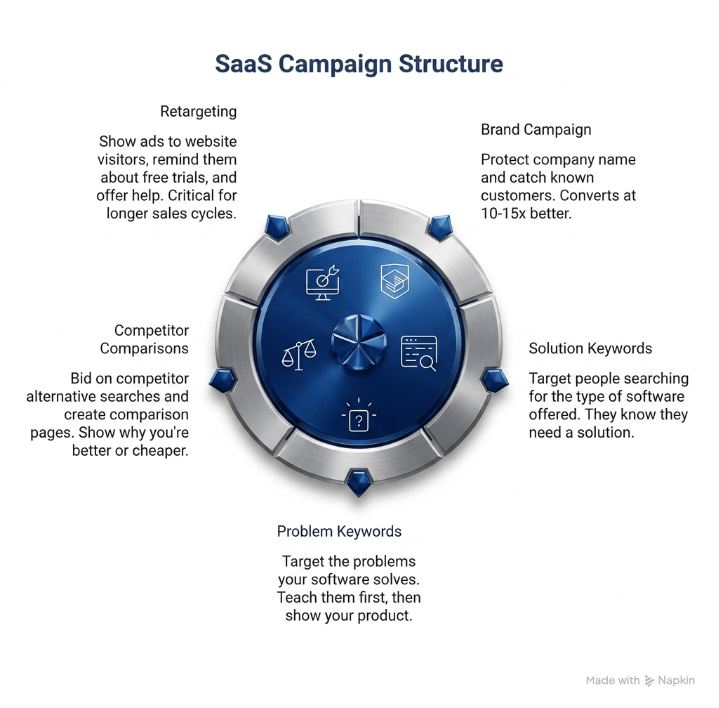
Campaign 1: Your Brand
- Protect searches for your company name
- Catch people who heard about you elsewhere
- These convert at 10-15x better than other campaigns
- Keep this running all the time
Campaign 2: Solution Keywords
- Target people searching for the type of software you offer
- Examples: “project management tool” or “email marketing software”
- These people know they need a solution
- They’re comparing different options
Campaign 3: Problem Keywords
- Target the problems your software solves
- Examples: “how to manage remote team” or “organize marketing campaigns”
- These people don’t know about your solution yet
- Teach them first, then show your product
Campaign 4: Competitor Comparisons
- Bid on “[Competitor Name] alternative” searches
- Create comparison landing pages
- Show why you’re better or cheaper
- Allocate 15-20% of budget here
Campaign 5: Retargeting
- Show ads to people who visited your website
- Remind them about free trials
- Offer help getting started
- Critical for longer sales cycles
Budget Example for $3,000/Month
- $300 for Brand (10%)
- $1,500 for Solution Keywords (50%)
- $450 for Problem Keywords (15%)
- $450 for Competitor Comparisons (15%)
- $300 for Retargeting (10%)
The Sales Cycle Challenge
Software buyers take time to decide. They might visit your site 5-10 times before signing up. That’s why retargeting is so important. It keeps your company in front of them during their research.
According to research on B2B software marketing, the average buyer takes 266 touches before making a decision. Your campaign structure needs to support this long journey.
Key Lessons That Apply to All Three Structures
No matter which structure you choose, follow these important rules:
1. Always Separate Your Brand Campaign
People searching for your company name are your hottest leads. Keep them in their own campaign so you can:
- Set lower bids (you don’t need to pay as much)
- Track how many people already know you
- Protect against competitors stealing your traffic
2. Start Simple, Then Expand
Don’t create 20 campaigns on day one. Start with 2-3 campaigns and add more as you learn what works. It’s easier to add campaigns than to fix a messy account.
3. Use Clear Naming
Name your campaigns so anyone can understand them:
- Good: “Brand – Company Name”
- Good: “Shopping – Best Sellers”
- Bad: “Campaign 1”
- Bad: “Test ABC”
4. Check Performance Weekly
Look at your campaigns every week:
- Which campaigns make money?
- Which ones waste money?
- What keywords work best?
- Where should you spend more or less?
5. Give Campaigns Time to Learn
Google’s system needs time to learn what works. Don’t make big changes every day. Wait at least 2-3 weeks before judging if a campaign is working.
Common Mistakes to Avoid
Putting Everything in One Campaign
This is like having one huge closet with no shelves. You can’t control anything. You can’t see what’s working. And you waste money.
Making Ad Groups Too Big
Each ad group should focus on one topic. If you mix 50 different keywords together, your ads won’t match what people search for. Keep it focused – usually 5-10 related keywords per ad group.
Ignoring Mobile Users
More than 60% of searches now happen on phones. Make sure your campaigns work well on mobile. Check that your website loads fast on phones too.
Setting Budget Too Low
If you only spend $5 per day across three campaigns, Google doesn’t have enough data to help you. Start with at least $10-20 per day total if you want to see real results.
How to Choose the Right Structure for Your Business
Still not sure which structure to use? Ask yourself these questions:
Do you sell physical products? → Use Structure #1 (Simple Store)
Do you offer local services? → Use Structure #2 (Service Business)
Do you sell software or subscriptions? → Use Structure #3 (Smart SaaS)
Do you do multiple things? → Combine elements from different structures
The best google ads account structure is one that matches how your business actually works.
If your business is growing and you’re considering running ads across separate brands or multiple locations, it’s also worth understanding whether you can have multiple Google Ads accounts and how to manage them correctly.
Getting Started Today
Here’s your action plan:
- Choose Your Structure – Pick one of the three examples above
- Map Your Products/Services – List what you want to advertise
- Research Keywords – Find 10-20 keywords for each ad group
- Set Your Budget – Decide how much you can spend per month
- Build Campaigns – Follow the structure step by step
- Launch Small – Start with just your top campaigns
- Track Results – Watch what happens for 2-3 weeks
- Adjust and Grow – Add more campaigns as you learn
Final Thoughts
A good campaign structure is like a good foundation for a house. You might not see it, but everything else depends on it working right.
These three structures have helped hundreds of businesses get better results from Google Ads. They’re simple enough to set up in an afternoon, but powerful enough to grow with your business.
Remember: You don’t need to be perfect on day one. Start with a basic structure, run your campaigns, and improve as you learn. The businesses that win with Google Ads aren’t the ones with perfect setups – they’re the ones who start simple and keep getting better.
Need help setting up your campaigns? Professional guidance can save you time and money while you learn the ropes.