
Can I Have Multiple Google Ads Accounts? Do you need more than one Google Ads account? Maybe you run several businesses. Or perhaps you’re an agency working with many clients. You might be wondering: “Is it okay to have multiple Google Ads accounts?”
The short answer is yes! But there are rules you need to follow.
Can You Really Have Multiple Google Ads Accounts?
Yes, you can have multiple Google Ads accounts. Google doesn’t stop you from creating more than one account.
In fact, Google allows you to create and manage multiple accounts with a single email address. There’s no official maximum limit for most advertisers.
But here’s the important part: WHY you have multiple accounts matters a lot.
Google is okay with multiple accounts for good business reasons. But Google gets upset if you try to cheat the system or gain unfair advantages.
Think of it like this: having multiple bank accounts for different businesses is fine. But opening ten bank accounts to trick the bank? That’s not okay. The same idea applies to Google Ads accounts.
Good Reasons to Have Multiple Google Ads Accounts
Let’s look at the situations where having multiple accounts makes perfect sense.
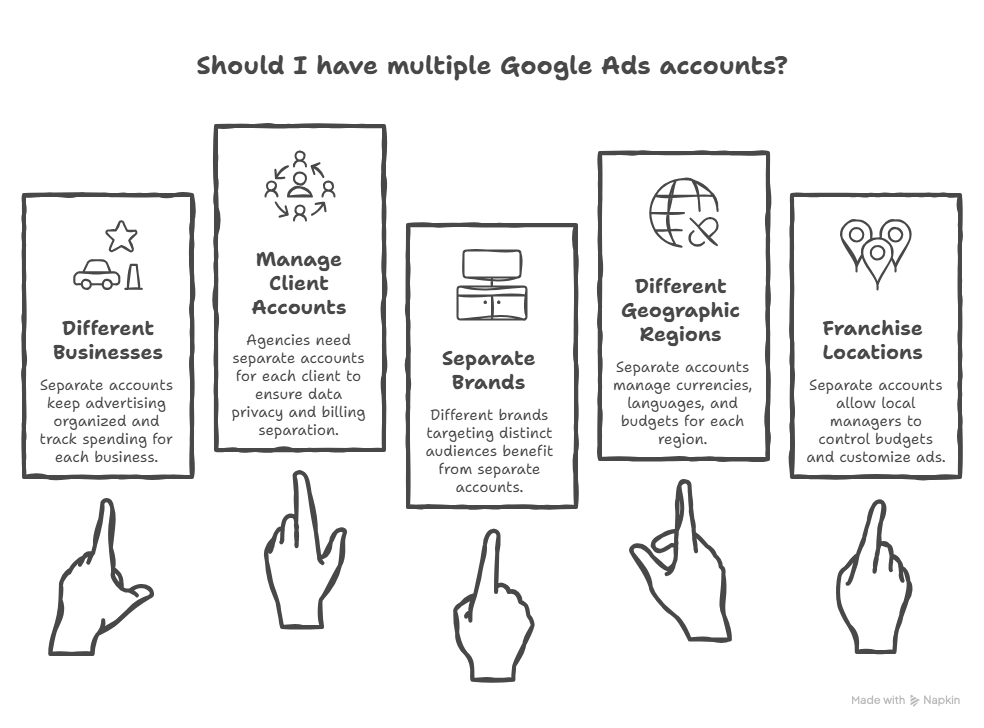
Running Different Businesses
If you own two completely separate businesses, you should have two separate accounts.
For example, let’s say you own:
- A pizza restaurant
- A car wash business
These are different businesses. They have different customers, different websites, and different goals. Each one should have its own Google Ads account.
This keeps your advertising organized. You can track each business separately. You know exactly how much you spend on each one. And each account can follow the right Google Ads campaign structure for its specific business type — whether that’s an online store, a service business, or a software product.
Managing Client Accounts (For Agencies)
Are you an agency that runs ads for other companies? Then you definitely need multiple accounts.
Each client should have their own Google Ads account. This is important for several reasons:
- Each client owns their own account
- Billing stays separate
- You can give clients access to their own data
- If you stop working together, they keep their account
Agencies often manage dozens or even hundreds of client accounts. Google expects this and provides special tools to make it easier. For professional guidance on managing these accounts, check out PPC Management For Small Business.
Separate Brands Under One Company
Maybe you have one company but multiple brands. Each brand targets different customers.
For example, imagine you sell:
- Budget furniture (Brand A)
- Luxury furniture (Brand B)
- Office furniture (Brand C)
Each brand has its own website and its own audience. They don’t compete with each other. In this case, separate accounts make sense.
Different Geographic Regions
Do you run ads in different countries? You might need separate accounts for each region.
Different countries often need:
- Different currencies
- Different languages
- Different budgets
- Different strategies
Separate accounts help you manage each region properly.
Franchise Locations
If you run a franchise with multiple locations, you might want separate accounts for each location.
This way:
- Each location controls its own budget
- You can track performance by location
- Local managers can access their own data
- You can customize ads for each area
Whether you keep everything in one account or spread it across multiple, it’s important to understand the Google Ads account hierarchy — the relationship between accounts, campaigns, and ad groups — so your structure stays organized and efficient.
What Google Does NOT Allow
Now let’s talk about the rules. Breaking these rules can get all your accounts suspended!
Rule 1: Don’t Run Multiple Accounts to the Same Website
This is the big one. Google has a strict policy against running ads to the same website from multiple Google Ads accounts.
Why? It gives you an unfair advantage. You could flood the search results with your ads. This pushes out your competitors and messes up Google’s ad auction system.
If Google catches you doing this, they can suspend all your accounts.
Rule 2: Don’t Create Accounts to Avoid Suspensions
Let’s say Google suspended one of your accounts for breaking the rules. Don’t try to create a new account to get around this suspension.
Google will find out. They track things like:
- Your email address
- Your payment information
- Your IP address
- Your website
When they discover the connection, they’ll suspend your new account too. Sometimes they’ll suspend ALL accounts connected to you.
Rule 3: Don’t Use Multiple Accounts to Manipulate Auctions
You can’t create several accounts just to dominate the ad space for certain keywords.
For example, imagine you create four accounts. You run the same ad from all four accounts. Now you have four ads showing instead of one.
This is cheating. Google prohibits this practice and will punish you for it.
Rule 4: Don’t Copy Ads Across Multiple Accounts
Running identical or very similar ads from different accounts to compete with yourself violates Google’s double-serving policy.
Each account should serve a distinct purpose with unique ads.
The Risks of Having Multiple Accounts
Before you create multiple accounts, understand the risks.
Risk 1: One Bad Account Can Hurt All Your Accounts
Google looks for connections between accounts. If they find that several accounts belong to you, and one account breaks the rules, they might suspend all of them.
This is called “cascade suspension” or “guilt by association.”
Google connects accounts through:
- Shared credit cards or bank accounts
- Same billing address
- Same login patterns
- Same phone numbers
- Similar website URLs
- Identical ad content
Risk 2: Managing Multiple Accounts Takes More Time
More accounts means more work. You need to:
- Log into each account separately
- Check performance for each one
- Update campaigns in multiple places
- Track spending across accounts
- Handle billing for each account
This can get overwhelming quickly, especially if you have five or more accounts.
Risk 3: Sharing Information Can Trigger Suspensions
Using the same payment method, billing address, or company information across multiple accounts might raise red flags at Google.
While there’s no specific policy against this, it can sometimes trigger suspensions. It’s best to keep accounts truly separate when they need to be independent.
The Smart Way to Manage Multiple Accounts
If you have legitimate reasons for multiple accounts, here’s the right way to handle them.
Use a Manager Account (MCC)
Google provides a special tool called a Manager Account. It used to be called “My Client Center” or MCC.
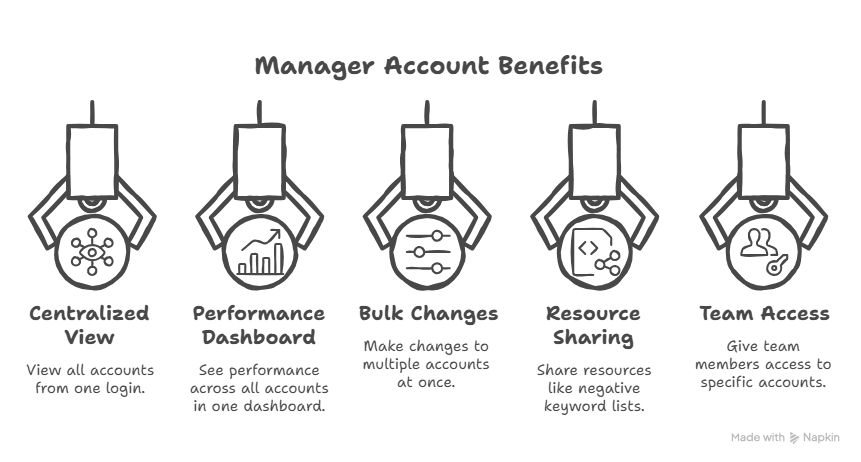
A Manager Account is like a master control panel. It sits above all your individual accounts and lets you:
- View all accounts from one login
- See performance across all accounts in one dashboard
- Make changes to multiple accounts at once
- Share resources like negative keyword lists
- Give team members access to specific accounts
One Manager Account can control up to 85,000 connected accounts! Most businesses will never need that many, but it shows you how powerful this tool is.
The best part? Manager Accounts are completely free. You only pay for the actual advertising spend in your individual accounts.
Keep Each Account Separate
If you have accounts that need to stay independent, keep them completely separate:
- Use different billing information for each
- Don’t share credit cards across accounts
- Use different phone numbers
- Access each account from different browser sessions
- Create unique ads for each account
- Send traffic to different websites
This protects each account. If one has a problem, it won’t affect the others.
Follow Proper Naming Conventions
Give each account a clear, descriptive name. This helps you stay organized.
For example:
- “Pizza Palace – NYC Location”
- “Auto Repair – Client: Joe’s Garage”
- “Brand A – Premium Furniture Line”
Good names save you time and prevent confusion. You can learn more about proper structure at google ads account structure.
Document Everything
Keep good records of:
- Why you created each account
- What business or client each account serves
- Who has access to each account
- Billing information for each account
If Google ever questions your multiple accounts, you can show them legitimate business reasons.
Special Situations: Questions People Ask
Can I Use One Account for Multiple Websites?
Technically yes, but Google discourages it.
You CAN send traffic to different websites from one Google Ads account. But it’s not ideal because:
- If one website violates policy, your whole account gets suspended
- It’s harder to track performance by website
- Your account history gets mixed together
Can I Move Accounts Between Manager Accounts?
Yes! If a client switches agencies, their account can move from one Manager Account to another.
The account keeps all its history, settings, and data. Only the management connection changes.
Since late 2024, Google even allows one account to be linked to up to 5 different Manager Accounts at the same time. This helps when multiple agencies need access to the same client account.
What If I’m an Agency Managing Competitors?
This is actually okay! An agency can manage Google Ads for competing businesses.
The key point: these are separate businesses with separate interests. You’re providing a service to each one. The accounts don’t work together to manipulate results.
Most good agencies tell clients when they manage competitors. They also keep different teams working on competing accounts. This isn’t a Google requirement, but it’s professional best practice.
What Happens If One Account Gets Suspended?
If Google suspends one of your accounts, it doesn’t automatically suspend your other accounts.
However, if Google thinks you created multiple accounts to cheat the system, they might suspend all related accounts.
This is why it’s so important to follow the rules and keep legitimate accounts separate.
Tools to Help Manage Multiple Accounts
Managing multiple Google Ads accounts is easier with the right tools.
Google’s Manager Account Dashboard
The Manager Account gives you a powerful overview of all your accounts. You can see:
- Total performance across all accounts
- Individual performance for each account
- Alerts for policy violations or payment issues
- Recommendations for improvements
Shared Resources
Through your Manager Account, you can create resources that work across all your accounts:
Shared Negative Keyword Lists: Block irrelevant searches across all accounts with one action. When you find a bad keyword in one account, you can block it everywhere instantly.
Shared Budgets: Distribute spending across multiple campaigns in different accounts automatically.
Conversion Tracking Templates: Set up conversion tracking once, then apply it to all accounts.
Automated Rules
Google lets you set up automatic rules across all your accounts. For example:
- “Pause any campaign that spends $100 with no sales”
- “Send me an email if any account’s budget runs out”
- “Adjust bids based on time of day”
These rules save you time and protect your budget.
Google Ads Scripts
If you’re technical, you can use JavaScript code to automate tasks across all your accounts. This is powerful but requires programming knowledge.
Getting Expert Help
Managing multiple Google Ads accounts can get complicated. Many business owners and agencies hire experts to help.
Professional help can:
- Set up your accounts correctly from the start
- Make sure you follow all Google’s policies
- Organize your Manager Account efficiently
- Train your team on best practices
- Monitor performance across all accounts
If you’re new to search engine marketing for small business, working with experts can save you time and prevent costly mistakes.
You can also learn from Google’s official help resources. They offer free training, guides, and support for managing multiple accounts.
Common Mistakes to Avoid
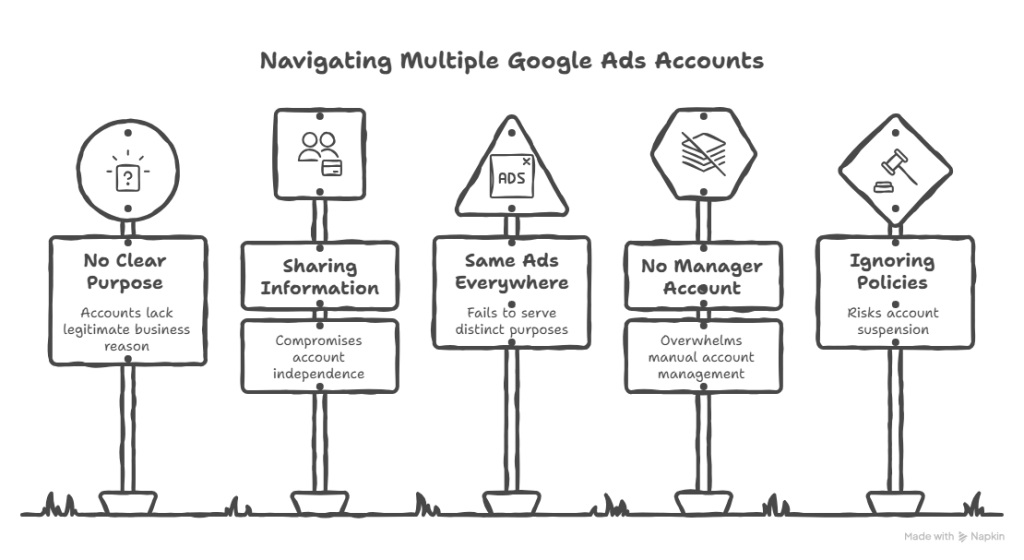
Don’t make these errors when running multiple accounts:
Mistake 1: Creating Accounts Without Clear Reasons
Every account should have a clear, legitimate business purpose. Don’t create accounts “just because.”
Mistake 2: Sharing Too Much Information
Avoid using the same credit card, phone number, and billing address across accounts that need to be independent.
Mistake 3: Running the Same Ads Everywhere
Each account should have unique ads and serve a distinct purpose.
Mistake 4: Not Using a Manager Account
If you have more than two accounts, you need a Manager Account. Managing accounts separately is too much work.
Mistake 5: Ignoring Google’s Policies
Always follow Google’s advertising policies. Read them carefully and stay updated on changes.
Final Thoughts
So, can you have multiple Google Ads accounts? Absolutely!
Here’s what to remember:
- You CAN have as many accounts as you need for legitimate business reasons
- Each account should serve a distinct purpose (different business, client, brand, or region)
- DO NOT run multiple accounts to the same website
- DO NOT create accounts to avoid suspensions or manipulate auctions
- Use a Manager Account to control everything from one place
- Keep independent accounts truly separate
- Follow all of Google’s policies carefully
- Document your business reasons for each account
Multiple accounts are a powerful tool when used correctly. They help agencies manage clients, businesses organize different brands, and franchises track locations. If you’re managing a multi-location business and wondering how to structure campaigns within each account, check out these Google Ads structure examples for local businesses to see how location-based campaigns and service-area targeting work in practice.
But they also come with responsibilities. You must follow the rules and keep proper organization.
Start with clear business reasons for each account. Set up a Manager Account to control them all. Keep good records. And always, always follow Google’s policies.
Done right, multiple Google Ads accounts can help you grow your business, serve clients better, and keep your advertising organized and effective.
Good luck with your Google Ads accounts!