
Google Ads Budget: The Complete Guide to Setting Your Advertising Spend – Running ads on Google can feel a bit like planning a road trip. You need to know how much gas money to bring, where you’re going, and how to get the most out of every dollar. Understanding your Google Ads budget is the first step to making your advertising work for your business. Let’s break down everything you need to know about setting and managing your advertising money.
What is a Google Ads Budget?
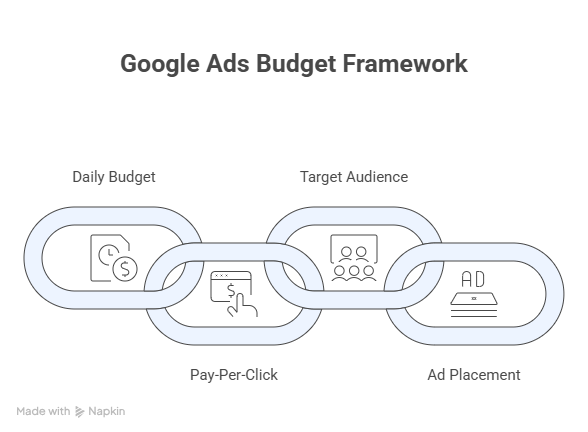
Think of your Google Ads budget like your weekly allowance. Instead of buying snacks or games, you’re paying Google to show your business ads to people who are searching for what you sell. Every time someone clicks on your ad, Google charges you a small amount of money. This is called “pay-per-click” advertising.
You set a daily budget, which is like saying, “I want to spend this much money each day on ads.” Google then tries to use that money to show your ads to the right people at the right time.
How Does Google Ads Budgeting Work?
Google uses something called an “average daily budget.” This is the amount you’re willing to spend each day on your ads. But here’s the tricky part—Google doesn’t always spend exactly that amount every single day.
Some days, when lots of people are searching for what you offer, Google might spend up to twice your daily budget. Other days, when searches are slower, Google might spend less. At the end of the month, though, you won’t pay more than your daily budget multiplied by the average number of days in a month (30.4).
Here’s a simple example: If you set a $50 daily budget, Google can spend up to $100 on a really busy day. But over the whole month, you won’t be charged more than about $1,520 (that’s $50 times 30.4 days).
This system helps make sure your ads show up when people are actually looking, not just when the calendar says so. Many business owners who work with experts in search engine marketing for small business find that understanding this flexibility helps them plan better.
How to Determine Your Google Ads Budget
This is the million-dollar question, and the answer depends on your business. There’s no magic number that works for everyone, but there are smart ways to figure out what makes sense for you.
Start With Your Business Goals
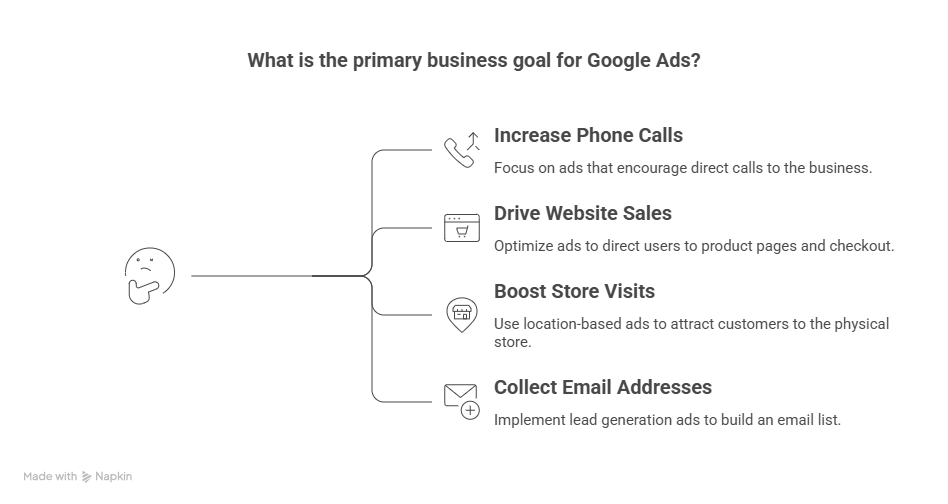
Before you set any budget, ask yourself: What do I want to achieve?
- Do you want more phone calls?
- Do you want people to buy products from your website?
- Do you want people to visit your physical store?
- Do you want to collect email addresses?
Once you know your goal, you can work backward to figure out your budget.
The Reverse Math Method
Here’s a simple way to calculate your starting budget:
Step 1: Figure out how much profit you make from an average customer. Let’s say you run a bakery and the average customer spends $50, and your profit is $20 after costs.
Step 2: Decide how much you’re willing to pay to get one new customer. Maybe you’d be happy paying $10 to get that $20 profit.
Step 3: Research average costs. Different industries have different costs per click. An online store might pay $2 per click, while a lawyer might pay $15 or more.
Step 4: Calculate how many clicks you need. If it costs $2 per click and you need 10 clicks to get one customer, that’s $20 to get one customer. If you want 5 new customers per day, you need a $100 daily budget.
This method helps you connect your advertising spend directly to your business results.
Budget Guidelines by Business Size
While every business is different, here are some general ranges that work for most companies:
For Small Businesses Just Starting Out: Plan to spend between $1,000 and $2,500 per month. This gives you enough data to see what’s working and what’s not without breaking the bank.
For Growing Businesses: If you want to scale up and reach more customers, budgets typically range from $5,000 to $10,000 per month. This level allows Google’s automated tools to optimize faster.
For Local Businesses: Coffee shops, hair salons, plumbers, and restaurants typically spend $1,200 to $8,500 per month, with most comfortable at $2,000 to $5,000.
Professional PPC management for small business services can help you figure out exactly how much you should spend based on your specific goals and industry.
Understanding Cost Per Click
Not all clicks cost the same amount. The price you pay depends on:
- Your industry – Competitive industries cost more
- Your location – Big cities usually cost more than small towns
- Your keywords – Popular search terms cost more
- Time of day – Business hours often cost more
- Quality of your ads – Better ads can cost less
For example, if you sell t-shirts online, you might pay $1.50 per click. But if you’re a dentist in a big city, you might pay $8 or $10 per click because each new patient is worth so much more.
The 30-Conversion Rule
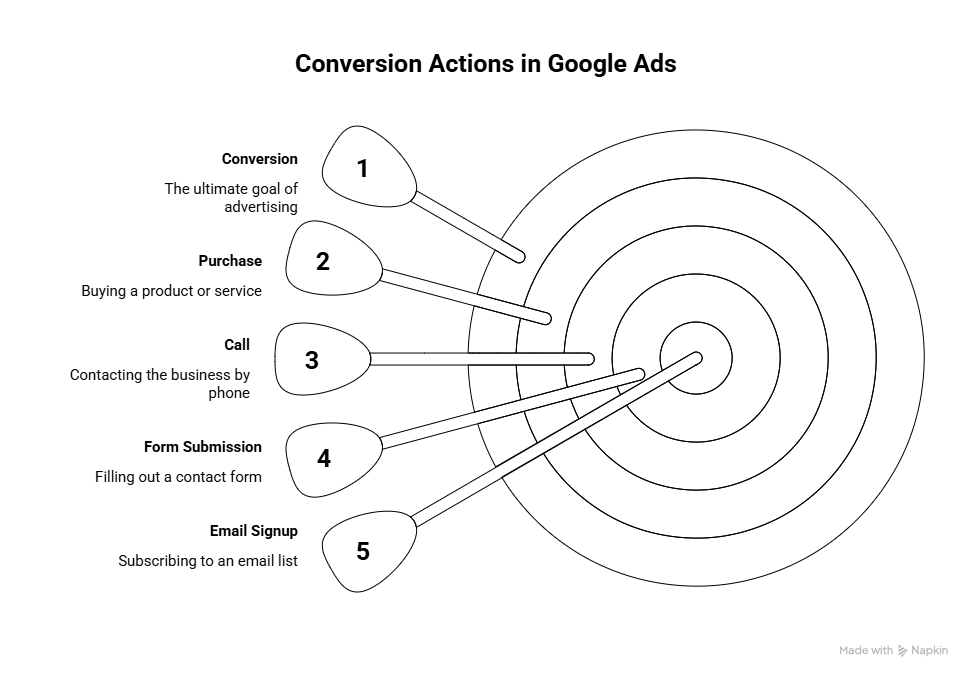
Here’s something important to know: Google’s automatic bidding systems work best when they have enough data to learn from. The magic number is about 30 conversions (successful customer actions) per month.
A conversion could be:
- Someone buying a product
- Someone calling your business
- Someone filling out a contact form
- Someone signing up for your email list
If you’re getting fewer than 30 conversions per month, your ads might cost more and work less effectively. This means you might need to either increase your budget or adjust what you’re counting as a conversion.
Different Types of Budget Strategies
Google offers different ways to manage your Google Ads budget. Understanding these options helps you pick the right one for your business.
Manual Bidding
With manual bidding, you control exactly how much you’re willing to pay for each click. This is like driving a car with a manual transmission—you have complete control, but you need to pay close attention.
Good for: New advertisers, small budgets, businesses that want complete control
The challenge: It takes time and you need to make adjustments regularly
Automated Bidding
With automated bidding, Google’s computer systems automatically adjust your bids to help you reach your goals. This is like cruise control on the highway—easier, but you’re trusting the system.
Good for: Busy business owners, accounts with enough conversion data, people who want to save time
The challenge: You give up some control, and it needs data to work well
Shared Budgets
If you run multiple campaigns, you can create one shared budget that they all pull from. Think of it like having one family grocery budget instead of separate budgets for fruits, vegetables, and snacks.
Good for: Businesses with several campaigns, seasonal businesses, testing different approaches
The challenge: One campaign might use up most of the budget
Best Practices for Managing Your Google Ads Budget
Managing your Google Ads budget effectively means following some proven strategies that successful businesses use.
1. Start Small and Test
Don’t spend your entire marketing budget on day one. Start with a smaller amount—maybe $500 to $1,000 for your first month. This lets you test what works without risking too much money.
Think of it like trying a new recipe. You don’t make it for a huge dinner party the first time. You test it at home first, see how it turns out, and then make adjustments.
2. Track Everything
You can’t improve what you don’t measure. Set up conversion tracking from day one so you know exactly what happens after someone clicks your ad.
Ask yourself:
- How many people clicked my ad?
- How many of those people did what I wanted (bought something, called, filled out a form)?
- How much did each successful action cost me?
- Am I making more money than I’m spending?
3. Focus Your Budget
Don’t try to advertise everything at once. If you sell 50 different products, start by advertising your top 5 best-sellers. If you offer 10 services, focus on the most profitable ones first.
According to WordStream’s research, businesses that focus their budget on specific goals see much better results than those who spread their money too thin.
4. Adjust Based on Performance
Your first budget probably won’t be perfect—and that’s okay! Plan to review your ads every week and make small adjustments.
If something is working really well, consider giving it more budget. If something isn’t working after a fair test, pause it and try something different.
5. Consider the Time of Day and Week
Not all hours are created equal. If you run a B2B company, advertising at 2 AM probably doesn’t make sense. If you run a restaurant, advertising right before lunch and dinner times might work great.
You can use ad scheduling to show your ads only during your best hours. This helps your budget go further by avoiding times when people aren’t likely to become customers.
6. Watch Your Competition
Your budget needs might change based on what your competitors are doing. If more businesses start advertising for your keywords, prices go up. Keep an eye on your cost per click and adjust your budget if needed.
7. Plan for Seasonality
Most businesses have busy and slow seasons. A tax accountant is busy in March and April. A pool company is busy in summer. A toy store is busy during the holidays.
Increase your Google Ads budget during your busy times when people are actively searching for what you offer. You can reduce it during slower times to save money.
8. Don’t Forget About Quality
A bigger budget doesn’t automatically mean better results. The quality of your ads, your website, and your offer all matter just as much as your budget.
You could have a $10,000 monthly budget, but if your ads are boring or your website is confusing, you’ll waste that money. On the flip side, great ads with a smaller budget can outperform weak ads with a big budget.
Common Google Ads Budget Mistakes to Avoid
Even experienced advertisers make budget mistakes. Here are the most common ones and how to avoid them:
Mistake #1: Setting a Budget That’s Too Small – If your budget is too low, you won’t get enough clicks to see results and get limited by budget or budget that is not spending. It’s better to run ads for fewer days with a proper budget than to spread a tiny budget over a whole month.
Mistake #2: Not Setting a Maximum Cost Per Click – Without limits, you might pay way too much for certain clicks. Set maximum bids to protect your budget.
Mistake #3: Forgetting About Mobile – More than half of searches happen on phones. Make sure your ads and website work great on mobile devices, or you’re wasting your budget.
Mistake #4: Ignoring Negative Keywords – These are words you DON’T want your ads to show up for. For example, if you sell premium dog food, you might want to add “free” and “cheap” as negative keywords.
Mistake #5: Setting and Forgetting – Your Google Ads budget needs regular attention. Set aside time each week to check your results and make adjustments.
When to Get Professional Help
Managing Google Ads takes time, knowledge, and constant attention. Here are signs you might benefit from professional help:
- You’re spending over $2,000 per month and want to make sure it’s working efficiently
- You don’t have time to check and adjust your campaigns weekly
- Your ads aren’t bringing in enough customers for what you’re spending
- You’re not sure if you’re tracking the right things
- You want to grow but don’t know how to scale your budget effectively
Professional services like PPC management for small business can often pay for themselves by eliminating waste and finding opportunities you might miss.
The Bottom Line on Google Ads Budgets
Your Google Ads budget is one of the most important decisions you’ll make for your advertising success. There’s no one-size-fits-all answer, but by understanding how Google’s system works and following smart budgeting practices, you can make your advertising dollars work harder.
Remember these key points:
- Start by working backward from your business goals and profit margins
- Most small businesses need at least $1,000-$2,500 per month to see meaningful results
- Google can spend up to 2x your daily budget on busy days, but monthly totals are capped
- Track everything so you know what’s working and what isn’t
- Focus your budget on what works best rather than spreading it thin
- Adjust your budget based on performance, seasonality, and competition
- Quality matters just as much as quantity—good ads with smaller budgets beat bad ads with big budgets
Think of managing your Google Ads budget like taking care of a garden. You can’t just plant seeds and walk away. You need to water regularly, pull weeds, and adjust based on what’s growing well. The same goes for your advertising—regular attention and smart adjustments make all the difference.
The good news? When you get your budget right and follow best practices, Google Ads can be one of the most effective ways to grow your business. You can reach people exactly when they’re searching for what you offer, and you only pay when they’re interested enough to click.
Whether you manage your ads yourself or work with professionals, understanding Google Ads budget fundamentals will help you make smart decisions and get the most value from every dollar you spend. Start by setting a budget you’re comfortable with, track your results carefully, and don’t be afraid to make changes as you learn what works for your specific business.
Success with Google Ads isn’t about having the biggest budget—it’s about using whatever budget you have in the smartest way possible.