
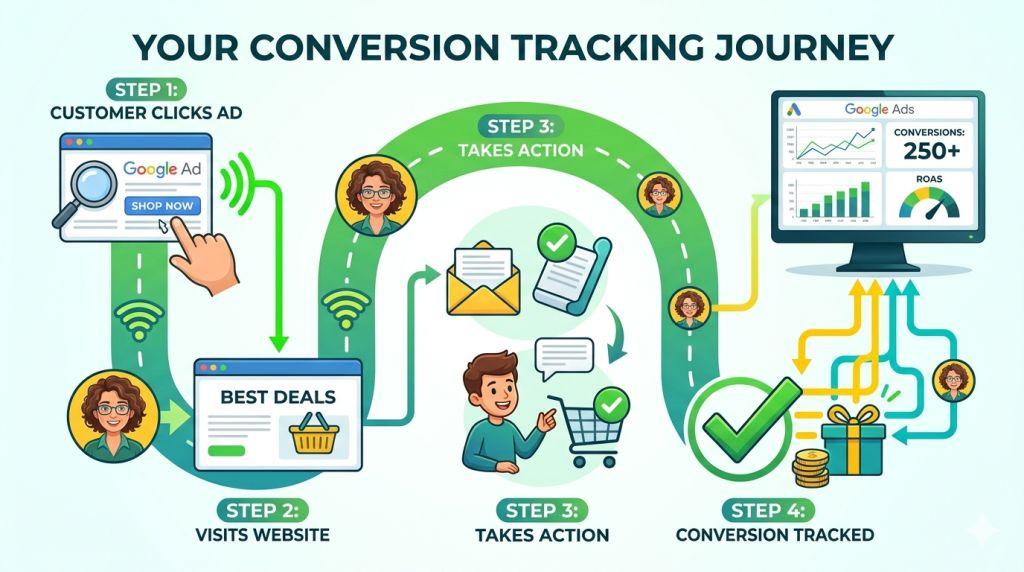
Google Ads Conversion Tracking Setup – Are you spending money on Google Ads but not sure if they’re working? You’re not alone! Many business owners feel confused about whether their ads are bringing in real customers or just wasting money. The good news is that there’s a simple solution: Google Ads conversion tracking setup.
Think of conversion tracking like a scoreboard for your ads. It tells you who clicked your ads and then actually bought something, signed up for your email, or did something else important for your business. Without it, you’re basically playing a game without keeping score.
What Is Google Ads Conversion Tracking?
Conversion tracking is a tool that watches what happens after someone clicks on your ad. A conversion is any action you care about—like making a purchase, filling out a form, or downloading something from your website.
Let’s say you own a pizza restaurant and run a Google Ad that says “Order Pizza Online.” Someone clicks your ad, goes to your website, and buys a large pizza. That purchase is a conversion! Conversion tracking records this and tells you, “Hey, this ad worked!”
Without conversion tracking, you would never know which ads brought in real customers. You might think an ad is working great because lots of people clicked it, but if nobody actually bought anything, you’re just wasting money.
Why Conversion Tracking Matters Right Now
Here’s something important: in 2026, the world of online ads is getting trickier. More people are using tools to block ads. Web browsers like Safari are making cookies (special trackers) expire faster. Privacy laws are getting stricter. All of this means that today, standard Google Ads might not track 30 to 50 percent of your real conversions.
That’s huge! You might think your ads only brought in 100 sales when they actually brought in 200. Or you might think a campaign is failing when it’s actually working great.
The good news? With the right conversion tracking setup, you can recover many of those missing conversions/offline conversions and see a much clearer picture of what’s really working.
The Three Main Ways For Google Ads Conversion Tracking Setup
1. Google Tag Manager (The Easy Way)
The easiest and most popular way to set up conversion tracking is using something called Google Tag Manager (GTM). This is like a special control center for your ads.
Here’s why people love it:
- You don’t need to know computer code
- You can add or change tracking without bothering a web developer
- You can manage all your ads in one place
- It takes about 15 minutes to set up
To use Google Tag Manager, you get a special ID number from your Google Ads account (called a Conversion ID). You paste this number into Google Tag Manager, tell it when to track (like when someone buys something), and you’re done!
2. Direct Code on Your Website
If you know a little bit about coding, you can add tracking code directly to your website. This is faster in some ways, but it’s harder to change if you need to fix something.
3. Plugins for Your Website Store
If you run an online shop using WordPress or another platform, you can use a simple plugin (like PixelYourSite) that does the tracking for you. It’s like installing an app on your phone—super simple.
Enhanced Conversions: Finding the Hidden Sales You’re Missing
Here’s a secret Google Ads tool that many small business owners don’t use: Enhanced Conversions.
Remember how we said that browsers and privacy tools are blocking about 30 to 50 percent of your conversions? Enhanced Conversions helps you find those hidden conversions.
Here’s how it works: When someone buys from you or signs up for your email, Google can see some information about them (like their email address). Google takes that information, scrambles it with special math (so it’s private and safe), and matches it to a Google account. This helps Google figure out that the person who clicked your ad is the same person who bought your product.
The results are impressive:
- Many businesses see 5 to 10 percent more conversions after turning on Enhanced Conversions
- Combined with other privacy tools, you can recover 15 to 25 percent more conversions
- Your ads get smarter because Google sees more real results
Privacy: Keeping Your Customer Information Safe
You might be worried: “If Google is tracking conversions, what about privacy?”
Great question! Google takes privacy very seriously. There’s something called Consent Mode V2 that makes sure you’re respecting your customers’ privacy while still tracking what matters.
If someone on your website says “I don’t want to be tracked,” Consent Mode V2 respects that choice. But Google can still estimate what probably happened using smart technology (like artificial intelligence). It’s a way to get the information you need while respecting people’s privacy choices.
If your customers are in Europe, you legally have to use Consent Mode V2. If you’re only in the United States, it’s not required yet, but smart business owners are setting it up anyway.
Smart Bidding: Letting AI Do the Work
Once you have good conversion tracking, something magical happens. Google’s artificial intelligence (AI) can start making smart choices for you.
Google has tools called “Smart Bidding” that automatically decide how much to pay for each click. The AI looks at thousands of pieces of information—what time of day it is, what device the person is using, where they live, and much more—and decides which clicks are most likely to become sales.
But here’s the thing: AI can only be smart if you give it good information. If your conversion tracking is broken or incomplete, the AI is like a student trying to pass a test with half the questions missing. It won’t do well.
With excellent conversion tracking, Smart Bidding gets much smarter and your ads become much more profitable.
Getting Started: Your First Steps
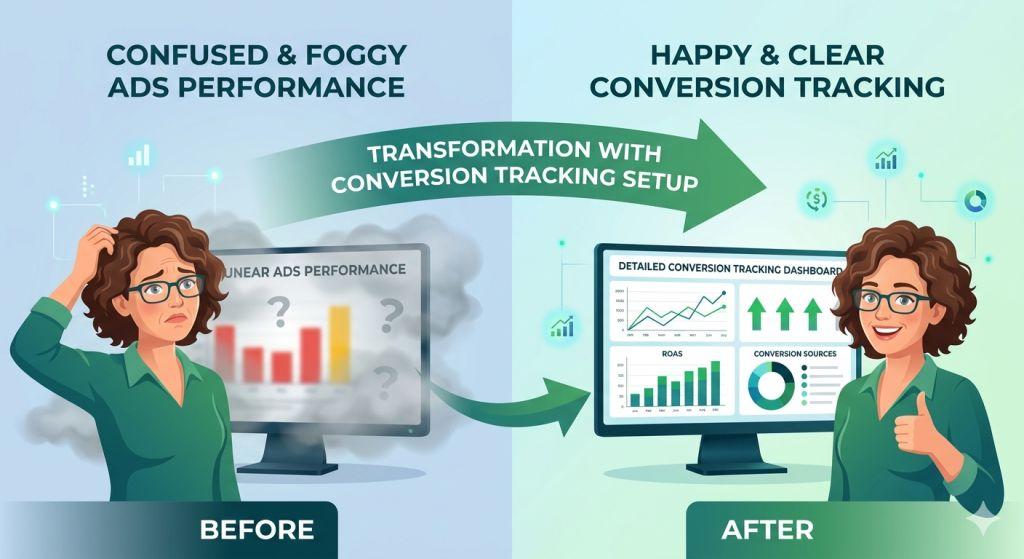
Ready to set up Google Ads conversion tracking? Here’s what to do:
Week 1: Set It Up
- Log into your Google Ads account
- Go to the “Goals” section and click “Conversions”
- Choose what you want to track (a purchase, a form, a phone call, etc.)
- Connect Google Tag Manager or install tracking code
- Test it to make sure it’s working
Week 2-4: Turn on Enhanced Conversions
- In your Google Ads settings, find “Enhanced Conversions”
- Turn it on with one click
- Let it run for a few weeks
Month 2: Check Your Results
- Look at your conversion data
- See which ads are bringing in real customers
- Make improvements based on what you learn
Common Mistakes to Avoid
Mistake #1: Forgetting to track anything Some business owners set up Google Ads but forget to add conversion tracking. Then they have no idea if their ads work!
Mistake #2: Only tracking one type of conversion Maybe you track purchases but not sign-ups. But those sign-ups might become customers later. Track everything that matters.
Mistake #3: Using only Google Analytics Google Analytics is helpful, but it’s not the same as Google Ads conversion tracking. Use both!
Mistake #4: Ignoring privacy settings If you serve customers in Europe, you must set up Consent Mode V2. Don’t ignore this.
Take Your Google Ads to the Next Level
Google Ads conversion tracking is not complicated, but it is important. It’s the difference between knowing your ads work and guessing.
If you’re running Google Ads right now without conversion tracking, you’re literally flying blind. You might be wasting money, or you might be making money without even realizing it.
The good news? Setting this up takes just a few minutes, and it will give you answers to some of your biggest questions about your advertising.
Want help with your Google Ads setup? Check out our SEO and marketing services for small business. We also offer PPC Management For Small Business if you want experts handling your campaigns.
If you’re ready to get serious about conversion tracking and attribution models, learn more about Google Ads Conversion Tracking on our site.
Final Thoughts
In 2026, having good conversion tracking isn’t nice to have—it’s necessary. The world of online ads is getting more complicated with privacy laws and browser changes. But when you set up conversion tracking the right way, you get clear answers about what’s working.
Start today. Set up conversion tracking. Turn on Enhanced Conversions. Respect your customers’ privacy with Consent Mode V2. In just a few weeks, you’ll have better data, smarter decisions, and better results from your Google Ads.
Your ads will finally have a scoreboard. And you’ll know exactly who’s winning.
Need help with conversion tracking or Google Ads? If you want to make sure everything is set up correctly, professionals can help you avoid mistakes and get the most from your ads budget.
Learn more about Google conversion tracking best practices on Google’s official conversion tracking guide.