
Google Ads Landing Page Examples That Actually Convert – The fastest way to learn what works is to look at real examples. Here are some of the best Google Ads landing page examples — broken down in plain language so you can apply the same ideas to your own business.
Ever wonder why some businesses seem to get a flood of calls and leads from their Google Ads while others spend the same money and get almost nothing back? A big part of the answer isn’t the ad itself. It’s the page the ad sends people to.
The best Google Ads landing page examples all share a few things in common. They’re fast. They’re focused. They match the ad that brought the visitor there. And they make it incredibly easy for someone to take the next step.
In this article, we’re going to walk through real-world examples by industry, explain what makes each one work, and give you simple takeaways you can use right away — even if you’re not a designer or a tech expert. If you’d like a plain-English foundation before we dive in, our guide on what a landing page is in digital marketing explains the key concepts — including the four main types and the five must-have elements every landing page needs.
Why Looking at Google Ads Landing Page Examples Actually Helps
Learning from examples is one of the most effective ways to improve. Instead of reading abstract rules, you get to see exactly how those rules play out in the real world.
Google grades every landing page connected to an ad. It gives it a Quality Score, which affects how much you pay per click and how often your ad gets shown. A landing page rated “Above Average” can lower your cost per click by up to 36%. A poor landing page can make you pay up to 47% more — for the same clicks.
The examples below show you what “Above Average” actually looks like in practice. Each one is based on a real type of business and a real type of campaign — so no matter what industry you’re in, you’ll find something useful here.
Example 1: Home Services — The “Free Estimate” Landing Page
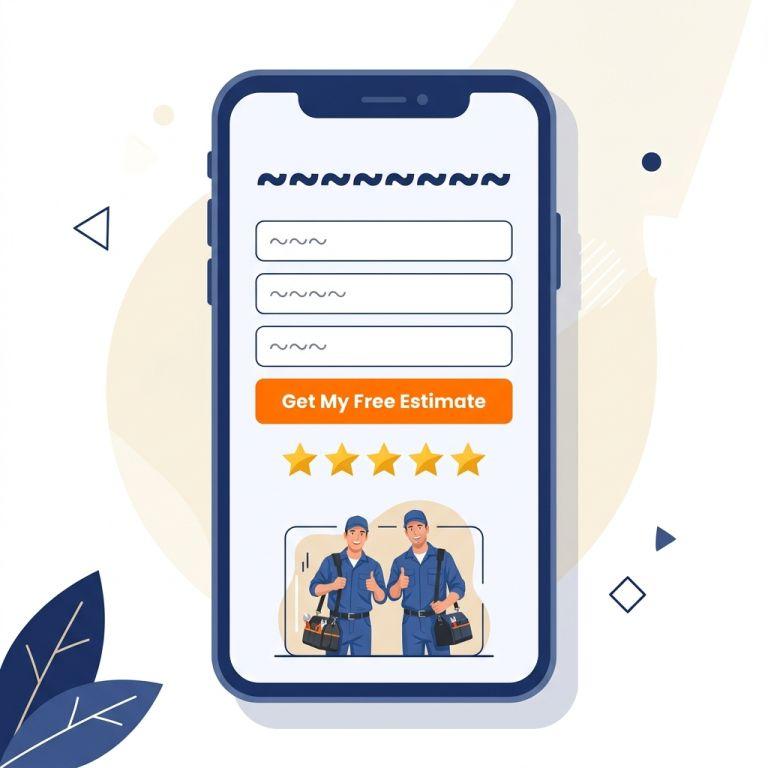
Imagine a plumbing company running a Google Ad that says: “Emergency Plumber Available Now — Get a Free Estimate Today.”
The landing page that ad sends people to does the following things right:
- The headline matches the ad exactly: “Get Your Free Plumbing Estimate — We’re Available Now.” The visitor immediately knows they’re in the right place.
- There’s one form above the fold: Name, phone number, zip code. That’s it. No scrolling required to take action.
- Trust signals are front and center: A row of five-star Google reviews sits right below the form. A badge shows “Licensed & Insured.” A photo of the actual technicians in uniform builds confidence.
- No navigation menu: There are no links to an “About Us” page or a blog. The only thing to do is fill out the form or call the phone number pinned at the top.
What you can steal from this example: Match your headline word-for-word with your ad’s main offer. Put your form or phone number at the very top of the page. Remove your website menu so visitors can’t wander off.
Example 2: Legal Services — The “Free Consultation” Landing Page
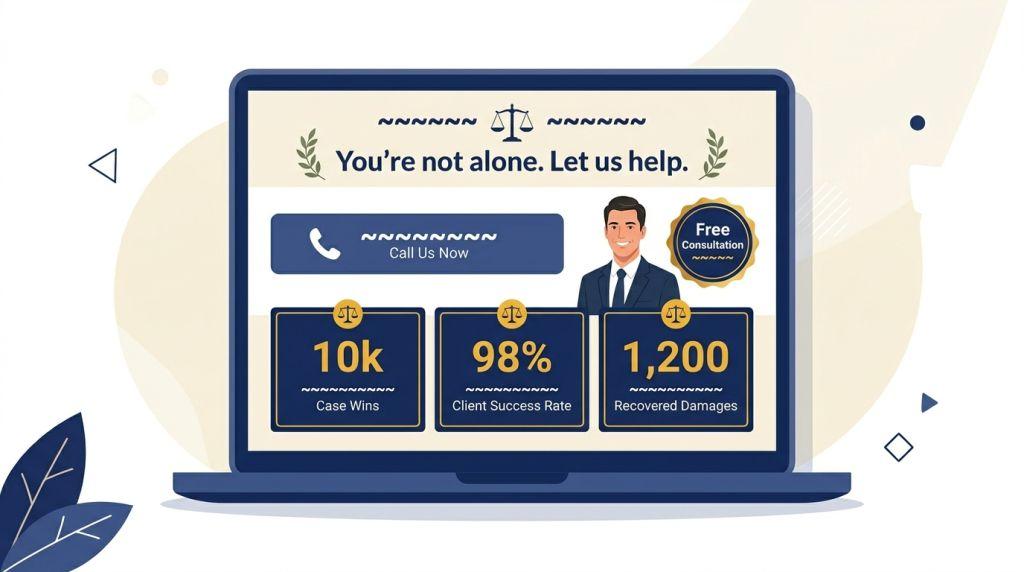
A personal injury law firm runs ads targeting people who’ve recently been in a car accident. The ad says: “Injured in a Car Accident? Get a Free Legal Consultation.”
Here’s what makes their landing page work:
- Empathy-first headline: “We Fight for Accident Victims — Your Consultation Is 100% Free.” It speaks directly to the emotional state of the visitor.
- Simple, reassuring copy: Short paragraphs explain the process in plain language — no legal jargon. People who are stressed after an accident don’t want to read a law textbook.
- Social proof with specifics: Instead of just saying “we win cases,” the page says things like “Over $50 million recovered for clients.” Specific numbers build far more trust than vague claims.
- Click-to-call button on mobile: Since most people searching after an accident are on their phones, the phone number is a big tappable button at the top and bottom of the page.
What you can steal from this example: Write your landing page copy for the emotional state your customer is in when they’re searching. Use specific numbers instead of general claims. Make your phone number a tappable button on mobile.
Example 3: E-Commerce — The “Limited Sale” Landing Page
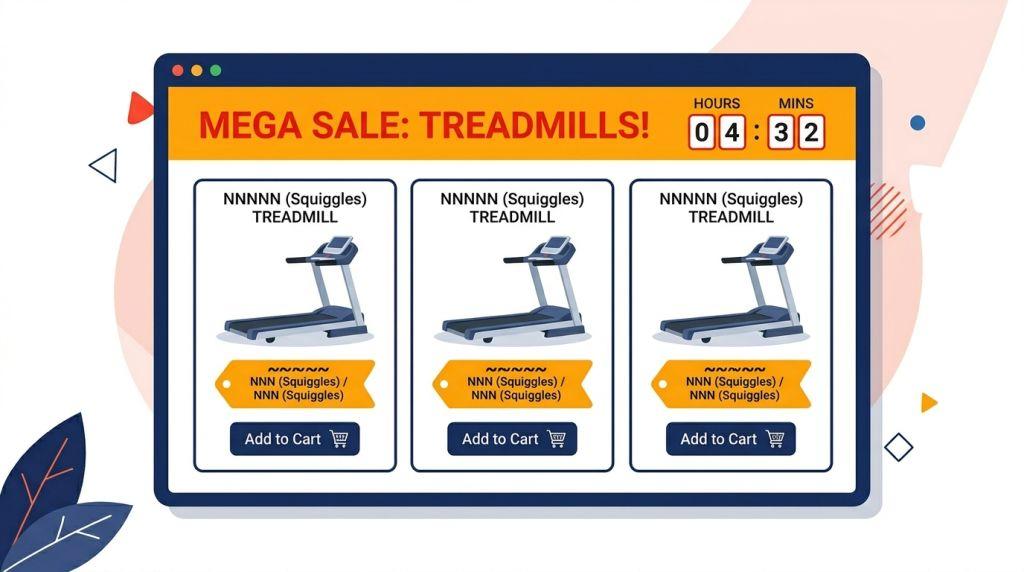
An online fitness equipment store runs Google Shopping ads for a sale on treadmills. The landing page people land on is not the store’s homepage — it’s a dedicated sale page. Here’s what works:
- The offer is immediately visible: “Save 30% on Treadmills This Weekend Only” appears at the top with a countdown timer showing how many hours are left in the sale.
- Clean product grid: Only the treadmills on sale are shown — not the entire store catalog. The visitor came for treadmills; that’s exactly what they get.
- Fast load time: Images are compressed and lightweight. The page loads in under 2 seconds. Research shows pages loading in 1 second convert 3 times better than pages that take 5 seconds.
- Easy checkout path: Each product has one button — “Add to Cart.” No distractions, no pop-ups, no upsells cluttering the page.
What you can steal from this example: Never send sale ad traffic to your homepage. Build a dedicated page for each promotion. Use countdown timers for time-sensitive offers. Keep the product selection focused — show only what the ad promised.
Example 4: Healthcare — The “Book an Appointment” Landing Page
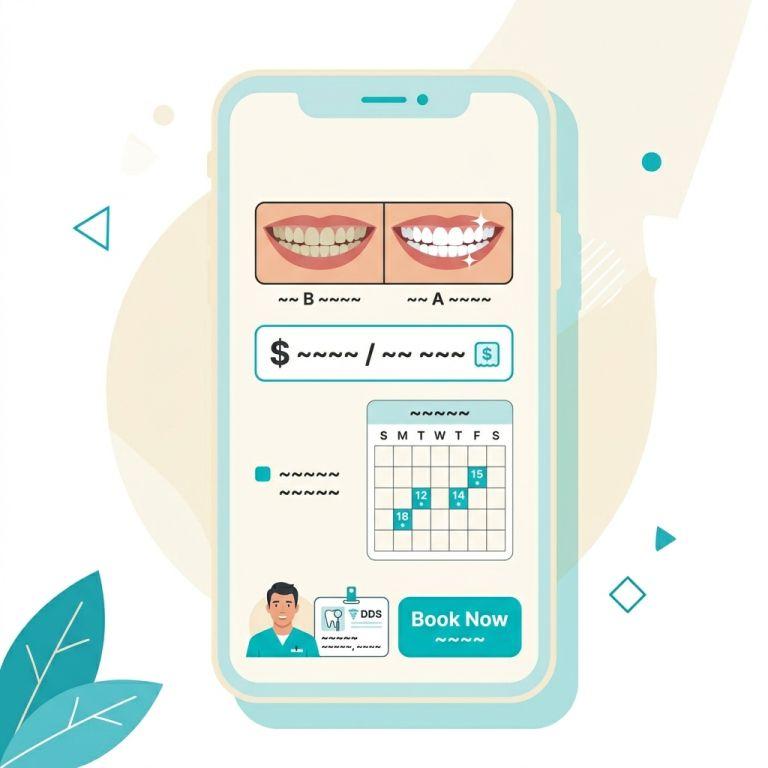
A dental practice runs Google Ads for teeth whitening. The landing page is simple, clean, and highly effective:
- Before-and-after imagery: A tasteful before-and-after photo sits right at the top. It’s the most powerful thing on the page because it shows the result — not just the service.
- Transparent pricing: The page shows the price clearly. Many dental landing pages hide the price, which creates anxiety. Showing it upfront builds trust and filters out price shoppers early.
- Online booking widget: Instead of just a form, there’s a live calendar where visitors can pick a day and time right on the page. Removing friction from the booking process significantly increases conversions.
- Doctor credentials visible: The dentist’s name, photo, and credentials appear near the CTA. This is Google’s E-E-A-T principle — Experience, Expertise, Authoritativeness, and Trustworthiness — applied directly to a paid ad landing page.
What you can steal from this example: Show results, not just services. Be upfront about pricing. Use an online booking tool to reduce friction. Put a real person’s face and credentials near your call to action.
Example 5: Local Service Business — The “Near Me” Landing Page
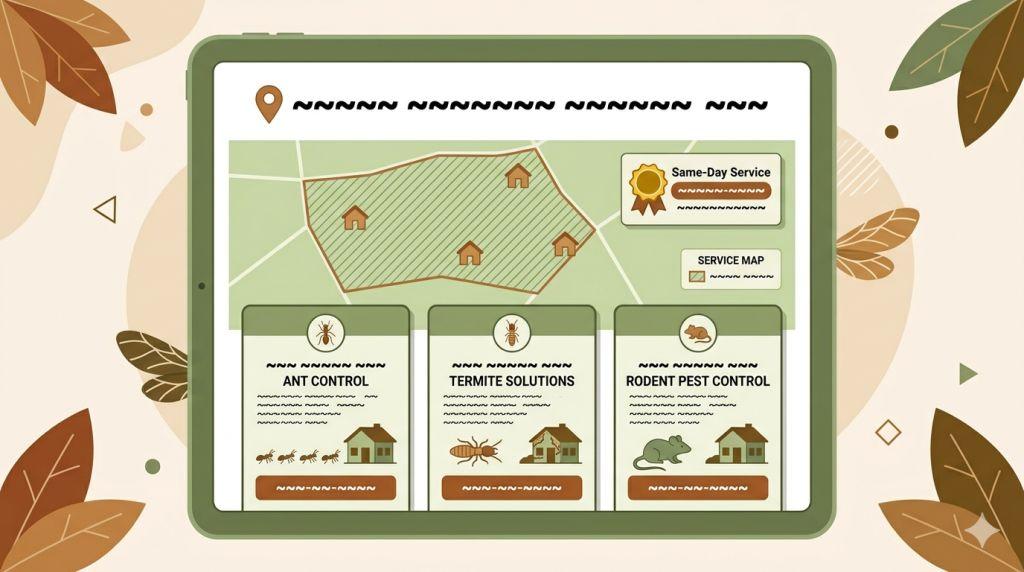
A pest control company runs ads targeting searches like “pest control near me” and “ant exterminator [city name].” Their landing page is a masterclass in local relevance:
- Location-specific headline: “Trusted Pest Control in [City Name] — Same-Day Service Available.” The city name is right in the headline, which immediately signals local relevance.
- Map and service area section: A simple map shows the areas they serve. Visitors can quickly confirm the company covers their neighborhood.
- Separate pages for separate pests: This company doesn’t send all their ad traffic to one page. Their “ant removal” ad goes to an ant-specific landing page. Their “termite” ad goes to a termite-specific page. Each page speaks directly to the problem the searcher has.
- Urgency without pressure: “Book before noon for same-day service” creates urgency naturally without feeling pushy or dishonest.
What you can steal from this example: Use your city or region name in the headline. Create separate landing pages for separate services — don’t lump everything together. Urgency works best when it’s real and specific.
The Pattern Every Great Example Shares
After looking at all five of these Google Ads landing page examples, a clear pattern emerges. Every single one does these four things:
- It matches the ad. The headline on the landing page mirrors the promise made in the ad. There’s no surprise, no mismatch, no confusion.
- It has one job. Whether it’s booking an appointment, filling out a form, or clicking “buy,” each page asks for exactly one action.
- It loads fast and works on phones. Speed and mobile design aren’t optional. They’re the foundation everything else is built on.
- It earns trust quickly. Reviews, credentials, photos, specific numbers — every example uses at least two or three trust signals to help visitors feel confident enough to act.
These aren’t complicated ideas. But most businesses aren’t doing all four consistently — and that gap is exactly where money gets left on the table.
How to Build Your Own High-Converting Landing Page
You don’t need to be a web designer to build a great landing page. Tools like Unbounce, Leadpages, and even WordPress page builders make it accessible for any small business owner.
Start by asking yourself: What did my ad promise, and does my landing page deliver that promise within the first three seconds of someone arriving? If the answer is no, that’s your first fix.
Then work through the checklist: Is my page fast? Does it look good on a phone? Do I have one clear CTA? Do I have at least two trust signals visible without scrolling?
For the complete set of rules behind every element these examples demonstrate, our guide on Google Ads landing page best practices walks through each one in detail — from message match and mobile design to dedicated pages per ad group and how Google’s AI now evaluates your page before showing your ad. And if your page is already live but Google has rated your landing page experience “Average” or “Below Average,” our guide on how to improve landing page experience in Google Ads gives you the exact steps to fix it and what timeline to expect for your Quality Score to improve.
For a deeper dive into what Google specifically looks for, our full guide on Google Ads landing pages covers Quality Score, AI Max, and every technical detail you need to know.
And if you’d rather have experts build and manage this for you, PPC management for small businesses is exactly what Sheaf Media Group does — we handle the ads, the landing pages, and the strategy so you can focus on running your business.
The Bottom Line
The best Google Ads landing page examples aren’t fancy or complicated. They’re clear, fast, focused, and honest. They show up for the right person, say the right thing, and make it easy to take the next step.
Every business — no matter the size or industry — can build a landing page like the ones in this article. It takes thought, not a big budget. And the payoff is real: lower ad costs, more leads, and better results from every dollar you spend.
If you’re ready to stop guessing and start growing, search engine marketing for small businesses is the place to start. The right strategy, the right landing page, and the right support can change everything.
Want to see what industry experts consider the gold standard for landing page design? Unbounce’s landing page resource hub is one of the most trusted references in digital marketing and a great complement to everything covered here.