
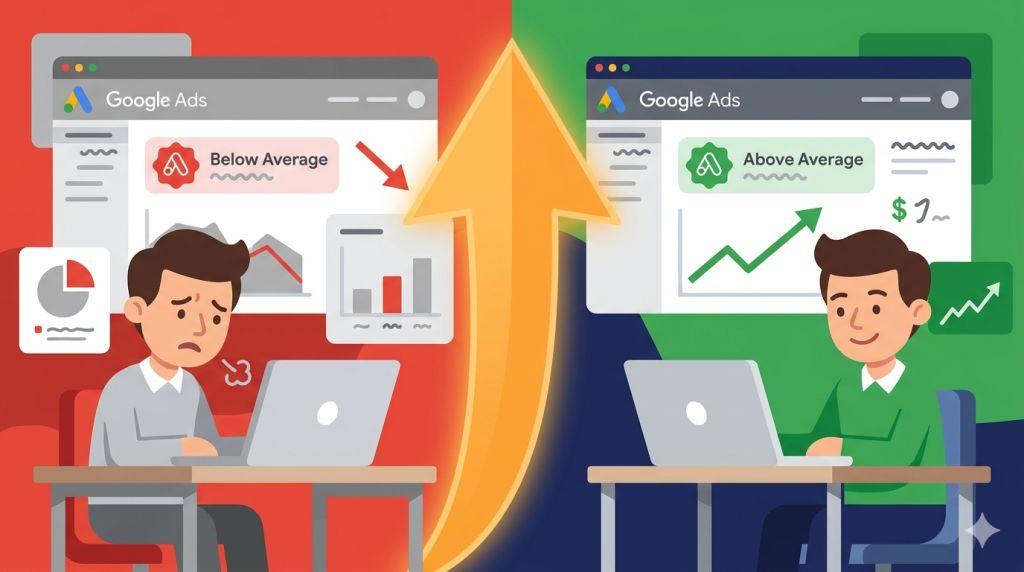
How to Improve Landing Page Experience in Google Ads – Your Google Ad might be perfect. Your keywords might be spot on. But if your landing page experience is rated “Below Average,” you’re paying more and getting less every single day. Here’s exactly how to fix it.
Most small business owners focus all their energy on the ad — the headline, the offer, the keywords. And that makes sense. The ad is what people see first. But here’s the part that often gets overlooked: Google is also judging what happens after the click.
That judgment has a name. It’s called landing page experience. And learning how to improve it is one of the most powerful — and most overlooked — ways to get better results from your advertising without spending a single extra dollar.
In this guide, we’ll walk through exactly what this means, why it matters so much, and the specific steps you can take to improve yours starting today. If you’d first like a plain-English explanation of what landing pages actually are and why they sit at the centre of every Google Ads campaign, our guide on what a landing page is in digital marketing covers the foundations clearly.
What Is Landing Page Experience in Google Ads?
Landing page experience is one of the three parts of your Quality Score in Google Ads. The other two are Expected Click-Through Rate and Ad Relevance. Together, these three things make up the score Google uses to decide how often your ad is shown and how much you pay for each click.
Google rates your landing page experience one of three ways:
- Above Average — Your page is doing well. Google rewards you with lower costs and better ad placement.
- Average — Your page is okay, but there’s room to improve. You’re not being penalized, but you’re not getting rewarded either.
- Below Average — Your page has real problems. Google charges you more per click and shows your ad less often.
The financial difference between these ratings is not small. Advertisers with an “Above Average” rating pay up to 36% less per click. Those rated “Below Average” pay up to 47% more. If you’re running ads every day, that gap adds up to a significant amount of money over time.
How Google Decides Your Landing Page Experience Score
Understanding how Google grades your page is the first step to improving it. Google looks at several factors when evaluating it:
- Relevance — Does your page content match what the visitor searched for and what your ad promised?
- Transparency — Is it clear who you are, what you offer, and how to contact you?
- Navigation — Can visitors find what they need quickly and easily?
- Page speed — Does your page load fast enough to keep visitors from leaving?
- Mobile experience — Does your page work properly on smartphones and tablets?
In 2025, Google took this a step further with a new AI-powered prediction model. Instead of just reacting to what happens after someone visits your page, Google’s AI now predicts whether a visitor will have a good experience — before your ad is even shown. If the AI thinks your page will disappoint visitors, it may decide not to show your ad at all.
A February 2025 update also added stricter checks for navigation clarity and unexpected destinations. If your ad promises one thing and your landing page delivers something different, Google catches it faster than ever. And in 2026, Google began tracking whether users can find what they need within just a few clicks of landing — pages that require too much effort to navigate now face steeper penalties.
Step 1: Fix Your Message Match First
The single fastest improvement you can make to your landing page experience is fixing your message match. This means making sure your landing page headline directly reflects what your ad promised.
Think of it from the visitor’s perspective. They searched for something specific, saw your ad, felt it was relevant, and clicked. Now they’re on your page. The very first thing they ask themselves is: “Am I in the right place?”
Your headline answers that question. If your ad says “Affordable Fence Installation — Free Quotes Available,” your landing page headline needs to immediately confirm that message. Something like “Get Your Free Fence Installation Quote Today” keeps the story consistent and tells the visitor they made the right click.
When the message doesn’t match, visitors leave within seconds. Google sees that fast exit as a signal that your page failed to deliver — and your landing page experience score drops.
Action step: Right now, open your top-performing ad and your landing page side by side. Read the ad headline. Read the landing page headline. Do they tell the same story? If not, rewrite your landing page headline to mirror your ad’s main promise.
Step 2: Make Your Page Load Faster
Page speed is one of the most direct factors in landing page experience — and one of the most fixable. Google’s own data shows that pages loading in 1 second convert three times better than pages taking 5 seconds. And with Google’s Core Web Vitals now directly tied to ad quality evaluation, a slow page is a real and measurable problem.
The 2026 technical benchmark to aim for is an INP (Interaction to Next Paint) score under 200 milliseconds. That’s the standard Google uses to measure how quickly your page responds when a visitor taps or clicks something.
Here are the most impactful speed fixes to make first:
- Convert images to WebP format — This alone can cut image file sizes by 25–35% with no visible quality loss
- Remove unused plugins — Every plugin on a WordPress site adds load time. Audit yours and remove anything you don’t actively use
- Use a content delivery network (CDN) — A CDN stores copies of your page on servers around the world so it loads faster no matter where your visitor is
- Upgrade your hosting — Cheap shared hosting is often the hidden culprit behind slow pages. A faster host is one of the best investments you can make
Test your page speed for free at pagespeed.web.dev. Aim for a score above 70 on mobile. Anything below 50 needs immediate attention.
Step 3: Make It Work Perfectly on Mobile
Google uses mobile-first indexing — meaning it evaluates the mobile version of your landing page, not the desktop version, when calculating your Quality Score. Since more than half of all Google Ad clicks come from mobile devices, this isn’t just a technical requirement. It’s where most of your actual visitors are coming from.
A landing page that works on mobile means:
- Text is large enough to read without zooming in
- Buttons are big enough to tap with a thumb — at least 44 pixels tall
- Forms are easy to fill out on a small screen with large input fields
- Nothing is cut off or requires sideways scrolling
- The CTA button appears without any scrolling on a standard phone screen
Action step: Load your landing page on your personal smartphone. Pretend you’re a first-time visitor who knows nothing about your business. Try to complete the main action — fill out the form or tap the call button. If anything feels difficult or broken, that’s exactly what Google’s system is seeing too.
Step 4: Remove Distractions and Focus on One Action
One of the most common reasons landing page experience scores stay “Average” or “Below Average” is too much clutter. Navigation menus, links to blog posts, pop-up windows, multiple CTAs — all of these pull attention away from the one thing you want visitors to do.
Google’s 2026 navigation scoring update made this even more important. The system now evaluates whether visitors can find what they need quickly. A cluttered page with competing options slows that journey down — and the algorithm penalizes it.
The fix is simple: remove everything that doesn’t directly support your one conversion goal. Take out the navigation menu. Delete the links to your social media. Get rid of the pop-up newsletter sign-up. Make your CTA the most obvious thing on the page — visually and structurally.
💡 Remember: Your landing page is not your website. Your website is for exploring. Your landing page is for converting. They have different jobs — so they should look different too.
Step 5: Add Trust Signals That Google and Visitors Both Value
In 2025, Google officially began applying its E-E-A-T framework — Experience, Expertise, Authoritativeness, and Trustworthiness — to paid search landing pages. This means the credibility signals on your page now directly influence how Google evaluates your landing page experience.
For visitors, trust signals answer the silent question every first-time visitor asks: “Can I trust this business?” For Google, they signal that your page is legitimate, helpful, and worth showing to searchers.
The most effective trust signals to add to your landing page include:
- Real customer reviews with names and star ratings — ideally pulled from Google or another recognizable platform
- Specific result-based claims — “Over 300 five-star reviews” is stronger than “Highly rated”
- Real photos of your team, your work, or your location — not generic stock images
- Licenses, certifications, or industry badges relevant to your field
- A clear privacy statement near any form — “We never share your information” removes a major barrier to form submissions
Step 6: Build Separate Pages for Each Ad Group
If you’re sending all your Google Ad traffic to one landing page — regardless of which ad or keyword triggered the click — you’re leaving a lot of Quality Score points on the table.
Google rewards relevance. When a visitor searches for a very specific thing, clicks a specific ad, and lands on a page built specifically for that search, the experience is seamless. Google recognizes that seamlessness and rewards it with a better landing page experience score.
The practical approach is to build one landing page per ad group — grouped by shared intent. You don’t need a brand-new page design each time. A consistent template with swappable headlines, subheadlines, and images is a fast and efficient way to create targeted pages at scale. To see how this looks across several different industries and business types, our Google Ads landing page examples article shows exactly what dedicated, focused pages look like compared to generic ones — and why they consistently outperform them.
For a complete walkthrough of how Google evaluates and scores landing pages from a technical perspective, Google’s official Quality Score guide is the most reliable reference available.
How Long Does It Take to See Results?
This is one of the most common questions — and the answer is encouraging. Most advertisers who make meaningful landing page improvements start seeing Quality Score changes within 4 to 6 weeks. That’s because Google recalculates Quality Score regularly based on recent performance data.
The fastest improvements typically come from fixing message match, improving page speed, and making the page fully mobile-friendly. These three changes alone can move a page from “Below Average” to “Average” — and sometimes all the way to “Above Average” — within a single billing cycle.
Start Improving Today
Knowing how to improve landing page experience in Google Ads is one of the most valuable skills a small business advertiser can develop. It directly lowers your costs, improves your ad visibility, and turns more of the clicks you’re already paying for into real customers.
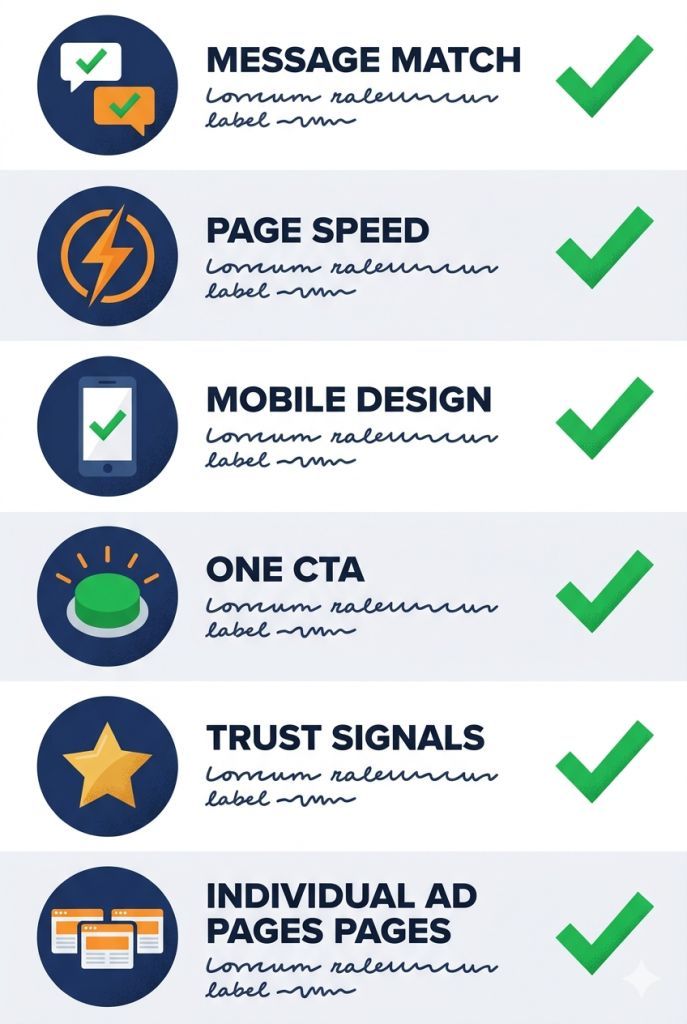
The steps are clear: fix your message match, speed up your page, make it mobile-friendly, remove distractions, add trust signals, and create dedicated pages for each ad group. Do all six, and you’ll have a landing page that Google rewards — and that visitors actually convert on.
If you want to make sure you’re following every rule that Google rewards before you start fixing your score, our guide on Google Ads landing page best practices is the ideal companion to this article — it covers the same principles from the angle of what to build correctly from the start, rather than what to repair afterward.
For a deeper look at everything that goes into a high-performing paid search page, our complete guide to Google Ads landing pages covers every technical and strategic detail. And if you’d like a team of experts to handle this for you — from landing page strategy to full campaign management — PPC management for small businesses is exactly what we specialise in at Sheaf Media Group.
Great advertising starts with a great landing page. And search engine marketing for small businesses is most effective when every part of the system — ad, landing page, and follow-up — works together. Start with your landing page experience. Everything improves from there.