
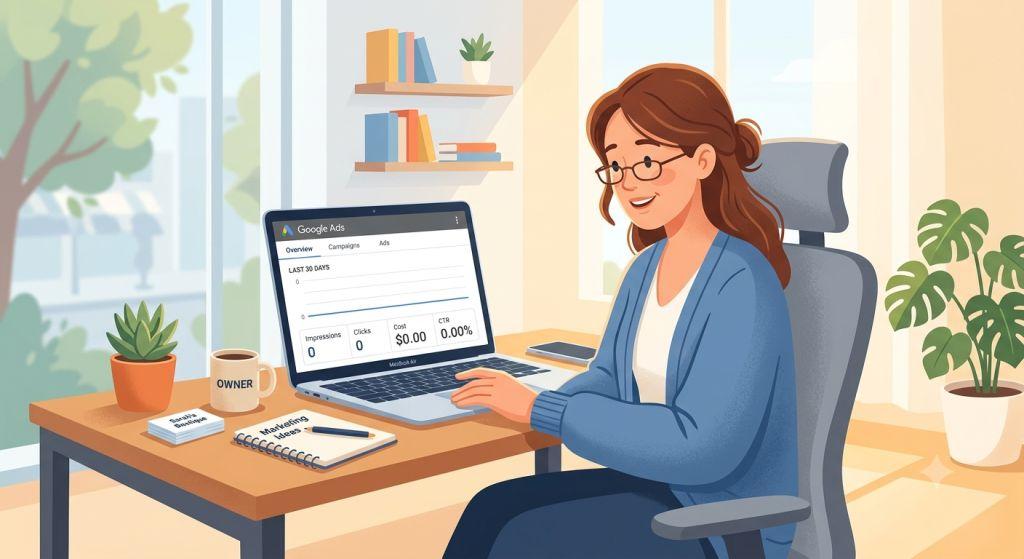
Why Your Google Ads Are Not Getting Impressions And How to Fix It Fast – If you’ve ever set up a Google Ads campaign, hit the launch button, and then watched the impressions sit at zero — you’re not alone. It’s one of the most frustrating things that can happen to a business owner or marketer. You’ve done the work, you’ve set the budget, and still… nothing.
The good news? Google ads not getting impressions is almost always fixable. In this article, we’ll walk you through the most common reasons why your ads aren’t showing up — and exactly what you can do about it. We’ll also share some important updates from 2026 that every advertiser needs to know.
What Does “Impressions” Mean in Google Ads?
An impression is simply counted every time your ad appears on someone’s screen. If your campaign is getting zero impressions, it means your ad isn’t showing up for anyone — not even once. That also means zero clicks, zero traffic, and zero results.
Think of it like a store that opens its doors but no one can find it. The store is open, but something is blocking people from getting there.
The #1 Thing to Check First
Before you change anything in your campaign, use the Ad Preview and Diagnosis Tool inside Google Ads. You can find it under the Tools menu.
This tool tells you exactly why your ad isn’t showing — without affecting your data. Here’s why that matters: if you search for your own ad directly on Google to “test” it, it actually hurts your click-through rate signals. Google may then stop showing your ad to you (and maybe others) altogether. Always use the preview tool instead.
10 Common Reasons Google Ads Are Not Getting Impressions
1. Your Ad Is Still Being Reviewed
Every new ad goes through Google’s review process before it can show. Most ads are approved within 24 to 48 hours, but for new accounts or certain formats like images or videos, it can take up to 5 business days.
If your ad status says “Under Review,” just wait. Do not edit the ad during this time — editing restarts the clock from zero.
2. Your Budget Is Too Low
This is one of the biggest reasons ads don’t show — especially in 2026, where the cost per click has gone up in most industries. A good rule of thumb: your daily budget should be at least 5 times your target cost per click.
If your budget is $10 a day but clicks in your industry cost $8 each, Google simply can’t compete in enough auctions to get your ad seen.
Also, avoid splitting a small budget across too many campaigns. If you have $100 a day and spread it across 8 campaigns, each one only gets $12 — which often runs out before lunchtime.
Budget issues go even deeper than just setting an amount. If your campaigns consistently refuse to spend despite having money available, you may be dealing with smart bidding targets that are blocking Google from entering auctions. Our full guide on Google Ads not spending explains exactly why this happens and how to fix it — including the new June 2026 budget pacing change that’s catching many advertisers off guard.
3. Your Bids Are Too Low
Even if your budget is fine, low bids can keep you out of the auction. According to recent data, 73% of Google Ads impression drops in 2026 come from bid strategy issues — not from mistakes in the campaign setup itself.
If you’re using smart bidding strategies like Target CPA or Target ROAS, make sure your goals are realistic. For example, if your average cost per conversion is $100, setting a $40 target tells Google to only bid in auctions where it thinks you’ll convert for $40 or less — which barely ever happens. The result? Almost no impressions.
Start your Target CPA at or just above your real 30-day average, then slowly work it down from there.
4. Your Keywords Have Low Search Volume
If you’re targeting very specific or niche keywords that not many people search for, Google will automatically pause those keywords with a “Low Search Volume” label. They won’t generate impressions until search demand picks up — and for some niche terms, that day may never come.
Check your Keywords tab and look at the status column next to each keyword. If you see “Low search volume,” it’s time to rethink your keyword strategy and go broader.
5. Your Targeting Is Too Narrow
Adding too many targeting layers is what experts call a “silent killer” of impressions. Here’s what that looks like:
- A tiny geographic radius (like a 1-mile zone)
- Layering audience restrictions on top of demographic filters
- Language settings that don’t match the people in your target area
Each layer you add shrinks the number of people eligible to see your ad. Start wider, see what works, and then tighten things up with real data.
6. Your Ad Was Disapproved
Disapproved ads get zero impressions — full stop. Common reasons for disapproval include misleading content, policy violations, or issues with your landing page.
Go to Ads & Assets in your Google Ads account and check the status column. If you see “Disapproved,” click on the reason, fix the flagged issue, and submit it for review.
Also watch for “Eligible (Limited)” — this means your ad can show, but only to a restricted audience. This can happen due to missing certifications, policy restrictions, or low Quality Score.
7. Too Many Negative Keywords
Negative keywords are great for blocking irrelevant traffic — but too many can accidentally block the good stuff too. One real-world example involved a campaign with 140 negative keywords stacked on top of narrow targeting and conservative bids. The result? Not a single impression. Every single path into the auction had been blocked.
Audit your negative keyword lists and look for conflicts with your actual target keywords.
8. Billing or Account Problems
If your payment didn’t go through, or if your account has been suspended, your ads won’t run. Check your Billing Summary page to make sure there are no failed payments or outstanding balances. Google will also send an email and show an alert in your account if a suspension occurs.
9. Conversion Tracking Issues
If you’re using smart bidding strategies optimized for conversions, but your conversion tracking isn’t set up correctly, Google doesn’t have the data it needs to bid confidently. The result is limited — or zero — impressions.
Make sure your tracking tags are firing correctly and give automated strategies at least 1 to 2 weeks to learn before drawing conclusions.
10. Ad Schedule Is Too Restrictive
If you’ve set your ads to only run during a few hours each day, or only on one or two days a week, impressions can look like zero simply because there isn’t enough eligible search activity during those windows. Check your ad schedule settings and make sure you’re not accidentally cutting off most of the day.
2026 Updates That Could Be Affecting Your Impressions
Google’s New Limited Ad Serving Policy (June 2026)
This is a big one. On June 12, 2026, Google expanded its Limited Ad Serving policy to Google Search — its most important advertising platform. This policy quietly caps how often certain advertisers’ ads can appear.
Here’s what triggers it:
- Negative user feedback: If users are consistently reporting bad experiences with your brand — even outside of Google — it can directly limit your impressions.
- Unclear branding: Ads that reference other brands without clearly identifying who’s behind the ad, or ads with no brand identity at all, may be throttled.
This policy is rolling out gradually through 2028, so not every advertiser will feel it right away. But the message is clear: your off-platform reputation now affects your ad delivery. Great ads alone won’t protect you if customers are leaving bad reviews or reporting poor experiences.
Call-Only Ads Are Losing Impressions
If your business relies on call-only ads, pay attention: new call-only ad creation was removed in February 2026, and all existing call-only ads will stop receiving impressions entirely in February 2027. Now is the time to migrate to responsive search ads with call assets.
Impression Share Metrics Are Harder to Read
Since April 2025, Google has allowed advertisers to show two ads on the same search results page in different positions. This means your Impression Share numbers may look like they’ve dropped even when nothing changed in your account — competitors may simply be double-serving.
It’s also worth noting that the type of campaign running can affect where your impressions appear in the first place. If you run Display campaigns, understanding the full range of placements — from websites and YouTube to Gmail, Google Discover, and Maps — helps you set realistic expectations for where impressions will (and won’t) come from. Our guide on where Google Display Ads appear covers the full picture, including the major 2026 shift to Demand Gen campaigns.
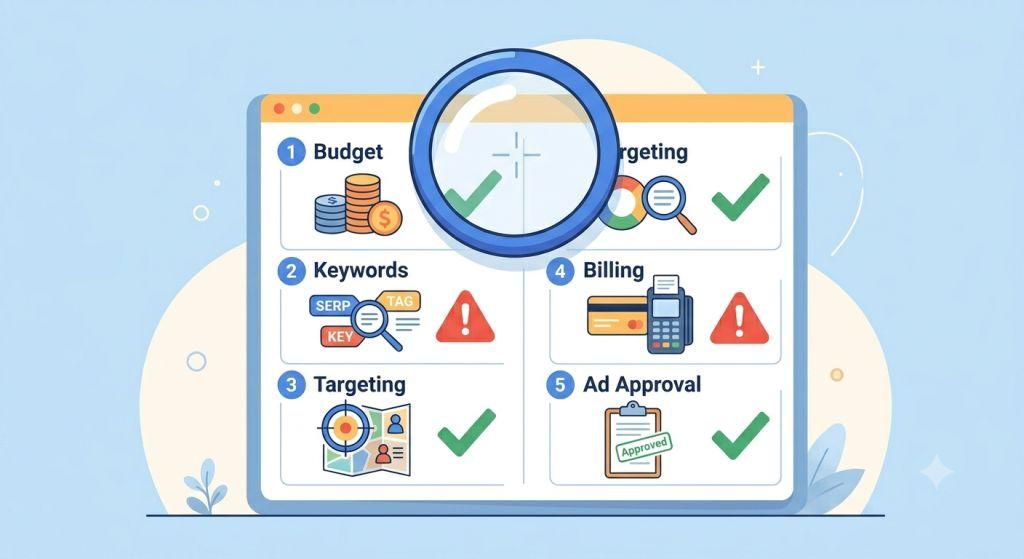
How to Diagnose the Problem Quickly
Here’s a simple checklist to run through when your impressions are at zero:
- ✅ Check campaign, ad group, and ad status — all should be “Active” or “Eligible”
- ✅ Run the Ad Preview and Diagnosis Tool
- ✅ Add Lost IS (Budget) and Lost IS (Rank) columns to your keywords view
- ✅ Check Change History for any edits made in the last 72 hours
- ✅ Confirm billing is up to date with no failed payments
- ✅ Review negative keyword lists for conflicts
- ✅ Make sure conversion tracking is working
If you’ve confirmed impressions are zero across all formats — Search, Display, and beyond — then the issue may be a broader campaign or account-level problem. Our guide on Google Ads are not showing covers those wider scenarios in detail, from paused campaigns and disapproved ads to billing issues and Quality Score problems that affect all ad types simultaneously.
Need Help Getting Your Google Ads Working?
If you’ve gone through everything above and still can’t figure out why your Google ads are not getting impressions, it may be time to bring in an expert. Sometimes the issue is a combination of small things that only become visible when you look at the whole account together.
At Sheaf Media Group, we specialize in search engine marketing for small business and helping businesses like yours get real results from paid advertising. Whether you’re struggling with zero impressions, wasted ad spend, or just want a better return on investment, our team can help.
We offer expert PPC management for small business — from campaign setup to ongoing optimization. And if you’re dealing with Google Ads not working in a broader sense, we can diagnose the full picture.
For more in-depth reading on Google Ads best practices, Google’s own help center is a great free resource to bookmark.
Final Thoughts
Getting zero impressions on Google Ads feels scary, but it’s almost always a fixable problem. The most common culprits are low budgets, bid strategy mismatches, narrow targeting, and keyword issues. In 2026, there are also new platform-level changes — like the expanded Limited Ad Serving policy — that can affect delivery in ways that aren’t always obvious at first glance.
Take a breath, work through the checklist, and remember: the data is always there to guide you. Once you know what to look for, most impression problems can be diagnosed and corrected in well under an hour.
Last updated: June 2026