
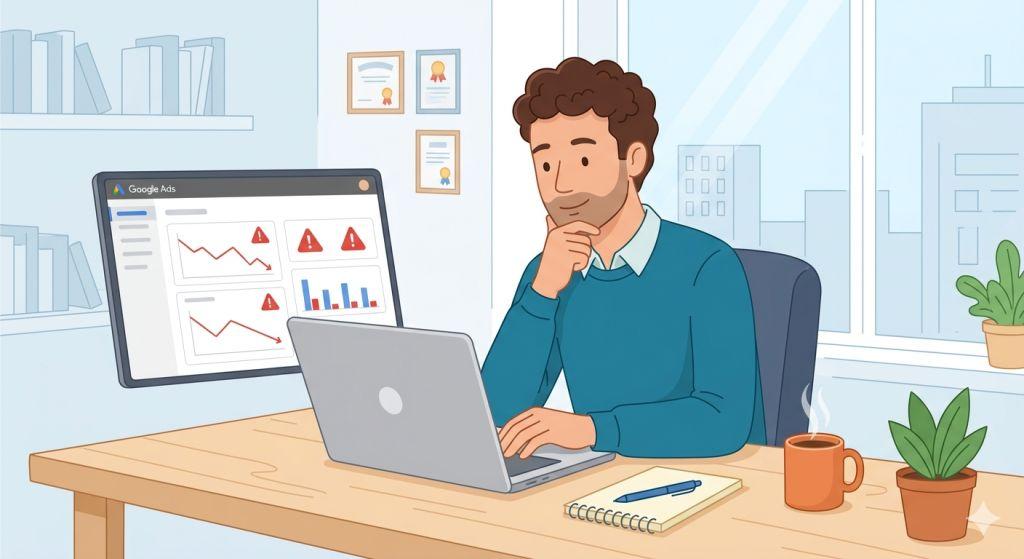
Google Ads Not Working – Have you ever set up a Google Ads campaign, waited patiently, and then wondered why nothing seems to be happening? You are not alone. Thousands of business owners and marketers ask the same question every single day: why are my Google Ads not working?
The good news? In most cases, Google Ads not working is a fixable problem. You just need to know where to look. In this guide, we will walk you through the most common reasons Google Ads stop working, share the latest 2026 updates from Google itself, and give you clear steps to get your campaigns back on track.
First, Let’s Understand the Problem
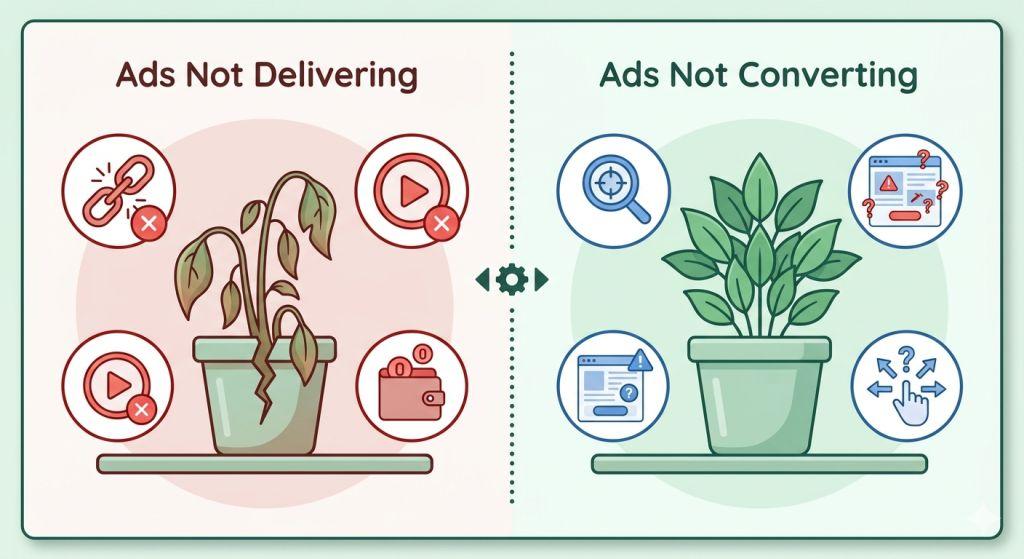
When people say their Google Ads not working, they usually mean one of two things:
- Their ads are not showing up at all (a delivery problem)
- Their ads are showing, but nobody is clicking or buying (a performance problem)
These are very different situations, and they need different solutions. Think of it like a car that won’t start versus a car that starts but drives poorly. You wouldn’t fix both problems the same way!
Even “not showing up” isn’t really one problem — it usually breaks down into a few distinct symptoms, and the fix depends on which one you’re actually dealing with. If your ads have simply vanished after running fine before, our guide on Google Ads not showing walks through the most likely culprits. If they’re technically live but sitting at zero or near-zero impressions, that’s a different animal covered in why your Google Ads aren’t getting impressions. And if your daily budget just isn’t being used up at all, see why Google Ads isn’t spending your budget for that specific fix.
Top Reasons Google Ads Not Working in 2026
1. Your Budget Is Spread Too Thin
One of the biggest mistakes advertisers make is splitting a small budget across too many campaigns. Imagine having $100 a day spread across 8 different campaigns — that’s only $12.50 per campaign. Each one runs out of money before lunchtime, and your ads stop showing for the rest of the day. It can look like Google Ads are broken, but really the issue is simple math. The fix? Combine your campaigns and focus your full budget on fewer, stronger ones.
2. Unrealistic Bidding Goals
Google’s Smart Bidding system is powered by artificial intelligence. It learns over time and tries to hit the targets you set. But if you ask it to do something impossible — like cutting your cost per customer in half overnight — the system gets stuck. Experts recommend setting gradual targets. If you currently spend $80 to get a customer, try targeting $70 first, then slowly work your way down. Studies show that a gradual approach to tightening bid targets increases success rates by 34% compared to making aggressive cuts all at once.
3. Broken or Wrong Conversion Tracking
Here’s a sneaky one. If your tracking tag fires on the wrong page — like the form page instead of the “thank you” page — Google counts every person who visits the form as a conversion, even if they never actually filled it out. This bad data confuses Google’s AI and sends it chasing the wrong results. Always double-check that your conversion tracking fires only after a real action is completed.
4. Ads or Landing Pages Are Disapproved
In April 2026, many advertisers were shocked when over 1,500 ads were disapproved in a single account — all at once. Google’s automated system had incorrectly flagged their websites as having errors, even though the sites were working perfectly. This kind of platform glitch can stop your traffic and leads dead in their tracks. If this happens to you, check your Google Ads Policy Manager for the exact reason, test your landing pages, and submit an appeal if your site is working correctly.
5. Your Landing Page Is Letting You Down
Sometimes Google Ads are working just fine — but your website is the problem. If people click your ad and then leave quickly, it’s usually because the website didn’t deliver on the ad’s promise. According to recent research, businesses with 10 or more dedicated landing pages generate 55% more leads than those with only one or two. Pages with video perform 86% better than pages without it. Make sure your landing page is fast, clear, and matches exactly what your ad is offering.
6. Billing or Account Issues
It sounds simple, but billing problems are a very common reason ads stop running. If a payment fails or your account verification is incomplete, Google will quietly pause your campaigns. Check your billing settings and make sure your payment method is current and working.
Big Google Ads Updates in 2026 You Need to Know About
Google has been making some of its biggest changes ever in 2026. If you haven’t kept up, some of these updates could be causing your campaigns to behave differently — or stop working altogether.
AI Max for Search Is Now Official
Google’s AI Max for Search campaigns has moved out of its testing phase and is now available to all advertisers. This is a big deal. AI Max uses artificial intelligence to find better search matches, write smarter ad text, and send users to the most relevant page on your website — not just the one URL you picked. Advertisers using the full AI Max feature set are seeing an average of 7% more conversions at the same cost. If you haven’t looked at AI Max yet, now is the time.
Dynamic Search Ads Are Being Retired — Act Now
If you are running Dynamic Search Ads (DSA), pay close attention. Starting in September 2026, Google will automatically upgrade these campaigns to AI Max. The full shutdown of DSA happens in February 2027. Google recommends upgrading on your own now, rather than waiting for the automatic switch, so that you can control the settings from day one.
Call-Only Ads Are Going Away
Google removed the ability to create new Call-Only ads in February 2026. Existing Call-Only ads will stop showing completely in February 2027. If your business relies on phone calls from ads, make sure you switch to responsive search ads with call extensions before that deadline.
Performance Max Got a Major Upgrade
Performance Max campaigns — Google’s all-in-one ad type — have been a source of frustration for many advertisers because they offered little visibility into where money was going. In 2026, Google finally changed that. You can now see exactly how your budget is split across Search, YouTube, Display, Gmail, Maps, and Discover. If you’ve ever wondered where Google Display ads actually appear across that network, that visibility finally makes it possible to see it for your own campaigns. You can also add negative keywords at the campaign level and exclude specific customer lists. These are huge improvements that give you far more control.
Ads Get Reviewed in Seconds Now
Google has also launched Real-Time Policy Reviews. Instead of waiting hours to find out if your ad was approved, you now get instant feedback while you’re building it. This makes it much easier to catch problems early and fix them before they delay your campaigns.
What to Do Right Now If Your Google Ads Are Not Working
Here’s a simple checklist to run through today:
- Check your billing: Is your payment method active and up to date?
- Look for disapprovals: Go to your Policy Manager and check for any flagged ads.
- Consolidate your budget: Fewer campaigns with more daily budget usually outperform many thin ones.
- Verify your conversion tracking: Make sure your tag fires on the confirmation page, not the form page.
- Audit your landing page: Does it match the promise in your ad? Is it fast and mobile-friendly?
- Set realistic bid targets: Work toward them gradually, not all at once.
- Prepare for AI Max: If you’re on Dynamic Search Ads or Call-Only Ads, start planning your transition now.
When Should You Get Professional Help?
Google Ads has become very powerful — but also very complicated. Between AI-driven bidding, Performance Max, AI Max, and constant platform updates, keeping up is a full-time job. Many small business owners find that managing it themselves leads to wasted money and missed opportunities.
If you’re a small business owner looking for expert guidance on search engine marketing for small business, working with a knowledgeable team can save you time, money, and a lot of headaches. The right partner understands Google’s constant changes and can adjust your strategy before problems affect your bottom line.
Specifically, having a dedicated team handle your PPC Management For Small Business means someone is always watching your campaigns, catching issues early, and making the right adjustments before your budget is wasted.
Stay Up to Date on Google Ads
Google publishes all of its official changes on the Google Ads Status Dashboard. If you ever suspect a platform-wide issue, this is the first place to check. Bookmark it — it has saved many advertisers a lot of unnecessary troubleshooting.
The Bottom Line
Google Ads not working is one of the most common frustrations in digital marketing — but it’s rarely a mystery. In most cases, the problem comes down to thin budgets, bad tracking data, unrealistic goals, or a landing page that isn’t doing its job. And in 2026, staying on top of Google’s rapid-fire updates is more important than ever.
Whether you decide to fix these issues yourself or bring in a professional team, the most important thing is to act. Every day your ads are underperforming is a day your competitors are getting the customers you deserve. Take a look at your campaigns today, run through the checklist above, and start making improvements. You might be surprised how quickly things turn around.