
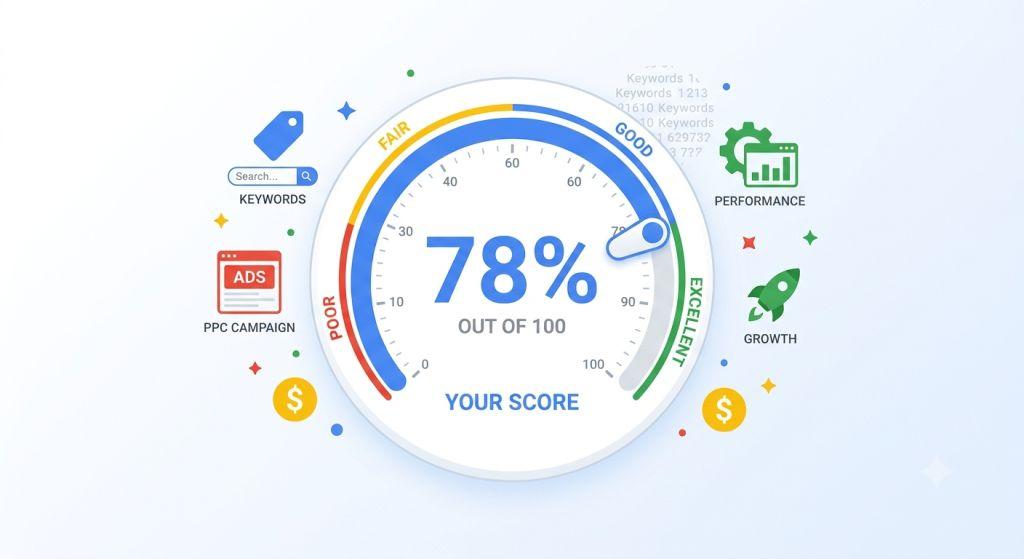
Google Ads Optimization Score – If you’ve ever logged into your Google Ads account and seen a number like “68%” sitting at the top of your screen with a little color-coded circle around it — that’s your Google Ads optimization score. It looks important. And honestly? It kind of is. But it’s also one of the most misunderstood numbers in all of digital advertising.
In this guide, we’re going to break it down in a way that’s easy to understand — no confusing jargon, no fluff — just the real story about what this score means, why it matters, and how to use it smartly so your ads perform better and your budget goes further.
Let’s dig in.
What Is a Google Ads Optimization Score?
Think of the Google Ads optimization score like a report card for your ad account. Just like a school report card shows how well a student is doing in class, your optimization score shows how well your Google Ads account is set up to reach its goals.
The score runs from 0% to 100%. A score of 100% means Google thinks your account is perfectly set up to do its best. A lower score means there are things Google believes you could do to improve.
You’ll find this score on the Recommendations tab in your Google Ads account. Right alongside the score, Google shows you a list of suggestions — called recommendations — that it thinks could help your campaigns do better. Each suggestion comes with a percentage that tells you how much your score would go up if you followed that advice.
For example, Google might say: “Add sitelink extensions to your ads — this could raise your score by 5%.” Or it might suggest: “Switch to broad match keywords — this could raise your score by 12%.”
Simple enough, right? But here’s the thing — just because following a suggestion raises your score doesn’t always mean it’s the right move for your business. More on that in a bit.
Does Google Ads Optimization Score Matter?
This is one of the first questions most advertisers ask — and it deserves a straight answer: does Google Ads optimization score matter? Yes, but not in the way most people think.
Your optimization score matters for a few important reasons.
First, it helps you spot quick wins. Sometimes your score flags simple things you might have forgotten — like missing ad assets (formerly called extensions), broken conversion tracking, or conflicting keywords that are canceling each other out. Fixing these kinds of issues can genuinely help your ads show more often and perform better.
Second, it keeps your account healthy. Google calculates your score in real time, based on your account’s settings, performance data, and even trends happening across the entire Google Ads platform. That means the score can change day to day — even if you didn’t touch anything. Keeping an eye on it helps you catch changes before they hurt your results.
Third, it matters for Google Partner status. If you work with a digital marketing agency that has Google Partner certification, that agency needs to maintain an optimization score of 80% or above across the accounts it manages. So if you’re working with a certified agency like a search engine marketing firm for small business, your score can actually reflect on the quality of your partnership.
Where it doesn’t matter: as a standalone success metric. Your optimization score says nothing about your conversion rate, cost per lead, or return on ad spend. Those are the numbers that tell you whether your ads are making money. The optimization score tells you whether Google is happy with your settings — which is a related but very different thing.
What Is a Good Optimization Score for Google Ads?
Here’s where things get really interesting — and where a lot of advertisers get confused.
You might think the goal should always be to hit 100%. But that’s actually not true. So what is a good optimization score for Google Ads? Most experienced advertisers and PPC specialists agree that the sweet spot is somewhere between 70% and 85%. Why not higher? Because getting to 100% usually means accepting every single recommendation Google makes — and not all of those recommendations are right for every business.
Google’s suggestions are built around general best practices and what works for the average advertiser. But your business isn’t average. You have specific goals, a specific audience, a specific budget, and a specific strategy. Some of Google’s recommendations might help you. Others might actually hurt your performance if you apply them without thinking.
For instance, Google often recommends switching to broad match keywords. For some businesses, this can open up lots of new traffic. For others, it can drain your budget on clicks from people who were never going to buy from you.
The smartest approach? Review each recommendation carefully. Apply the ones that make sense for your goals. Dismiss the ones that don’t — and when you dismiss them, your score won’t count them against you. That’s why experienced advertisers often sit happily at 75% or 80%, rather than chasing 100%.
How Is the Optimization Score Calculated?
Google calculates your Google Ads optimization score in real time using a combination of factors:
- Your current account and campaign settings
- Your recent performance data
- The recommendations currently available to you
- Trends happening across the Google Ads ecosystem
Each recommendation is weighted differently. A suggestion that Google believes could have a big impact on your results will carry more weight in your score than a smaller, less impactful suggestion.
One important thing to know: if you have multiple Google Ads accounts (like a marketing agency managing several clients), you can calculate an overall optimization score by multiplying each account’s score by its weight. This is available through the Google Ads API for those who want to track this programmatically.
The score is available at three levels:
- Campaign level — scores for individual campaigns
- Account level — an overall score for your full account
- Manager Account level — a combined score across multiple accounts
How Quality Score and Ad Rank Fit Into the Picture
While we’re talking about scores, it’s worth clearing up one of the biggest points of confusion in Google Ads: the difference between your optimization score, your quality score and ad rank. These are three completely separate things — and Google does not use your optimization score to calculate either of the other two.
Quality score is a 1–10 rating Google gives to each keyword in your account. It’s based on how relevant your ad is to the keyword, how good your landing page experience is, and how likely someone is to click your ad. A higher quality score means your ads are seen as more relevant — and that directly lowers what you pay per click. According to data from over 15,000 Google Ads accounts, keywords with a quality score of 1–3 can cost up to 400% more per click than the average. Reaching a 7 or above puts you ahead of most competitors.
Ad rank is what actually determines where your ad shows up on the page and whether it shows at all. Google calculates it using your bid, your quality score, the expected impact of your ad assets, and a few contextual signals. A high quality score can let your ad outrank a competitor’s even if they’re bidding more money than you. That’s one of the most powerful advantages available to any advertiser.
Your optimization score doesn’t directly affect quality score or ad rank. But improving your optimization score can lead to indirect improvements — for example, adding ad assets that boost your expected click-through rate, or fixing landing page issues that feed into your quality score components. Think of your optimization score as the checklist, and quality score and ad rank as the results.
The Recommendations Behind the Score
Your optimization score doesn’t stand alone — it comes with a list of recommendations organized into categories. These might include things like:
- Bids and budgets — suggestions about your bidding strategy or daily budget
- Keywords and targeting — new keywords to add, match types to change, or audiences to reach
- Ads and extensions — adding missing ad assets like sitelinks, callouts, or images
- Automated campaigns — suggestions to try Performance Max or AI Max campaigns
- Repairs — fixing broken conversion tracking or conflicting negative keywords
Each of these categories contributes to your overall score. That’s why keeping a clean, well-maintained account structure is so important — it’s not just about following every recommendation, it’s about making sure the basics are done right.
One area to pay close attention to is conversion tracking. Google’s Smart Bidding tools rely on accurate conversion data to make smart decisions. If your tracking is broken or missing, you’re essentially flying blind — and so is Google’s algorithm. Making sure your tracking codes are installed properly and that you’re using the right attribution model (Google now defaults to data-driven attribution) is one of the most important things you can do for your score and your results.
Your Google Search Optimization Score: What Changes It Without Warning
One thing that surprises many advertisers is how much their Google search optimization score can shift without them doing anything at all. You could check your account on Monday at 81%, touch nothing all week, and return Friday to find it sitting at 67%.
This happens because the score recalculates in real time and is influenced by platform-wide changes. When Google rolls out a new recommendation category — like AI Max for Search campaigns in 2025 and 2026 — it can appear in your account as a high-weight suggestion overnight, causing your score to drop significantly even though your campaigns haven’t changed at all.
The lesson: don’t panic over sudden score drops. Before making any changes in response, open the Recommendations tab and look at what new suggestions appeared. In most cases, a new recommendation type was added — and your job is to evaluate it thoughtfully and decide whether it fits your strategy, not to react emotionally to the number.
What About the AI Recommendations in 2025 and 2026?
Google has been adding more and more AI-powered suggestions to the Recommendations tab, and this is a big topic right now in the world of digital advertising.
One of the biggest changes has been the push for AI Max for Search campaigns. Google has started surfacing a large, prominent recommendation card encouraging advertisers to enable AI Max — a tool that uses artificial intelligence to automatically adjust your targeting, match types, and ad copy to find more relevant customers.
AI Max can be a powerful tool. L’Oréal, for example, used it to find new search queries and reported a 2x higher conversion rate along with a 31% lower cost-per-conversion. But — and this is important — just because it worked for L’Oréal doesn’t mean it’s the right move for every business, especially smaller advertisers who may not have enough conversion data to train the AI effectively.
The core lesson here is the same as it’s always been: don’t apply a recommendation just because it shows up in your dashboard. Evaluate it against your actual business goals.
Google has also expanded optimization score support to include Performance Max campaigns — their newer AI-powered campaign type that runs ads across Search, YouTube, Display, Gmail, Discovery, and Maps all from one campaign. If you’re running Performance Max, you can now see optimization recommendations specific to those campaigns.
According to Google’s own guidance, advertisers who improve their Performance Max Ad Strength to “Excellent” see an average of 6% more conversions. So even within these highly automated campaigns, the quality of your inputs — your ad copy, images, and audience signals — still matters a lot.
How to Actually Improve Your Google Ads Optimization Score (The Smart Way)
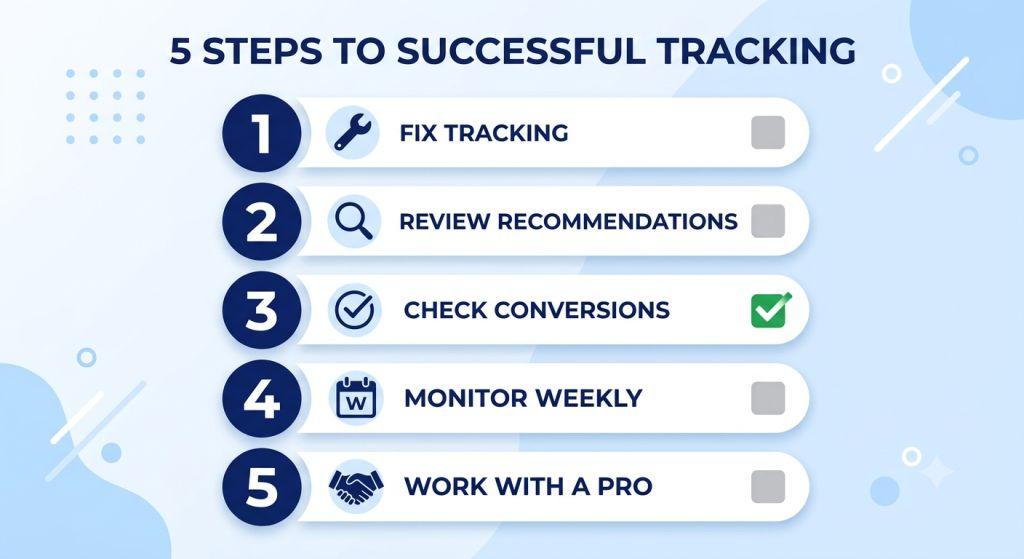
Here’s a practical approach to improving your score without blindly chasing 100%:
Step 1: Fix the obvious stuff first.
Start with the recommendations that are clearly helpful regardless of your strategy — things like fixing broken tracking, adding missing sitelinks or callout extensions, and resolving keyword conflicts. These are usually low-risk, high-reward.
Step 2: Review each remaining recommendation on its own merits.
For each suggestion, ask yourself: “If I do this, will it help me reach my actual business goal?” If yes — apply it. If no, or if you’re unsure — dismiss it. Dismissed recommendations don’t count against your score.
Step 3: Keep a close eye on conversion tracking.
Accurate conversion data is the engine that powers Google’s automated bidding. Make sure your tracking is set up correctly, and consider tracking lighter conversion events too — like form views, video engagements, or add-to-cart actions — to give Google’s AI better signals to work with.
Step 4: Don’t ignore your score for weeks at a time.
Because the score updates in real time, a big shift in your score can indicate that something changed — maybe Google added a new recommendation category, or your campaign performance shifted. Checking it regularly (at least weekly) helps you stay on top of your account health.
Step 5: Consider working with a specialist.
Managing Google Ads effectively takes time, knowledge, and consistent attention. If you’re a small business owner wearing multiple hats, it may be worth exploring PPC Management for Small Business from a trusted agency that knows how to balance optimization scores with real-world business results.
Common Mistakes to Avoid
Mistake #1: Treating 100% as the goal.
A perfect score doesn’t mean perfect performance. It means you’ve followed all of Google’s suggestions. Focus on what actually drives results — conversions, revenue, and return on ad spend — not just the number.
Mistake #2: Applying every recommendation without reading it.
Google’s interface makes it easy to click “Apply All” and watch your score jump. Resist this temptation. Some recommendations — like switching all keywords to broad match — can significantly change how your budget is spent.
Mistake #3: Ignoring the score entirely.
On the flip side, completely ignoring your optimization score means you might miss real issues. Think of it as a useful health check, not a boss you have to please.
Mistake #4: Panicking when the score drops overnight.
Because the score recalculates in real time and is influenced by platform-wide trends, it can drop even when you haven’t changed a thing. Before making drastic changes, check what recommendations appeared that caused the drop.
The Bigger Picture: Optimization Score in 2026
The world of Google Ads is changing fast. Google is moving toward more automated, AI-driven advertising — with tools like AI Max, Performance Max, and Smart Bidding Exploration leading the way. Campaigns using Smart Bidding Exploration are seeing, on average, an 18% increase in unique search query categories with conversions and a 19% increase in conversions overall.
As AI takes on more of the heavy lifting in campaign management, the role of the human advertiser is shifting too. It’s less about manually adjusting bids on individual keywords and more about providing the right inputs — quality ad copy, strong audience signals, accurate conversion data — so that Google’s systems can do their job well.
Your Google Ads optimization score is one of the tools that helps you navigate this shift. Used wisely, it’s a valuable compass that points you toward better account health. Used blindly, it can lead you down a path of changes that look good on paper but hurt your bottom line.
The takeaway? Aim for the 70–85% range. Fix the things that genuinely need fixing. Dismiss the recommendations that don’t fit your strategy. And always keep your eyes on the metrics that actually matter: your conversion rate, your cost per conversion, and your return on ad spend.
Final Thoughts
The Google Ads optimization score is a useful, real-time health check for your advertising account. It can help you spot issues you might have missed, keep your account in good shape, and take advantage of new features as Google rolls them out.
But it’s a tool — not a rulebook. The best advertisers use it as one signal among many, not as the final word on whether their campaigns are succeeding. You can learn more about how this fits into a broader digital strategy by visiting resources on search engine marketing for small business.
And if you want to go deeper on how Google measures ad relevance and click performance, Google’s own Ads Help Center is a great authoritative resource for understanding how optimization score and recommendations work at a technical level.
Whether you’re a small business owner just starting out with Google Ads or a seasoned marketer looking to sharpen your strategy, understanding your optimization score is one of the smartest steps you can take toward getting more from every dollar you spend.