
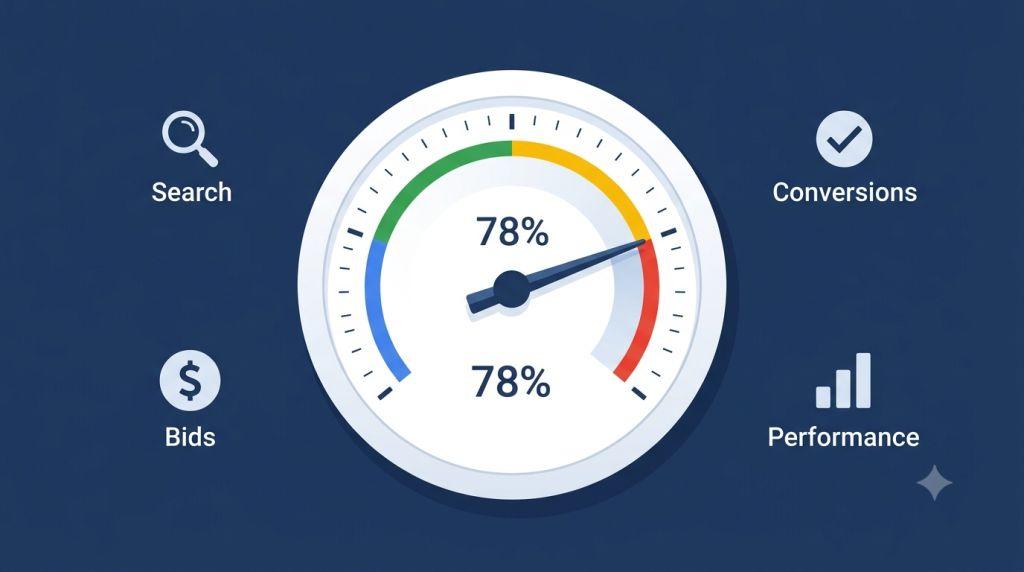
Google Search Optimization Score – Every small business owner running Google Ads has been there. You log in, glance at that colored circle in the top corner of your screen, see a number like 57% or 74%, and immediately wonder: Am I doing this right? Is my score good enough? Should I be hitting that “Apply All” button?
That number — your Google search optimization score — is one of the most talked-about (and most misunderstood) features in the entire Google Ads platform. Some advertisers obsess over it. Others ignore it completely. And a surprising number of business owners are accidentally hurting their campaigns by taking the wrong approach to it.
In this guide, we’re going to set the record straight. We’ll explain what the score actually is, what it isn’t, how it connects to your quality score and ad rank, what a smart target looks like, and exactly how to use it in a way that actually helps your business grow — without wasting a single dollar.
Let’s get into it.
What Is a Google Search Optimization Score?
Your Google search optimization score is a real-time estimate of how well your Google Ads account is set up to perform. It lives inside the Recommendations tab of your Google Ads dashboard and shows you a number between 0% and 100%.
Here’s a simple way to think about it: imagine your Google Ads account is a car. Your optimization score is like a mechanic looking the car over and giving you a list of things to tune up. Some items on the list are genuinely important — like fixing the brakes or topping off the oil. Others are more optional — like upgrading to fancy new tires or installing a new sound system.
The mechanic’s checklist is helpful. But that doesn’t mean you need to do everything on it, especially if some items don’t match how you use the car.
That’s exactly how the optimization score works. Google gives you a list of recommendations — things like switching to automated bidding, adding new keywords, enabling AI-powered campaign types, or uploading more ad images. Each recommendation comes with a number showing how much your score would increase if you followed that advice.
But here’s what most guides won’t tell you: the score measures how closely your account follows Google’s general best practices — not how well your campaigns are actually performing for your specific business.
That distinction matters a lot.
Does Google Ads Optimization Score Matter?
Let’s tackle one of the biggest questions head-on: does Google Ads optimization score matter?
Yes — but not in the way most people think.
Your optimization score matters as a health signal. Think of it the way you think about your car’s dashboard warning lights. If a light comes on, you pay attention. You don’t ignore it. But you also don’t pull over and replace the entire engine just because a sensor beeped.
Here’s what makes the score genuinely useful:
It catches real problems. A sudden drop in your optimization score can mean something actually broke — like your conversion tracking stopped working, or you have conflicting negative keywords that are accidentally blocking your own ads from showing. These are real issues that cost you money, and the score helps surface them quickly.
It keeps you informed about new features. Google is constantly rolling out new tools — AI Max for Search campaigns, Performance Max recommendations, Smart Bidding Exploration, and more. Your optimization score is often how these new features show up on your radar. That’s not a bad thing — knowing what’s available is always helpful.
It matters for agency partnerships. If you work with a professional search engine marketing firm for small business, there’s a good chance they need to maintain an optimization score of 80% or higher across their client accounts to keep their Google Partner certification. That certification is Google’s seal of approval for agencies that meet their performance and knowledge standards.
Where it doesn’t matter: when you use it as the sole measure of success. Your optimization score says nothing about your click-through rate, your conversion rate, your cost per lead, or your return on ad spend. Those are the numbers that actually tell you whether your ads are making money. The optimization score tells you whether Google is happy with your settings — which is a related but very different thing.
Quality Score and Ad Rank: The Scores That Really Drive Results
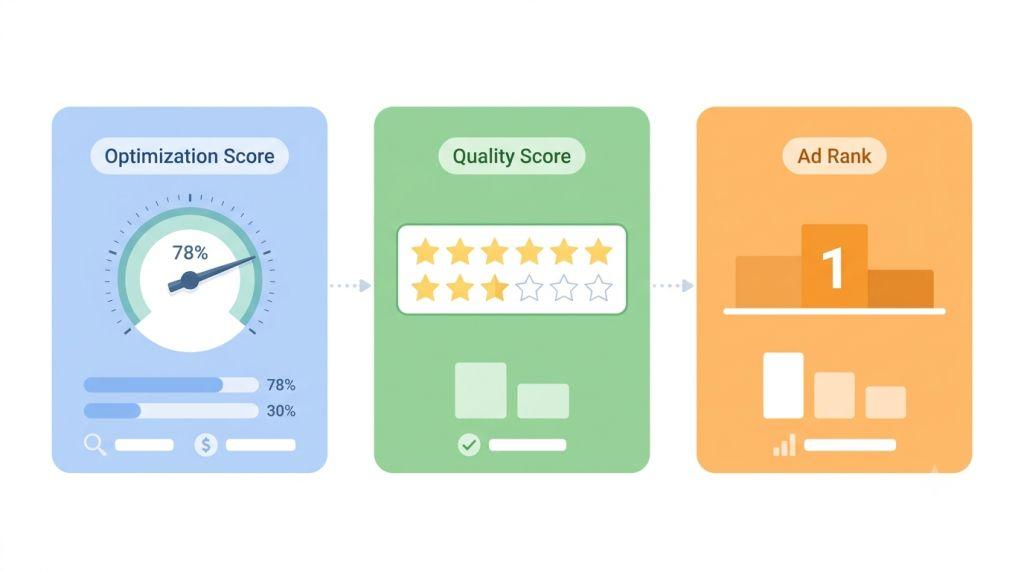
Since we’re talking about scores, this is the perfect place to clear up one of the biggest points of confusion in Google Ads: the difference between your optimization score, your quality score, and your ad rank.
Many advertisers assume these are all connected — or even the same thing. They’re not. Understanding each one separately is genuinely one of the most useful things you can do for your campaigns.
Quality score is a number from 1 to 10 that Google assigns to each keyword in your account. It measures three things:
- Expected click-through rate — How likely is someone to click your ad when they search for this keyword?
- Ad relevance — How closely does your ad match what the person was searching for?
- Landing page experience — When someone clicks your ad, is the page they land on helpful, relevant, and easy to use?
A higher quality score means Google sees your ads as more relevant and useful to searchers. And relevance is something Google cares deeply about — because showing people ads that match what they’re looking for makes the whole experience better for everyone.
Ad rank is what decides where your ad actually shows up on the search results page — and whether it shows at all. Google calculates your ad rank every single time someone does a search. It takes into account your bid (how much you’re willing to pay per click), your quality score, the relevance of your ad assets (like sitelinks and callouts), and a few other contextual signals.
Here’s why this matters for your wallet: a high quality score can let your ad rank above a competitor’s ad even if they’re bidding more money than you are. In other words, quality score is how you beat bigger advertisers without necessarily outspending them.
Your Google search optimization score is separate from both of these. It doesn’t directly determine where your ads show or how much you pay per click. But it can point you toward improvements — like adding better ad assets or fixing your landing pages — that will raise your quality score and ad rank over time.
If all of this sounds like a lot to keep track of, you’re not alone. There’s a reason so many small business owners search for answers about why Google Ads is so complicated. The platform has multiple overlapping systems, and each one affects the others in ways that aren’t always obvious.
What Is a Good Optimization Score for Google Ads?
Here’s the question everyone eventually asks: what is a good optimization score for Google Ads?
The honest, experience-backed answer is: somewhere between 70% and 85%.
Not 100%. Not even close to 100%. And here’s exactly why.
Reaching 100% means accepting every single recommendation Google has made for your account. That sounds good in theory. In practice, it often means making changes that aren’t aligned with your actual business strategy — just to satisfy an algorithm.
Consider a few examples of recommendations that can look good on your score but cause real problems in practice:
Broad match keywords. Google frequently recommends switching to broad match, which lets your ads show for a much wider range of search terms. For some businesses, this opens up valuable new traffic. For others — especially those with a tight budget or a very specific product — it means paying for clicks from people who were never going to buy. One bad broad match recommendation, blindly applied, can drain a small business budget in days.
AI Max and Performance Max campaigns. These AI-powered campaign types are genuinely exciting and have shown real results for larger advertisers. L’Oréal, for instance, used AI Max and saw a 2x higher conversion rate with 31% lower cost-per-conversion. But those results came with a large data set and a skilled team managing the process. Smaller advertisers without enough conversion history may not see the same results — and applying these recommendations without the right foundation can lead to wasted spend.
Automated bidding changes. Google often recommends switching to Target CPA or Target ROAS bidding strategies. These can be excellent — but only when your account has enough conversion data to actually support them. Switching too early can cause your campaigns to underperform significantly.
The smartest approach to your score is to treat every recommendation as a proposal, not an order. Read it carefully. Ask whether it makes sense for your goals and your budget right now. Apply it if the answer is yes. Dismiss it if the answer is no — and when you dismiss a recommendation, Google removes it from your score calculation entirely, so your number won’t suffer for making a thoughtful decision.
For a closer look at how to evaluate your specific score, the team at Sheaf Media Group has put together a practical resource on the Google Ads optimization score that walks you through exactly what to look for.
The Recommendations You Should Almost Always Apply
Not every recommendation needs deep analysis. Some are genuinely helpful for nearly every advertiser. Here’s what to prioritize:
Fix broken conversion tracking first. This is the single most important thing you can do for your entire account. Google’s Smart Bidding — which powers strategies like Target CPA and Target ROAS — relies entirely on your conversion data to make decisions. If your tracking is broken, off, or missing, the algorithm is essentially guessing. Even campaigns using Smart Bidding Exploration, which can increase conversions by up to 19% on average according to Google, need accurate data to deliver those results.
Add missing ad assets. Sitelinks, callout extensions, structured snippets, and image assets are easy to add and genuinely improve your ads. They give Google more to work with and give potential customers more reasons to click. Missing assets are a common reason scores drop — and filling them in is almost always a no-brainer.
Resolve conflicting negative keywords. Negative keywords tell Google which searches should not trigger your ads. But sometimes, negative keywords accidentally block searches you do want to show up for. When this happens, you’re losing impressions you should be getting. The fix is quick and the impact can be immediate.
Remove duplicate keywords. Running the same keyword in multiple ad groups or campaigns can cause your ads to compete against each other. Cleaning this up keeps your account organized and your budget focused.
The Recommendations to Evaluate Carefully
These aren’t bad recommendations — they’re just ones that need more thought before you act:
Broad match keyword suggestions. Always check your search term reports before accepting these. Make sure the broader traffic you’d be reaching is actually relevant to what you sell.
Budget increase suggestions. Google will often tell you that you’re losing impressions because your budget is too low. This may be true — but increasing your budget only makes sense if your current campaigns are already converting efficiently. Throwing more money at a campaign that isn’t working yet won’t fix it.
New campaign type suggestions. AI Max, Performance Max, and Demand Gen campaigns are all legitimate tools. But they work best when you already have conversion data, strong creative assets, and a clear strategy. Jumping in too early can lead to disappointing results.
How to Build a Smarter Routine Around Your Score
Here’s a simple weekly habit that helps you get the most out of your optimization score without letting it run your account:
Once a week, open the Recommendations tab and spend five to ten minutes reviewing what’s new. Sort by the recommendations with the highest score impact first. For each one, ask: “Does this match my current goals?” Apply the ones that do. Dismiss the ones that don’t, and add a short note about why — this helps if you ever need to explain your decisions to a partner or an agency.
At the same time, keep a close eye on the metrics that actually tell you how your campaigns are performing: conversion rate, cost per conversion, impression share, and return on ad spend. These are the real scoreboard. Your optimization score is just one tool in the toolbox.
If managing all of this feels like more than you can take on — especially when you’re also running a business — it’s worth considering PPC Management for Small Business from a team that specializes in exactly this kind of work. Having an expert review your recommendations, manage your score, and keep your campaigns optimized can free you up to focus on what you do best.
Final Thoughts
Your Google search optimization score is a valuable feature — when you use it the right way. It’s a real-time health check, a way to discover new features, and a useful signal that something might need your attention.
But it’s not a report card. It’s not connected to your quality score or ad rank. And hitting 100% should never be the goal.
The goal is to run campaigns that bring real customers to your business, at a price that makes sense. Your optimization score helps you get there — but only if you stay in the driver’s seat and make decisions based on your business, not just Google’s checklist.
For more information on how optimization score fits into the broader landscape of Google’s ad systems, the Google Ads Help Center is always a reliable, up-to-date resource straight from Google itself.
Start with the easy fixes. Be thoughtful about the rest. And always keep your focus on the numbers that actually move your business forward.
Word count: ~2,200 words