
Does Google Ads Optimization Score Actually Matter? Every week, thousands of small business owners open their Google Ads account, see a number sitting in a colored circle, and feel one of two things: mild panic or quiet pride.
If the number is low — say, 52% — they worry their campaigns are failing. If it’s high — say, 94% — they feel like they’re doing everything right. And if Google is nudging them to hit 100%, they wonder if they should just click “Apply All” and get it over with.
The number they’re looking at is their Google Ads optimization score. And the question most of them have — but rarely find a straight answer to — is this: does Google Ads optimization score matter?
The honest answer is yes and no. And understanding which parts matter — and which parts don’t — could be the difference between a campaign that grows your business and one that quietly burns through your budget while looking great on a dashboard.
Let’s break it all down in plain, simple language.
What the Google Ads Optimization Score Is — and What It Isn’t
Before we can answer whether the score matters, we need to get clear on what it’s actually measuring. Because a lot of advertisers have a fundamental misunderstanding about this — and it leads them to make decisions that hurt their campaigns.
Your Google Ads optimization score is a number between 0% and 100% that lives in the Recommendations tab of your account. It tells you how closely your account follows Google’s recommended best practices at that moment in time.
That’s it. That’s what it measures.
It does not measure how profitable your campaigns are. It does not measure whether your ads are reaching the right people. It does not measure your return on ad spend, your conversion rate, your cost per lead, or any other metric that tells you whether your advertising is actually working for your business.
Google pairs the score with a list of recommendations — suggestions for changes it thinks would improve your account’s performance. Each suggestion shows a percentage next to it, indicating how much your score would rise if you applied it. The suggestions cover things like switching to automated bidding, adding new keywords, enabling AI-powered campaign types, or uploading more creative assets.
Here is the critical thing to understand: Google’s recommendations are built around what works for the average advertiser. Not your specific business. Not your specific budget. Not your specific goals. The average. And your business — with its unique product, its unique customers, and its unique competitive landscape — is not average.
This is one of the reasons so many business owners find themselves wondering why Google Ads is so complicated. The platform is filled with scores, metrics, and suggestions — and not all of them point in the same direction for every advertiser.
Does Google Ads Optimization Score Matter? Here’s Where It Does
With that context in mind, let’s talk about where the optimization score genuinely helps you — because it does have real value when used correctly.
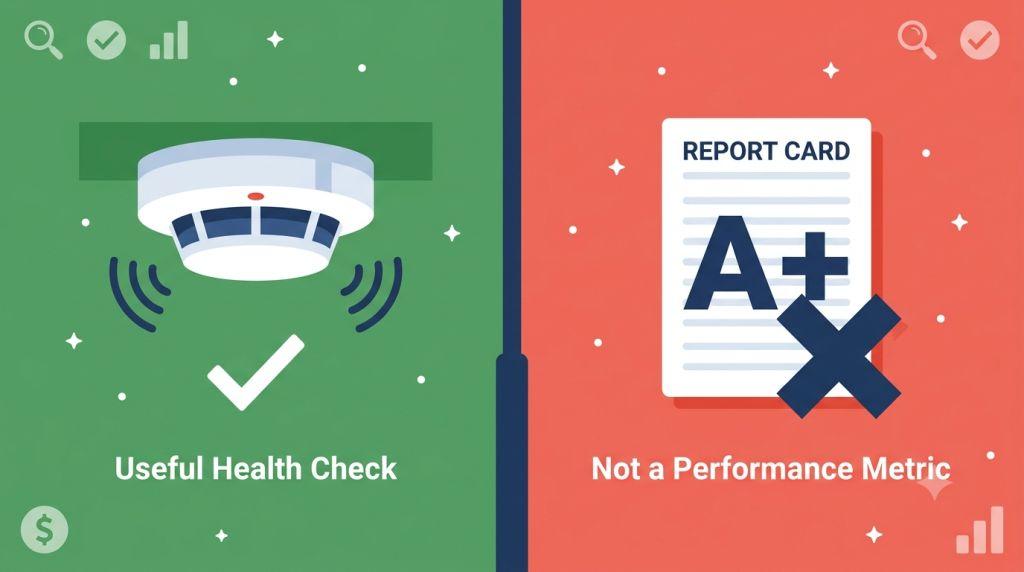
It works like a smoke detector for your account.
Think about what a smoke detector does. It doesn’t tell you whether your house is beautiful or well-decorated. It doesn’t measure the square footage or the value of your furniture. It does one specific job: it alerts you when something is wrong that needs your attention right now.
Your optimization score does the same thing. A sudden drop — especially a sharp one — is often a signal that something real happened in your account. Maybe your conversion tracking broke and stopped recording sales. Maybe an ad got disapproved and your whole campaign went dark. Maybe conflicting negative keywords crept in and started blocking your own ads from showing up. These are genuine, costly problems, and the score helps surface them quickly before they do lasting damage.
It keeps you informed about new platform features.
Google is constantly rolling out new tools, campaign types, and bidding strategies. Your Recommendations tab is often one of the first places these new features show up for your specific account. Even if you don’t apply every suggestion, knowing what’s available keeps you informed and gives you options. In 2026, major changes like AI Max for Search campaigns and expanded Smart Bidding options are showing up as recommendations across thousands of accounts — and knowing they exist is the first step to deciding whether they’re right for you.
It flags real account maintenance issues.
The Recommendations tab regularly surfaces basic but important account hygiene issues: missing ad assets like sitelinks and callouts, duplicate keywords competing against each other, ads with low engagement that haven’t been refreshed in a long time. None of these are usually urgent crises — but addressing them consistently over time makes a real difference to your account’s health and performance.
It matters for Google Partner agencies.
If you work with a certified search engine marketing firm for small business, your optimization score is directly tied to something important: Google requires agencies with Partner certification to maintain a score of 80% or above across their managed accounts. This certification signals that the agency meets Google’s standards for knowledge and performance. So if your agency is keeping your score in that range, they’re doing it for a real reason — not just to make a number look good.
Here’s Where the Google Ads Optimization Score Doesn’t Matter
Now for the part that most guides are afraid to say out loud: there are important ways in which your optimization score simply does not matter — and treating it like it does is one of the most common and costly mistakes in Google Ads.
It is not a measure of campaign profitability.
A 95% optimization score does not mean your campaigns are profitable. It does not mean your ads are converting. It does not mean your budget is being spent wisely. It means you’ve followed most of Google’s suggestions. Those are not the same thing.
Plenty of accounts exist with optimization scores above 90% that are burning through budget without generating meaningful returns. And plenty of carefully managed accounts sit at 72% or 75% while generating consistent, profitable results — because an experienced advertiser dismissed the recommendations that didn’t fit their strategy.
It is not connected to your quality score and ad rank.
This is a big one. Many advertisers assume that a higher optimization score means their ads will rank better or cost less. That’s not how it works. Quality score and ad rank are calculated completely separately from your optimization score, using completely different inputs.
Your quality score — a 1–10 rating assigned to each keyword — measures the relevance of your ads, the quality of your landing pages, and how likely people are to click your ads. Your ad rank — recalculated in real time for every single search — determines where your ad shows up and how much you pay per click. Neither of these is influenced by your optimization score number.
What matters for quality score and ad rank is the actual quality of your advertising: tight, relevant ad groups, compelling ad copy that earns clicks, and landing pages that are fast, relevant, and easy to use. Those things can absolutely improve through following certain recommendations — but it’s the underlying work that matters, not the score that results from it.
Chasing 100% can actively hurt you.
This is perhaps the most important thing on this entire list. Hitting 100% requires applying every recommendation Google has made for your account. And some of those recommendations — if applied without careful thought — can cause real damage.
Switching to broad match keywords without reviewing your search term reports first can open up your budget to clicks from people who were never going to buy from you. Switching to automated bidding strategies before your account has enough conversion data can cause campaigns to underperform badly while the algorithm tries to learn. Enabling AI Max or Performance Max campaigns without the right creative assets and tracking foundations can lead to wasted spend during the learning phase.
The “Apply All” button is one of the most dangerous features in Google Ads for advertisers who don’t know what they’re applying. One click, and your account changes in ways that could take weeks to fully understand and fix.
What Is a Good Optimization Score for Google Ads?
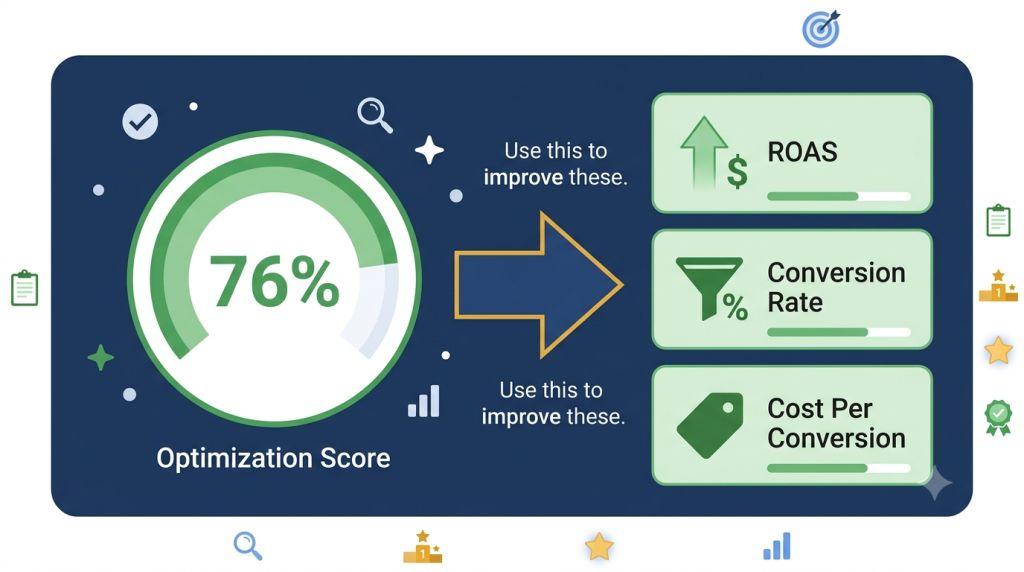
Given everything above, you might be wondering: if 100% isn’t the goal, what is a good optimization score for Google Ads?
The answer that most experienced PPC professionals agree on is somewhere between 70% and 85%.
Here’s why this range makes sense. At 70–85%, you’ve addressed the real account health issues and applied the recommendations that genuinely align with your strategy. You’ve also dismissed the ones that don’t fit — and when you dismiss a recommendation in Google Ads, it’s removed from your score calculation entirely. Dismissing something thoughtfully won’t drag your number down.
A score in this range tells you that:
- Your account structure is solid and well-maintained
- Your ad assets are in place and up to date
- Your conversion tracking is working properly
- You’ve reviewed and made conscious decisions about each recommendation
- You haven’t blindly chased a number at the expense of your strategy
That’s a well-managed account. And a well-managed account — even at 75% — will outperform a blindly optimized account at 100% almost every time.
For more detail on how to interpret and act on your specific score, our Google Ads optimization score guide walks through exactly what to look for at each level.
How Your Google Search Optimization Score Updates — and Why It Fluctuates
One thing that trips up a lot of advertisers is the fact that their Google search optimization score can change significantly without them doing anything at all. You could log in on Monday with an 81% score, do nothing all week, and come back Friday to find it sitting at 67%.
This happens because your score recalculates in real time, and it’s influenced by factors outside your control. Google regularly adds new recommendation categories to the platform — and when a new type of suggestion becomes available for your account, it can drop your score significantly even if your campaigns haven’t changed at all.
For example, when Google rolled out AI Max for Search campaigns in 2025 and began pushing it widely in 2026, a large new recommendation appeared in millions of advertisers’ accounts. Accounts that didn’t enable AI Max saw their scores drop — not because anything went wrong in their campaigns, but simply because Google added a high-weight recommendation they hadn’t yet acted on.
The lesson here is important: don’t panic over day-to-day or week-to-week score fluctuations. Before making any changes in response to a score drop, open the Recommendations tab and look at what actually changed. In most cases, a new suggestion appeared — and your job is to evaluate it thoughtfully, not react to the number emotionally.
The score is available at the campaign level, the account level, and — for agencies managing multiple clients — the manager account level. Checking all three levels when you notice a change can help you pinpoint exactly where the shift happened and why.
The Recommendations That Are Almost Always Worth Taking
Not every recommendation requires deep analysis. Some are genuinely helpful for nearly every account, almost all of the time. Here’s what to prioritize when you see these show up:
Conversion tracking issues. If Google flags a problem with your conversion tracking, address it immediately. Everything in your account — especially automated bidding strategies — depends on accurate conversion data. A broken tracking tag means your campaigns are making decisions based on incomplete or inaccurate information. Fix this before anything else.
Missing ad assets. Sitelinks, callout extensions, structured snippets, image assets — these are free to add, easy to set up, and directly improve how your ads compete in auctions. Google’s Ad Rank formula includes the expected impact of your ad assets as a direct factor. Missing assets mean you’re leaving Ad Rank — and ad position — on the table.
Conflicting or redundant negative keywords. When negative keywords accidentally block your own ads from showing up for valuable searches, you’re losing traffic you should be getting. This is a quick fix with an often-immediate impact on your impression volume.
Duplicate keywords. Running the same keyword in multiple ad groups or campaigns causes your ads to compete against each other in the auction — which drives up your costs and fragments your data. Consolidating these is almost always a positive move.
The Recommendations to Read Carefully Before Applying
These suggestions aren’t necessarily wrong — but they need to be evaluated against your specific situation before you act:
Broad match keyword expansions. Always review your search term reports first. Understand what kinds of searches you’d be opening your budget to before accepting these. The reach can be powerful — or it can be a money drain, depending on your product and audience.
Automated bidding strategy switches. Target CPA and Target ROAS bidding work beautifully — when your account has enough conversion volume. Most experts recommend at least 30–50 conversions per month before switching. If you’re not there yet, applying this recommendation can cause your campaigns to struggle through a lengthy and expensive learning phase.
AI Max and Performance Max suggestions. These AI-powered campaign types can deliver real results. Google’s own data shows AI Max averages 7% more conversions when using its full feature suite. But they work best with strong conversion tracking, quality landing pages, and enough historical data for the AI to learn from. Check whether those foundations are in place before applying.
Budget increase suggestions. Google will regularly tell you that you’re missing impressions due to budget constraints. This may be true. But before increasing your budget, make sure your current campaigns are converting efficiently. More money into a campaign that isn’t working yet just accelerates the waste.
The Metrics That Actually Tell You If Your Ads Are Working
If the optimization score isn’t the final measure of success, what is? Here are the numbers that actually tell you whether your Google Ads campaigns are doing their job:
Conversion rate — what percentage of people who click your ad take the action you want (a purchase, a form submission, a phone call). This is the clearest signal of whether your ads and landing pages are connecting with the right audience.
Cost per conversion — how much you’re paying, on average, for each customer action. This tells you whether your advertising is efficient and sustainable.
Return on ad spend (ROAS) — how much revenue you’re generating for every dollar spent on ads. This is the bottom-line measure of whether your campaigns are profitable.
Impression share — what percentage of the available searches your ads are actually showing up for. If you’re missing a large portion of your potential impressions, that’s worth investigating — whether it’s a budget issue, a quality issue, or a targeting issue.
Quality score components — expected CTR, ad relevance, and landing page experience. These three ratings, available at the keyword level, tell you exactly where the quality gaps in your account are and give you a roadmap for where to focus your improvement efforts.
If you want support keeping an eye on all of these metrics — and making sure your optimization score is managed in a way that actually supports your business goals — working with a team that specializes in PPC Management for Small Business is worth serious consideration.
Final Thoughts
So — does Google Ads optimization score matter?
Yes. As a smoke detector. As a health check. As a way to catch real problems, discover new tools, and stay on top of account maintenance. In those roles, it’s genuinely useful and worth checking regularly.
No. As a report card. As a measure of campaign profitability. As a target to chase at the expense of strategy. As a reason to click “Apply All” without reading what you’re applying. In those roles, it can lead you in exactly the wrong direction.
The best advertisers use the optimization score the way a smart homeowner uses a smoke detector — they pay attention when it goes off, they investigate what triggered it, and they take appropriate action. But they don’t redesign their entire house just to keep the alarm quiet.
Keep your score in the healthy 70–85% range. Review your recommendations weekly. Apply what fits. Dismiss what doesn’t. And always keep your eyes on the metrics that actually measure what matters — the customers, conversions, and revenue that grow your business.
For the complete, official explanation of how Google calculates optimization scores and what each recommendation category covers, Google’s Optimization Score Help Center is always the most reliable and up-to-date source directly from Google.