


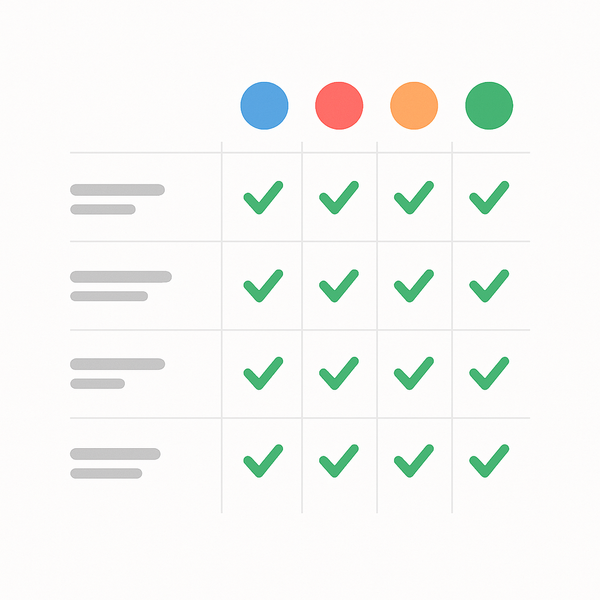
Complete comparison of truly free website builder options
When you’re starting a new project or business on a tight budget, the question “Are the any 100% free website builders?” becomes crucial. The good news is that yes, there are genuinely free website builders available that don’t require any payment to create and maintain a basic website. However, understanding what “100% free” really means and recognizing the limitations of these platforms is essential for making the right choice for your needs.
In this comprehensive guide, we’ll explore the truly free website builder options available today, examine their features and limitations, and help you determine whether a free solution is right for your project. We’ll also provide step-by-step instructions for getting started and share real examples of successful websites built on free plans. Whether you’re creating a personal blog, a portfolio, or a simple business website, you’ll discover exactly what’s possible without spending a dime on Free Website Design.
Are the any 100% free website builders? Yes, Here Are Your Options
The landscape of free website builders has evolved significantly over the years. Today, several platforms offer genuinely free options that allow you to create and publish a website without any upfront or ongoing costs. These platforms typically generate revenue through premium upgrades, advertising, or enterprise solutions, which allows them to maintain free tiers for basic users.
What Makes a Website Builder Truly Free
A truly free website builder provides several essential components without any cost. First and foremost, it offers free hosting, meaning your website files are stored on their servers without monthly charges. Second, it provides a subdomain (like yoursite.platform.com) at no cost, eliminating the need to purchase a custom domain name initially. Third, it includes a website creation tool with templates and design features that don’t require payment to access.
Additionally, a genuinely free website builder allows you to publish your site and keep it live indefinitely without forced upgrades. Some platforms may display their branding or advertisements on free sites, but they won’t charge you for the basic service. The key distinguishing factor is that you can create, publish, and maintain a functional website without ever entering payment information.
Free vs Freemium: Understanding the Difference
When researching “Are the any 100% free website builders?”, it’s crucial to distinguish between free and freemium models. Free website builders offer a complete, albeit basic, service without payment requirements. Freemium models, on the other hand, provide a limited free tier designed to encourage upgrades to paid plans.
Freemium platforms often restrict essential features like custom domains, advanced design options, or e-commerce capabilities to paid tiers. They may also limit storage space, bandwidth, or the number of pages you can create. While these limitations don’t prevent you from building a website, they can significantly impact its functionality and professional appearance.
Understanding these differences helps set realistic expectations. A free website builder will get your site online, but it may include platform branding, have limited customization options, or lack advanced features like online stores or booking systems. For many users, especially those just starting out or creating personal projects, these limitations are acceptable trade-offs for the zero-cost entry point.
7 Website Builders That Are Actually Free Forever
After extensive research and testing, we’ve identified several platforms that offer genuinely free website building options. Each has its strengths and limitations, but all allow you to create and maintain a website without payment.
Google Sites: The Completely Free Option
Google Sites stands out as one of the most genuinely free website builders available. Backed by Google’s infrastructure, it offers unlimited pages, storage through Google Drive, and no forced advertisements. The platform integrates seamlessly with other Google services, making it ideal for users already within the Google ecosystem.
The interface is straightforward and user-friendly, though design options are more limited compared to other builders. Google Sites works exceptionally well for internal company sites, educational projects, and simple informational websites. Since it’s tied to your Google account, you get the same reliability and security as other Google services. When it comes to Are the any 100% free website builders?, this is one of the fastest checks to run.
Wix Free Plan: What You Really Get
Wix’s free plan is one of the most popular options for those asking “Are the any 100% free website builders?” While it includes Wix branding and advertisements, it provides access to hundreds of templates and a powerful drag-and-drop editor. The free plan includes 500MB of storage and 500MB of bandwidth, which is sufficient for small websites.
The platform’s strength lies in its design flexibility and extensive template library. You can create visually appealing websites without coding knowledge, though you’ll need to accept the Wix-branded domain (username.wixsite.com/sitename) and banner ads. Despite these limitations, many users successfully run personal blogs, portfolios, and small business sites on Wix’s free plan.
Weebly’s Free Forever Plan
Weebly offers a robust free plan that includes a drag-and-drop builder, responsive themes, and SSL security. Like other free options, it displays Weebly branding and uses a subdomain, but it provides enough features to create a functional website. The platform is particularly strong for beginners, with an intuitive interface and helpful tutorials.
One advantage of Weebly’s free plan is its relatively generous 500MB storage limit and the ability to create unlimited pages. The platform also includes basic SEO tools, helping your site gain visibility in search engines despite being on a free plan. Many small businesses and individuals use Weebly’s free tier as a stepping stone before upgrading to paid plans as they grow.
Real websites built using free website builders
Beyond these three major players, several other platforms offer free website building options worth considering. WordPress.com provides a free tier with 3GB of storage and access to dozens of themes. While it includes WordPress.com branding and ads, it’s an excellent choice for bloggers and content-focused sites.
Carrd specializes in one-page websites and offers a surprisingly generous free plan. You can create up to three sites with basic features, making it perfect for landing pages, personal profiles, or simple business cards online. The platform’s strength lies in its modern, minimalist designs and ease of use.
Site123 rounds out our list with a free plan that includes 250MB storage and 250MB bandwidth. While more limited than some options, it offers multilingual support and an AI-assisted design process that helps beginners create professional-looking sites quickly. The platform is particularly popular among small business owners who need a simple online presence.
How to Choose When Asking ‘Are the any 100% free website builders?’
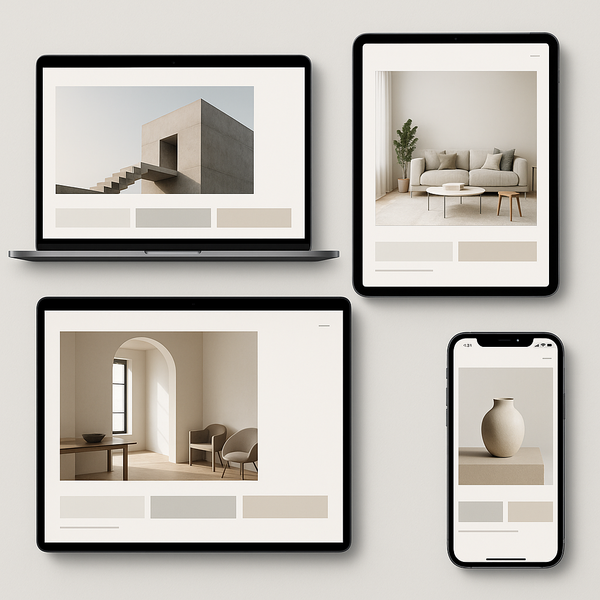
Selecting the right free website builder requires careful consideration of your specific needs and long-term goals. While all free options have limitations, some may align better with your project requirements than others.
Essential Features to Look For
When evaluating free website builders, several features should be non-negotiable. First, ensure the platform offers responsive design, meaning your site will look good on both desktop and mobile devices. With mobile traffic accounting for over half of web usage, this feature is critical for reaching your audience effectively.
Security is another essential consideration. Look for platforms that provide SSL certificates, even on free plans. This encryption protects visitor data and is increasingly important for search engine rankings. Most reputable free website builders now include basic SSL as standard.
Consider the available customization options within the free tier. While you won’t get the full flexibility of paid plans, you should be able to adjust colors, fonts, and layouts to create a unique look. The ability to add custom content, images, and basic SEO settings is also important for creating a professional presence.
Storage and bandwidth limitations vary significantly between platforms. Assess your content needs realistically – a simple portfolio site requires far less storage than a blog with hundreds of posts. Similarly, bandwidth affects how many visitors your site can handle monthly. Choose a platform whose free tier aligns with your expected traffic and content volume.
Common Limitations of Free Plans
Understanding the limitations of free website builders helps set realistic expectations and avoid frustration. The most visible limitation is usually platform branding, which appears as logos, footer text, or banner advertisements on your site. While this can impact professional appearance, many successful sites operate despite this branding. If you’re working on Are the any 100% free website builders?, make sure this step is covered before moving on.
Domain restrictions represent another significant limitation. Free plans typically provide subdomains (yoursite.platform.com) rather than custom domains (yoursite.com). This affects both branding and search engine optimization, though it’s not insurmountable for many use cases. Some users successfully build audiences on subdomains before upgrading to custom domains later.
Feature restrictions often include limited or no e-commerce functionality, restricted access to advanced design elements, and basic analytics only. Free plans rarely include email marketing tools, advanced SEO features, or the ability to add custom code. These limitations particularly impact businesses looking to sell products or services directly through their websites.
Support options on free plans are typically limited to documentation and community forums. While these resources can be helpful, you won’t have access to priority support or personalized assistance. This makes choosing a user-friendly platform with good documentation even more important for free plan users.
When to Consider Upgrading
While free website builders can serve many needs indefinitely, certain situations warrant considering an upgrade. If you’re using your site for business purposes, removing platform branding and ads becomes important for maintaining a professional image. Custom domains also build trust and make your site easier to remember and share.
Traffic and storage limits may necessitate upgrades as your site grows. If you’re consistently reaching bandwidth limits or running out of storage space, it’s time to consider paid options. Similarly, if you need e-commerce features, email marketing integration, or advanced analytics, upgrading becomes necessary.
The need for better search engine optimization often drives upgrades. While free sites can rank in search results, custom domains and advanced SEO tools available in paid plans provide significant advantages. If organic traffic is crucial to your goals, investing in these features often pays dividends.
Step-by-Step Guide to Building Your Free Website
Now that you understand the landscape of free website builders, let’s walk through the practical process of creating your site. This guide applies to most platforms, though specific steps may vary slightly.
Choosing Your Platform
Start by evaluating your primary needs against each platform’s strengths. If you prioritize design flexibility and don’t mind platform branding, Wix or Weebly might be ideal. For maximum simplicity and Google integration, Google Sites excels. If you’re creating a one-page site, Carrd offers the most focused solution.
Consider your technical comfort level when making this decision. Some platforms require more technical knowledge than others, though all options discussed here are designed for beginners. Read reviews and, if possible, try the builders before committing. Most allow you to experiment with the editor before publishing.
Think about your long-term plans as well. If you might upgrade eventually, choose a platform with reasonable paid plans that align with your budget. Some platforms make migration difficult, so selecting one you can grow with saves time and effort later.
Setting Up Your First Pages
Once you’ve selected a platform and created your account, begin with essential pages. Every website needs a homepage that clearly communicates your site’s purpose. Keep this page focused and include clear navigation to other sections of your site.
An “About” page helps visitors understand who you are and why your site exists. This page is particularly important for building trust and connection with your audience. Include relevant background information, your mission or goals, and what visitors can expect from your site.
A contact page, even if it’s just a contact form or email address, provides a way for visitors to reach you. This is essential for business sites but valuable for any website. Some free builders include form builders; others may require you to list contact information directly. A practical rule of thumb for Are the any 100% free website builders?: verify the basics first, then tighten the details.
Depending on your site’s purpose, additional pages might include services, portfolio, blog, or resources sections. Start with the essentials and add pages as needed. Remember that most free plans don’t limit the number of pages, so you can expand over time.
Getting started with a free website builder
Customizing Your Design

Begin customization by selecting a template that aligns with your site’s purpose. Most free website builders offer dozens or hundreds of templates, categorized by industry or site type. Choose one that requires minimal modification to achieve your desired look.
Adjust colors and fonts to match your brand or personal preferences. Even free plans typically allow these basic customizations. Maintain consistency throughout your site – use the same color palette and limit yourself to two or three fonts maximum for a professional appearance.
Add your content strategically, focusing on clarity and readability. Break up text with headings, bullet points, and images. Most free builders include stock photo libraries or allow you to upload your own images. Ensure all images are optimized for web use to maintain fast loading speeds.
Pay attention to mobile responsiveness as you design. Preview your site on different screen sizes and adjust layouts as needed. Most modern builders handle this automatically, but it’s worth checking, especially if you’re customizing heavily.
Real Examples of Websites Built on Free Plans
Seeing real examples helps understand what’s possible when asking “Are the any 100% free website builders?” These examples demonstrate that free plans can serve various purposes effectively.
Small Business Examples
Many small businesses successfully use free website builders for their online presence. Local service providers like tutors, consultants, and freelancers often start with free sites to establish credibility without significant investment. These sites typically include service descriptions, contact information, and testimonials.
A yoga instructor might use Google Sites to create a simple site with class schedules, instructor bio, and contact details. The integration with Google Calendar makes scheduling particularly seamless. While the design might be basic, it provides all necessary information for potential clients.
Food trucks and pop-up shops frequently use free builders to maintain an online presence between events. These sites focus on location updates, menus, and social media integration. The ability to update quickly from mobile devices makes free builders particularly suitable for mobile businesses.
Personal Portfolio Sites
Creative professionals often begin with free portfolio sites before investing in custom domains. Photographers, artists, and designers use platforms like Wix to showcase their work, taking advantage of gallery features and visual templates even within free plan limitations.
Students and job seekers create portfolio sites to support their applications. These sites might include resume information, project showcases, and blog posts demonstrating expertise. The professional templates available on free plans often suffice for these purposes. For Are the any 100% free website builders?, small adjustments like this often make the biggest difference.
Writers and journalists use free builders to create online portfolios linking to published work. These sites serve as central hubs for their professional presence, often complementing social media profiles. The ability to regularly update content makes free builders suitable for this purpose.
Community and Nonprofit Websites
Community organizations frequently rely on free website builders due to budget constraints. Local clubs, volunteer groups, and small nonprofits use these platforms to share information, coordinate events, and recruit volunteers. The cost savings allow them to direct resources toward their mission rather than web hosting.
Educational projects benefit significantly from free builders. Teachers create class websites, students build project sites, and educational initiatives establish online presences without budget concerns. Google Sites particularly excels in educational contexts due to its integration with Google Workspace for Education.
Religious organizations and community groups use free builders for basic information sharing. These sites might include service times, event calendars, and contact information. While functionality is limited compared to paid options, free builders meet the basic needs of many community organizations.
Advanced Strategies for Maximizing Free Website Builders
While free website builders have limitations, several strategies can help you maximize their potential. Understanding these approaches helps you create more professional and effective sites within free plan constraints.
SEO Optimization on Free Plans
Search engine optimization remains possible on free website builders, though with some limitations. Focus on creating high-quality, relevant content that serves your audience’s needs. Use your target keywords naturally in page titles, headings, and throughout your content.
Take advantage of whatever SEO features your chosen platform provides. Most free builders allow you to customize page titles and meta descriptions. Write compelling descriptions that encourage clicks while including relevant keywords. Some platforms also allow you to edit URL slugs, which helps with SEO.
Build credibility through consistent content creation and external linking. While you can’t control the subdomain, you can still build authority through quality content and earn backlinks from other sites. Focus on creating valuable resources that others want to reference.
Working Around Storage Limitations
Storage restrictions on free plans require creative solutions. Host large files like videos on external platforms (YouTube, Vimeo) and embed them on your site. This approach saves storage while potentially reaching broader audiences through video platform discovery.
Optimize images before uploading to maximize your available space. Use appropriate file formats (JPEG for photographs, PNG for graphics with transparency) and compress images without sacrificing quality. Many free online tools can help with image optimization.
Consider using external services for specific functions. For example, use Google Forms for surveys and feedback collection, embedding them on your site. This approach extends functionality without consuming storage or requiring premium features.
Building Professional Credibility Despite Limitations
Professional appearance remains achievable even with platform branding and subdomains. Focus on creating clean, well-organized layouts with professional content. Quality writing, clear navigation, and thoughtful design choices matter more than custom domains for many audiences.
Leverage social proof through testimonials, case studies, and portfolio pieces. These elements build trust regardless of your hosting situation. Many successful professionals started with free sites and built reputations through consistent quality work. In most cases, Are the any 100% free website builders? is solved by following a clear, repeatable checklist.
Consider creating a consistent brand across platforms. Use the same colors, fonts, and messaging on your free website as on your social media profiles. This consistency reinforces your professional image despite technical limitations. For those ready to explore professional web design services, upgrading becomes a natural next step in your growth journey.
Future Considerations and Planning
When using free website builders, it’s important to think strategically about the future while maximizing present opportunities. Understanding the evolution path helps you make better decisions from the start.
Data Portability and Platform Lock-in
One concern with free website builders is the difficulty of moving your content to another platform later. Some builders make exporting your content challenging, effectively locking you into their ecosystem. Before committing to a platform, research their data export options.
Maintain backups of your content independently. Keep copies of all text, images, and other media in organized folders on your computer. This practice ensures you won’t lose your work if you decide to switch platforms or if the service changes its policies.
Consider platforms that use standard formats and technologies. Some builders use proprietary systems that make migration nearly impossible, while others build on standard platforms like WordPress, making future transitions easier.
Scaling Strategies for Growing Sites
As your site grows, plan for eventual scaling needs. Monitor your traffic and storage usage regularly to anticipate when you might need to upgrade. Most platforms provide basic analytics to help track these metrics.
Build your audience on platforms you control, such as email lists or social media followers. This approach ensures you can maintain connections with your audience regardless of your website platform. Many free builders don’t include email marketing, making external list building essential.
Prepare financially for eventual upgrades by understanding pricing tiers. Research what features you’ll need as you grow and budget accordingly. Some platforms offer significant discounts for annual payments, making upgrades more affordable when the time comes.
Conclusion: Making the Most of Free Website Builders
The question “Are the any 100% free website builders?” has a definitive answer: yes, several excellent options exist for creating and maintaining websites without any cost. While these platforms include limitations like platform branding, subdomains, and restricted features, they provide genuine value for many use cases.
Google Sites, Wix, Weebly, and others offer robust free tiers that can serve personal projects, small businesses, and community organizations effectively. The key is choosing the right platform for your specific needs and understanding both the possibilities and limitations of free plans.
Success with free website builders comes from focusing on content quality, user experience, and strategic planning rather than advanced features. Many successful websites started on free platforms before growing into larger operations. By following the strategies outlined in this guide, you can create an effective online presence without any financial investment.
Whether you’re testing a business idea, creating a personal portfolio, or establishing a community resource, free website builders provide accessible entry points to the online world. Start with realistic expectations, focus on providing value to your visitors, and be prepared to grow and adapt as your needs evolve. The journey from free website to professional online presence is well-traveled, and these platforms provide excellent first steps on that path.

Juan is a Digital Advertising / SEM Specialist with over 10 years of experience with Google AdWords, Bing Ad Center, Facebook, LinkedIn, Google Analytics, HTML, and WordPress. He is a co-founder of Sheaf Media Group and has work in several online advertising projects for retail, automotive, and service industries. Additionally, Juan holds a bachelor’s degree in Psychology and has a deep interest in the science of human behavior which he attributes as the key factor for his success in the advertising world.