


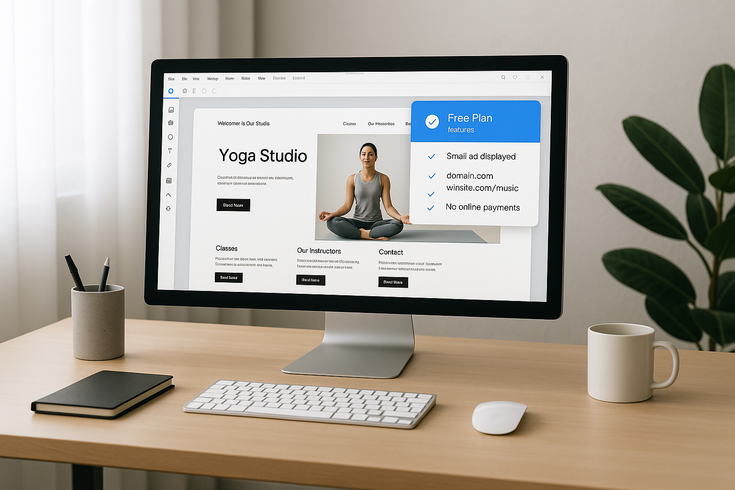
If you’re wondering “can I host my website on Wix for free,” the short answer is yes—but with important limitations you need to understand. Wix offers a completely free hosting plan that allows you to create and publish a website without paying anything upfront. However, this free option comes with specific restrictions that might affect your website’s functionality and professional appearance.
Many beginners ask Is Wix actually free? because the platform’s pricing structure can seem confusing at first. While you can indeed create and host a basic website at no cost, understanding exactly what you get—and what you don’t—is crucial for making an informed decision about whether free Wix hosting meets your needs.
Can I Host My Website on Wix for Free? The Complete Answer
Yes, you can host your website on Wix for free indefinitely. Wix doesn’t impose time limits on their free plan, meaning your website can remain live as long as you want without ever requiring payment. This makes Wix an attractive option for personal projects, portfolios, or anyone wanting to establish a basic web presence without financial commitment.
What Wix’s Free Plan Actually Includes
When you choose to host your website on Wix for free, you receive access to a comprehensive set of features that would typically cost money on other platforms. The free plan includes access to Wix’s drag-and-drop website builder, which features hundreds of professional templates across various categories. You can customize these templates extensively, changing colors, fonts, layouts, and adding various elements to create a unique design.
The free hosting also provides you with 500MB of storage space and 500MB of bandwidth per month. While these limits might seem restrictive compared to paid plans, they’re generally sufficient for small websites with moderate traffic. You’ll have access to Wix’s mobile editor, allowing you to optimize your site for smartphones and tablets, which is essential given that mobile traffic now accounts for the majority of web browsing.
Additionally, free Wix hosting includes basic SEO tools, allowing you to customize page titles, meta descriptions, and URL structures. You can also add contact forms, social media buttons, and basic apps from the Wix App Market. The platform provides reliable hosting infrastructure with good uptime, ensuring your website remains accessible to visitors.
Key Limitations You Need to Know
While the question “can I host my website on Wix for free” has a positive answer, understanding the limitations is equally important. The most noticeable restriction is the mandatory Wix branding. Your free website will display Wix advertisements, typically appearing as a banner at the top or bottom of your pages. This branding cannot be removed unless you upgrade to a paid plan.
Another significant limitation is the domain name. Free Wix websites use a subdomain format like “username.wixsite.com/sitename,” which appears less professional than a custom domain. You cannot connect your own domain name to a free Wix site, even if you’ve already purchased one elsewhere. This restriction alone often prompts users to consider upgrading, especially for business purposes.
The free plan also excludes several advanced features. You cannot accept online payments, sell products through e-commerce functionality, or remove the Wix favicon from your browser tab. Google Analytics integration, custom favicon upload, and premium apps are also unavailable. These limitations mean that while you can create an attractive website, expanding its functionality requires a paid subscription.
7 Steps to Host Your Website on Wix for Free
Creating your free Wix website is a straightforward process that typically takes less than an hour for a basic site. These seven steps will guide you through the entire process, from account creation to publishing your live website.
Step 1: Create Your Wix Account
Begin by visiting the Wix website and clicking the “Get Started” button. You’ll need to provide an email address and create a password, or alternatively, sign up using your Google or Facebook account. Wix will ask you a series of questions about your website’s purpose and your experience level. These questions help personalize your experience, but you can skip them if preferred.
After creating your account, Wix presents you with two main options: using Wix ADI (Artificial Design Intelligence) or the standard Wix Editor. ADI creates a website automatically based on your answers to additional questions, while the Editor gives you complete control from the start. For maximum customization flexibility, most users prefer the standard Editor. When it comes to Can I host my website on Wix for Free, this is one of the fastest checks to run.
Step 2: Choose Your Website Template
Wix offers hundreds of professionally designed templates organized by category, including business, portfolio, blog, events, and more. When selecting a template, consider both aesthetic appeal and functionality. Each template includes pre-built pages and features relevant to its category, saving you significant setup time.
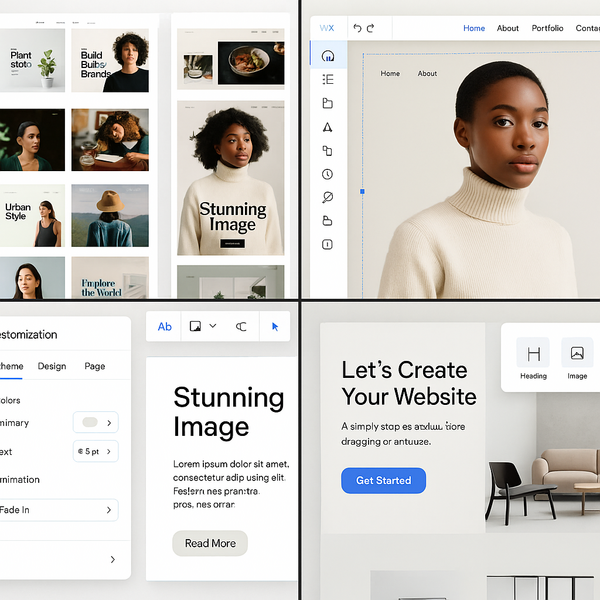
Take time to preview different templates before making your selection. Click on any template to see a full-screen preview, and navigate through the demo pages to understand the layout structure. Remember that while you can extensively customize any template, starting with one that closely matches your vision will streamline the creation process. Once you select a template and begin editing, you cannot switch to a different template without starting over.
Step 3: Customize Your Design
The Wix Editor provides intuitive drag-and-drop functionality for customizing every aspect of your chosen template. Start by updating the site header with your business or personal name, and replace placeholder images with your own photos or selections from Wix’s free stock photo library. Modify text content throughout the site, ensuring it accurately represents your message and maintains consistency in tone and style.
Explore the design customization options by adjusting color schemes, fonts, and spacing. The Editor allows pixel-perfect positioning of elements, though Wix also offers alignment tools and guides to maintain professional layouts. Add new sections or pages as needed, using Wix’s element library to incorporate features like galleries, contact forms, or social media feeds. Remember that when you host your website on Wix for free, all these design tools remain fully accessible.
Step 4: Add Essential Pages and Content
Most websites require several core pages to provide comprehensive information to visitors. Create an engaging home page that clearly communicates your website’s purpose within seconds of a visitor arriving. Develop an about page that tells your story or explains your mission, building trust and connection with your audience. Include a contact page with multiple ways for visitors to reach you, whether through a contact form, email address, or social media links.
If relevant to your website’s purpose, consider adding a services or portfolio page showcasing your work or offerings. Blog functionality is also available on free Wix plans, allowing you to publish articles and updates regularly. Each page should maintain consistent design elements while serving its unique purpose effectively.
Step 5: Optimize for Mobile Devices
With mobile devices accounting for significant web traffic, ensuring your free Wix website looks great on smartphones and tablets is crucial. Wix automatically creates a mobile version of your site, but you should review and optimize it using the Mobile Editor. Switch to mobile view within the Editor to see how your site appears on smaller screens.
Adjust element sizing, spacing, and positioning specifically for mobile displays. Some desktop design elements might need hiding on mobile to improve loading speed and user experience. Pay special attention to text readability, button sizes for touch interaction, and image scaling. The mobile optimization tools are fully available when you host your website on Wix for free, ensuring your site remains accessible across all devices.
Step 6: Configure Basic SEO Settings
Even with a free Wix website, implementing basic search engine optimization helps potential visitors find your content. Access the SEO settings for each page through the page menu. Create descriptive, keyword-rich page titles that accurately represent the content while remaining under 60 characters. Write compelling meta descriptions that encourage clicks when your site appears in search results.
Customize your page URLs to be clean and descriptive rather than using default strings of numbers or generic terms. Add alt text to all images, describing their content for both search engines and visually impaired users. While advanced SEO tools require a premium plan, these basic optimizations significantly improve your site’s search visibility.
Step 7: Preview and Publish Your Website
Before publishing, thoroughly preview your website using Wix’s preview function. Check every page, test all links, and ensure forms work correctly. Review the site on both desktop and mobile preview modes. Look for spelling errors, formatting issues, or placeholder content you forgot to update.
Once satisfied with your website, click the “Publish” button in the top right corner of the Editor. Wix will assign your free subdomain and make your site live on the internet within moments. You can continue editing your published site at any time, with changes appearing immediately after saving. Remember that visitors will see Wix ads on your site, reinforcing that you’ve chosen to host your website on Wix for free.
What You Get with Free Wix Hosting
Understanding exactly what’s included in free Wix hosting helps set realistic expectations for your website project. While the free plan provides substantial functionality, knowing its boundaries helps you plan effectively and decide if it meets your long-term needs.
Storage and Bandwidth Limits
Free Wix hosting includes 500MB of storage space, which must accommodate all your website files, images, and any uploaded documents. For context, a typical web page with optimized images might use 1-3MB, meaning you could create a substantial site within this limit. However, high-resolution photo galleries, video content, or free to use files can quickly consume available storage. If you’re working on Can I host my website on Wix for Free, make sure this step is covered before moving on.
The 500MB monthly bandwidth limit refers to the total data transferred when visitors access your site. Each page view, image load, and file use counts against this limit. A simple page view might use 1-2MB of bandwidth, suggesting the free plan could support several hundred visitors monthly, depending on your site’s complexity. If you exceed the bandwidth limit, Wix may temporarily restrict access to your site until the next month begins.
These limitations generally suffice for personal websites, portfolios, or small business sites with moderate traffic. However, image-heavy sites, busy blogs, or any site expecting significant traffic will likely need upgraded hosting. Monitoring your usage through the Wix dashboard helps you understand if free hosting meets your needs.
Wix Branding and Ads
The most visible aspect of free Wix hosting is the mandatory advertising. Wix displays ads on all free websites, typically as a banner promoting their services. These ads appear prominently and cannot be customized, hidden, or removed without upgrading to a paid plan. The advertising clearly identifies that you host your website on Wix for free, which some users find diminishes their site’s professional appearance.
Beyond display ads, Wix branding appears in other ways. The Wix favicon appears in browser tabs instead of your custom icon. Footer credits might also reference Wix, depending on your template. While these branding elements don’t interfere with your content, they constantly remind visitors that you’re using a free service, which might impact credibility for business websites.
Domain Name Restrictions
Perhaps the most significant limitation when you host your website on Wix for free is the domain name restriction. Your website URL will follow the format “username.wixsite.com/sitename,” immediately identifying it as a free Wix site. This subdomain structure appears less professional than custom domains and can be harder for visitors to remember or share.
You cannot connect an existing domain you own elsewhere to a free Wix site. Even if you’ve already purchased “yourbusiness.com,” you must upgrade to a paid Wix plan to use it. This restriction often becomes the primary reason users upgrade, as a professional domain name significantly impacts credibility and memorability. The lengthy subdomain URLs also perform less effectively in search results compared to custom domains.
When Free Hosting Works (And When It Doesn’t)
Determining whether free Wix hosting suits your needs requires honest assessment of your website’s purpose, audience expectations, and growth plans. Some scenarios align perfectly with free hosting limitations, while others demand paid features from the start.
Best Use Cases for Free Plans
Personal projects represent ideal candidates for free Wix hosting. If you’re creating a hobby blog, sharing family photos, or documenting personal interests without commercial intent, the free plan provides everything necessary. Students can host portfolios showcasing academic work, creative projects, or resumes without budget concerns. The question “can I host my website on Wix for free” finds its most positive answer in these personal use cases.
Temporary websites for events, weddings, or short-term projects also work well on free plans. Since these sites have defined lifespans and specific audiences who’ll receive direct links, the subdomain limitation matters less. Non-profit organizations or community groups with minimal budgets can establish basic web presences, sharing information and contact details without financial strain.
Testing and learning purposes represent another excellent use case. If you’re exploring web design, learning Wix’s platform, or prototyping ideas before committing resources, free hosting provides a risk-free environment. You can experiment extensively, understanding what works before potentially upgrading for a serious project.
Signs You Need to Upgrade
Several clear indicators suggest when free hosting no longer meets your needs. If you’re establishing any form of professional presence—whether for business, freelancing, or serious creative work—the Wix branding and subdomain immediately signal amateur status to many visitors. Potential clients or employers may question your commitment or success if you haven’t invested in basic web hosting.
E-commerce requirements necessitate immediate upgrading, as free Wix plans don’t support online payments or product catalogs. Similarly, if you need booking systems, member areas, or advanced forms, paid plans become essential. When what is the downside of using Wix? becomes a frequent question from stakeholders, it’s time to consider premium options.
Traffic growth beyond a few hundred monthly visitors will quickly exceed bandwidth limits, potentially making your site inaccessible. Storage limitations also become problematic as your content library expands. If you’re regularly deleting old content to make room for new material, upgrading provides necessary breathing room. Marketing efforts also suffer with free hosting, as custom domains rank better in search results and appear more trustworthy in advertisements.
Comparing Free vs Paid Wix Plans
Understanding the differences between free and paid Wix hosting helps inform your decision about whether and when to upgrade. While free hosting provides substantial functionality, paid plans unlock features that transform a basic website into a professional online presence. A practical rule of thumb for Can I host my website on Wix for Free: verify the basics first, then tighten the details.
Feature Comparison Table
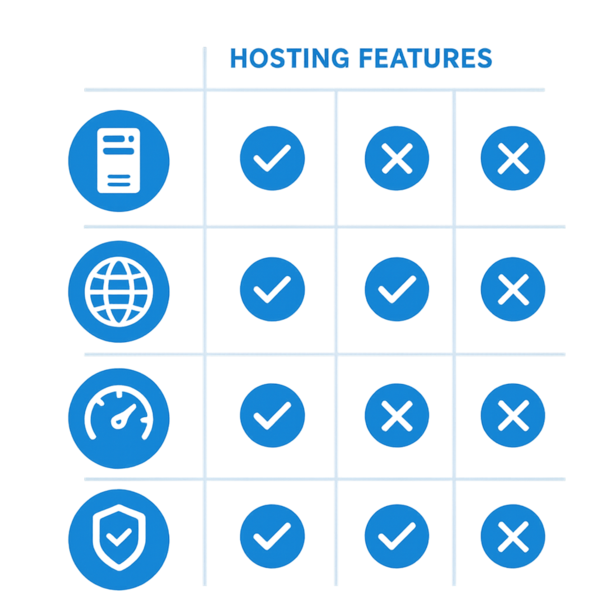
The free Wix plan includes core website building features: drag-and-drop editing, mobile optimization, SSL security, and basic SEO tools. You receive 500MB storage, 500MB monthly bandwidth, and access to free templates and design features. However, Wix ads appear on all pages, you’re restricted to a Wix subdomain, and e-commerce features remain locked.
Entry-level paid plans immediately remove Wix ads and allow custom domain connection, dramatically improving professional appearance. Storage increases to at least 3GB, with bandwidth jumping to 2GB or becoming unlimited on higher tiers. You gain access to premium support, site analytics, and can upload custom favicons. These plans start at reasonable monthly fees, making them accessible for serious hobbyists or small businesses.
Business and e-commerce plans unlock online selling capabilities, accepting payments, booking systems, and advanced marketing tools. Professional email addresses using your domain become available, along with increased storage and priority support. These plans include features like abandoned cart recovery, subscription selling, and marketplace integrations that transform Wix into a comprehensive business platform.
Cost-Benefit Analysis
When evaluating whether to continue hosting your website on Wix for free or upgrade, consider both immediate costs and long-term value. The monthly cost of basic paid plans often equals just one or two coffee shop visits, yet the credibility boost from removing ads and using a custom domain can significantly impact visitor perception and business opportunities.
Calculate the potential lost opportunities from appearing unprofessional. If even one client questions your credibility due to Wix branding, the lost revenue likely exceeds years of hosting fees. Similarly, improved SEO performance from custom domains might generate additional organic traffic worth far more than the monthly plan cost. Time saved from increased storage and bandwidth limits also has monetary value, especially if you’re frequently managing content to stay within free plan restrictions.
Consider upgrade timing strategically. Starting with free hosting while building content and refining your design makes sense. Once your site is polished and ready for serious promotion, upgrading maximizes the impact of your marketing efforts. This approach lets you answer “can I host my website on Wix for free” with “yes, initially,” while planning for sustainable growth.
Making the Most of Your Free Wix Website
Maximizing the potential of free Wix hosting requires strategic planning and creative problem-solving. By understanding and working within limitations rather than fighting them, you can create surprisingly effective websites without spending money.
Optimization Tips
Image optimization becomes crucial when working with storage limitations. Before uploading, resize images to the exact dimensions needed on your site. Use compression tools to reduce file sizes without noticeably impacting quality. Consider using Wix’s built-in image galleries rather than individual images, as they often provide better compression and loading efficiency.
Content structure affects both user experience and resource usage. Create focused, purposeful pages rather than sprawling content that consumes bandwidth and storage. Use external embedding when possible—YouTube for videos, SoundCloud for audio, and Google Docs for lengthy documents. This approach offloads storage and bandwidth to other platforms while maintaining rich content experiences.
Maximize free Wix apps to add functionality without upgrading. Many apps offer generous free tiers that integrate seamlessly with your site. Social media feeds, contact forms, and booking calendars extend capability without cost. Research each app’s limitations before implementation, ensuring free tiers meet your needs long-term.
Working Within Limitations
Embrace the subdomain as part of your brand during the free hosting phase. Instead of apologizing for or hiding the URL, confidently share it while building your audience. Focus on content quality and user value, which matter more than domain names for building initial traction. Many successful online personalities started with free hosting before upgrading once established.
Design around Wix branding by choosing templates and color schemes that minimize its visual impact. Some templates position ads less prominently, while certain color combinations make them blend better with your design. While you cannot remove branding, thoughtful design choices reduce its prominence in the overall user experience.
Plan for growth from the beginning, even while using free hosting. Structure your content and URLs in ways that will transfer smoothly to a custom domain later. Build your email list and social media following independently of your website URL, creating audiences that will follow you through platform changes. Document your design decisions and content strategy, making eventual migration or upgrading smoother.
Monitor resource usage regularly through your Wix dashboard. Understanding consumption patterns helps predict when upgrading becomes necessary and prevents unexpected site downtime from exceeded limits. If approaching bandwidth limits, consider temporarily removing high-traffic content or optimizing problem areas rather than accepting site unavailability.
Conclusion: Making the Free Hosting Decision
The question “can I host my website on Wix for free” has a clear answer: yes, you absolutely can. Wix provides generous free hosting that includes professional templates, intuitive editing tools, reliable infrastructure, and essential features for creating attractive, functional websites. For personal projects, learning purposes, or initial business ventures, free Wix hosting offers tremendous value without financial risk.
However, success with free hosting requires accepting its limitations. Wix branding, subdomain restrictions, and limited resources impact professional perception and growth potential. Understanding these constraints helps set realistic expectations and plan appropriately. Many users find free hosting perfect for their needs, while others quickly recognize when upgrading becomes necessary for their goals.
Ultimately, Wix’s free hosting serves as an excellent starting point for anyone wanting to establish a web presence. The platform’s ease of use, combined with zero financial commitment, removes traditional barriers to website creation. Whether you remain on the free plan or eventually upgrade, the skills and content you develop transfer seamlessly, making free Wix hosting a smart choice for beginning your online journey.
Start with free hosting to explore possibilities, refine your vision, and build initial content. Monitor your needs as they evolve, upgrading when business requirements or professional aspirations demand it. This pragmatic approach maximizes value while minimizing risk, answering “can I host my website on Wix for free” with “yes, and here’s how to do it successfully.”
For more insights on website building and hosting decisions, visit Wix’s official website to explore current features and pricing options that best suit your specific needs.

Juan is a Digital Advertising / SEM Specialist with over 10 years of experience with Google AdWords, Bing Ad Center, Facebook, LinkedIn, Google Analytics, HTML, and WordPress. He is a co-founder of Sheaf Media Group and has work in several online advertising projects for retail, automotive, and service industries. Additionally, Juan holds a bachelor’s degree in Psychology and has a deep interest in the science of human behavior which he attributes as the key factor for his success in the advertising world.