


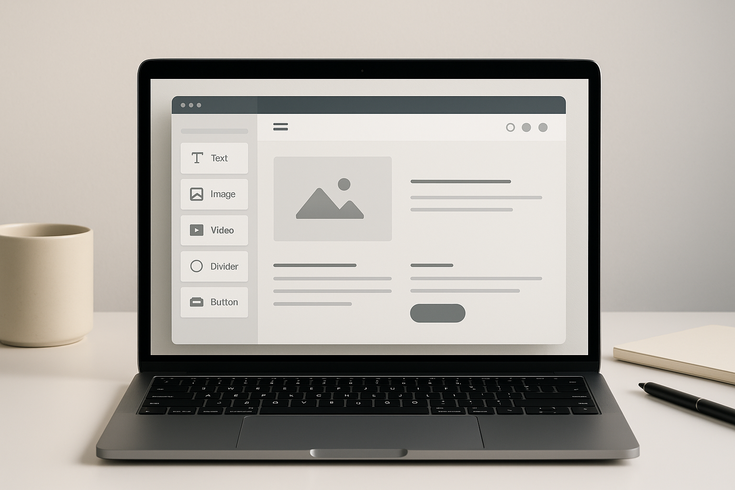
How do i create my own website for free in 2026? It’s easier than you think. With numerous free website builders available today, anyone can launch a professional-looking website without spending a single dollar. This comprehensive guide will walk you through every step, from choosing the right platform to publishing your site online. Whether you’re building a personal blog, portfolio, or small business website, you’ll discover exactly how to create your online presence without breaking the bank. Many people wonder Is Google Sites 100% free? and similar questions about other platforms – we’ll address all these concerns and more.
Getting Started: How Do I Create My Own Website for Free?
Creating your own website for free begins with understanding what’s available and what you actually need. The digital landscape has evolved tremendously, offering multiple pathways to establish your online presence without upfront costs. Before diving into the technical aspects, it’s essential to clarify your website’s purpose, target audience, and desired features.
Free website creation has become increasingly accessible through user-friendly platforms that eliminate the need for coding knowledge. These builders provide drag-and-drop interfaces, pre-designed templates, and hosting services bundled together. The key is selecting the right platform that aligns with your goals while understanding the limitations that come with free plans.
Choose Your Free Website Builder
Selecting the right website builder is crucial for your success. Popular free options include Wix, WordPress.com, Weebly, Google Sites, and Squarespace’s trial version. Each platform offers unique strengths and limitations. Wix provides extensive design flexibility with hundreds of templates, while WordPress.com offers powerful blogging capabilities. Weebly excels in e-commerce features even on free plans, and Google Sites integrates seamlessly with other Google services.
When evaluating website builders, consider factors like ease of use, template variety, customization options, and future scalability. Some platforms restrict certain features on free plans, such as custom domain names or advanced design elements. Research each option thoroughly, reading user reviews and exploring their template galleries before making your decision.
Most free website builders offer similar core features: responsive design templates, basic SEO tools, and reliable hosting. However, they differ in storage limits, bandwidth restrictions, and the presence of platform branding on your site. Understanding these differences helps you make an informed choice that won’t require switching platforms later.
Set Up Your Account
Account creation is straightforward across all major website builders. You’ll typically need just an email address to get started. Some platforms offer social media login options for quicker access. During registration, you might be asked about your website’s purpose, which helps the platform recommend suitable templates and features.
After creating your account, most builders guide you through an initial setup process. This often includes selecting your website type (blog, portfolio, business, etc.), choosing a template, and sometimes answering questions about your design preferences. Take your time during this phase, as your initial choices can impact your site’s foundation.
Many platforms try to upsell premium features during account setup. Stay focused on exploring the free options first. You can always upgrade later if needed. Remember to use a professional email address for your account, as this will be associated with your website’s administrative communications.
Step-by-Step Process to Create Your Free Website
Now that you’ve chosen your platform and created an account, it’s time to build your website. The process is surprisingly intuitive, even for complete beginners. Modern website builders have simplified what once required extensive technical knowledge into a series of manageable steps that anyone can follow.
The beauty of contemporary website builders lies in their visual approach. Instead of writing code, you’ll work with a graphical interface where you can see changes in real-time. This immediate feedback makes it easy to experiment with different designs and layouts until you achieve your desired look.
Select a Template
Template selection sets the foundation for your entire website. Most free website builders offer dozens or even hundreds of templates organized by industry or website type. Browse through categories relevant to your needs, whether that’s photography, restaurants, consulting, or personal blogging. Each template comes with pre-designed pages, color schemes, and layout structures.
When evaluating templates, look beyond surface aesthetics. Consider the template’s structure and whether it includes the pages you need. A good template should have sections for your main content, contact information, and any specific features relevant to your website’s purpose. Many templates are mobile-responsive by default, but always verify this crucial feature.
Don’t worry about finding the “perfect” template immediately. Most elements can be customized later. Focus on finding a template with a layout structure that matches your vision. You can always change colors, fonts, and images to match your brand or personal style during the customization phase. When it comes to How do i create my own website for free, this is one of the fastest checks to run.
Customize Your Design
Customization is where your website begins to reflect your unique identity. Start with the basics: upload your logo or create a text-based header, adjust the color scheme to match your brand, and select fonts that enhance readability. Most builders offer intuitive controls for these modifications, often through simple point-and-click interfaces or dropdown menus.
Navigation structure deserves special attention during customization. Organize your menu items logically, ensuring visitors can easily find what they’re looking for. Limit your main navigation to essential pages – typically Home, About, Services/Products, and Contact. Additional pages can be linked from within your content or added to a footer menu.
Visual hierarchy plays a crucial role in effective web design. Use larger fonts for headlines, consistent spacing between sections, and strategic color usage to guide visitors’ attention. Many free builders include design assistance features that suggest complementary colors or flag potential readability issues. Take advantage of these tools to create a professional appearance.
Add Your Content
Content is the heart of your website. Begin by creating compelling headlines that clearly communicate your value proposition. Write concise, engaging copy that speaks directly to your target audience. Break up long text sections with subheadings, bullet points, and images to improve readability and maintain visitor interest.
When adding images, optimize them for web use. Large image files slow down your site, potentially frustrating visitors. Most website builders automatically compress uploaded images, but you can improve performance by resizing images before uploading. Use descriptive file names and alt text for better accessibility and SEO benefits.
Creating multiple pages helps organize your content effectively. Standard pages include Home, About, Services, and Contact. Each page should serve a specific purpose and guide visitors toward your desired action, whether that’s making contact, reading your blog, or learning about your services. Maintain consistent formatting across all pages for a cohesive user experience.
Essential Features for Your Free Website
Understanding the essential features available on free website plans helps you maximize your site’s potential within platform limitations. While free plans offer remarkable functionality, knowing what’s included and what requires upgrading helps you plan effectively and avoid frustration down the road.
Free website builders typically include core features like responsive design, basic SEO tools, SSL security certificates, and reliable hosting. These fundamentals ensure your site looks professional and functions properly across devices. However, advanced features like e-commerce capabilities, custom domain names, and increased storage often require paid plans.
Domain Name Options
Free website plans usually provide a subdomain rather than a custom domain name. Your website address might look like “yourbusiness.wixsite.com” or “yourname.wordpress.com” instead of “yourbusiness.com”. While subdomains work perfectly well, they may appear less professional for business purposes.
Some platforms offer free custom domains for the first year as a promotional incentive. Others allow you to connect a domain you’ve purchased elsewhere, even on free plans. If professional appearance is crucial, consider purchasing a domain name separately (typically $10-15 annually) and connecting it to your free website builder.
When choosing a domain name, select something memorable, easy to spell, and relevant to your content or brand. Avoid hyphens, numbers, or unusual spellings that might confuse visitors. Check domain availability across different extensions (.com, .net, .org) and consider securing multiple versions to protect your brand.
Storage and Bandwidth Limits
Free plans come with storage restrictions that affect how much content you can upload. Typical limits range from 500MB to 3GB, which is sufficient for small to medium websites with optimized images. Understanding these limits helps you plan your content strategy and avoid running out of space unexpectedly.
Bandwidth limitations determine how much data can transfer between your website and visitors. Most free plans offer enough bandwidth for thousands of monthly visitors. However, if your site includes large files, videos, or experiences viral traffic, you might exceed these limits. Monitor your usage through your website builder’s dashboard to stay informed.
To maximize your free storage and bandwidth, optimize all media files before uploading. Compress images without sacrificing quality, embed videos from external platforms like YouTube rather than hosting them directly, and regularly remove unused files from your media library. These practices ensure smooth performance within free plan constraints. If you’re working on How do i create my own website for free, make sure this step is covered before moving on.
How Do I Create My Own Website for Free Without Hidden Costs
One of the biggest concerns when learning how do i create my own website for free is avoiding unexpected charges. While reputable website builders offer genuinely free plans, understanding their business model helps you navigate potential pitfalls and make informed decisions about when (or if) to upgrade.
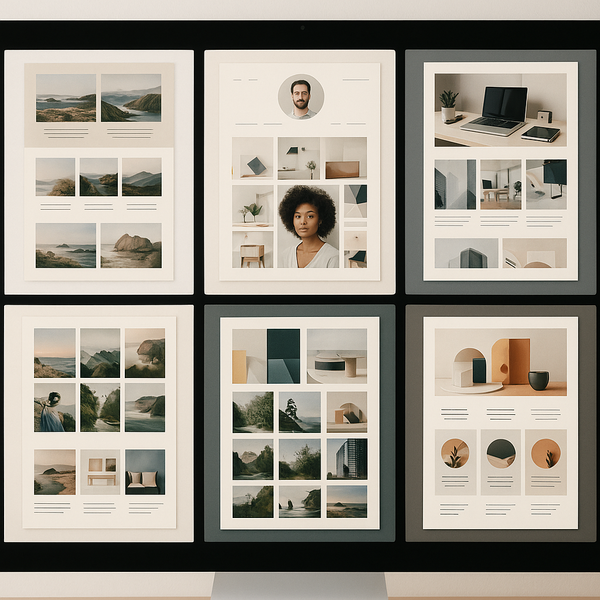
Free website builders generate revenue through premium subscriptions, so they naturally encourage upgrades. However, you can absolutely maintain a functional, attractive website indefinitely on a free plan if you understand and accept certain limitations. The key is being clear about your needs and realistic about what free plans offer.
Understanding Free Plan Limitations
Every free website plan includes some restrictions designed to encourage eventual upgrades. Common limitations include platform branding (a small logo or “Powered by” message), restricted storage space, limited bandwidth, subdomain URLs instead of custom domains, and reduced customer support options. Some platforms also limit the number of pages you can create or exclude certain design features.
E-commerce functionality is typically limited or unavailable on free plans. While you might be able to display products or services, actual transaction processing usually requires a paid plan. Similarly, advanced marketing tools like email campaigns, detailed analytics, or SEO enhancements often fall into premium territory.
Despite these limitations, free plans offer substantial functionality. You can create multi-page websites, add contact forms, embed social media feeds, include photo galleries, and even start a blog. For personal projects, portfolios, or small informational sites, free plans often provide everything necessary for an effective web presence. Those needing professional services can explore Website Design Services for more comprehensive solutions.
Avoiding Upgrade Traps
Website builders employ various tactics to encourage upgrades, but you can resist these pressures by staying focused on your actual needs. During the building process, you’ll encounter features marked as “Premium” or “Upgrade to unlock.” Simply work around these elements using available free alternatives.
Be cautious during promotional periods. Many platforms offer free trials of premium features that automatically convert to paid subscriptions. Always read the terms carefully and set calendar reminders to cancel trials you don’t intend to continue. Some builders require payment information for free trials – avoid these unless you’re genuinely considering an upgrade.
Regular promotional emails might highlight premium features or limited-time discounts. While these offers can be valuable if you’re ready to upgrade, don’t feel pressured to act immediately. Free plans remain available indefinitely, giving you time to grow your site and determine if premium features would genuinely benefit your goals.
Publishing and Maintaining Your Free Website
After building your website, publishing it online marks an exciting milestone. The process is typically straightforward – most builders include a prominent “Publish” button that makes your site instantly accessible worldwide. However, successful website management extends beyond initial publication to ongoing maintenance and optimization.
Publishing your free website involves a few final checks to ensure everything functions correctly. Preview your site across different devices, test all links and forms, and verify that images display properly. Most builders offer preview modes that simulate various screen sizes, helping you identify and fix any responsive design issues before going live.
Going Live with Your Site
The publishing process varies slightly between platforms but generally involves clicking a “Publish” or “Go Live” button. Some builders ask you to confirm your subdomain choice or select privacy settings. Once published, your website becomes immediately accessible via your assigned URL, which you can share with others or submit to search engines.
After publishing, test your live site thoroughly. Visit it from different devices and browsers to ensure consistent performance. Click through all navigation links, submit test entries through contact forms, and verify that any embedded content (like videos or social media feeds) displays correctly. Address any issues promptly while the building process is fresh in your mind.
Share your new website URL across your existing networks. Add it to your email signature, social media profiles, and business cards. The more places you share your web address, the more traffic and engagement you’ll generate. Remember that building an audience takes time, so be patient and consistent in your promotional efforts.
Basic SEO for Free Websites
Search engine optimization helps people discover your website through Google and other search engines. Even free website plans include basic SEO features that can significantly impact your visibility. Start by crafting descriptive page titles and meta descriptions for each page. These elements appear in search results and influence click-through rates.
Content quality remains the most important SEO factor. Write informative, original content that provides value to your visitors. Use relevant keywords naturally throughout your text, including in headings and image alt tags. Avoid keyword stuffing, which can harm your search rankings. Focus instead on creating content that genuinely addresses your audience’s needs and questions.
Most free website builders generate XML sitemaps automatically, helping search engines understand your site structure. Some platforms allow you to submit your sitemap directly to Google Search Console, even on free plans. Take advantage of these tools to improve your site’s discoverability. Regular content updates also signal to search engines that your site remains active and relevant. A practical rule of thumb for How do i create my own website for free: verify the basics first, then tighten the details.
Building internal links between your pages helps both visitors and search engines navigate your site effectively. Link relevant pages together using descriptive anchor text. For example, link from your service page to relevant blog posts or from blog posts to your contact page. This interconnected structure improves user experience and helps search engines understand your content relationships.
Advanced Tips for Maximizing Your Free Website
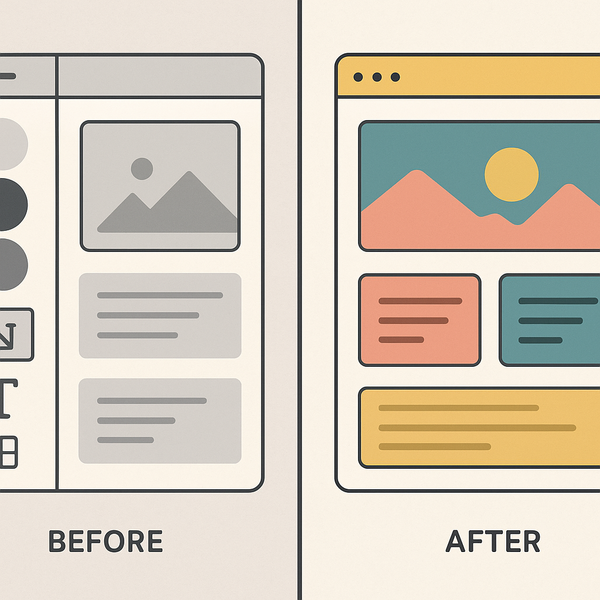
Once your website is live and functioning, several strategies can enhance its effectiveness without requiring paid upgrades. These advanced techniques help you squeeze maximum value from your free plan while creating a more professional and engaging visitor experience.
Leveraging external free tools can significantly extend your website’s capabilities. For instance, Google Analytics provides detailed visitor insights, social media platforms offer embeddable feeds and share buttons, and services like Calendly enable appointment scheduling. These integrations add functionality without straining your free plan’s limitations.
Content Strategy on a Budget
Developing a consistent content strategy keeps visitors returning to your site. Plan a regular publishing schedule, whether weekly blog posts or monthly updates. Consistency matters more than frequency – it’s better to publish quality content monthly than to start daily and quickly burn out. Use a content calendar to plan topics in advance and maintain steady output.
Repurpose content across different formats to maximize your efforts. Transform blog posts into infographics, create video summaries of written content, or compile related posts into comprehensive guides. This approach generates more value from each piece of content while accommodating different visitor preferences and learning styles.
User-generated content can supplement your own creation efforts. Encourage visitors to leave comments, share testimonials, or submit guest posts. This strategy not only provides fresh content but also builds community engagement around your website. Always moderate submissions to maintain quality and relevance.
Building Traffic Without Paid Advertising
Organic traffic building requires patience but yields sustainable results. Focus on creating genuinely helpful content that addresses specific problems or questions your target audience faces. Use free keyword research tools to identify topics with search demand but moderate competition. Long-tail keywords often provide better opportunities for new websites to rank.
Social media platforms offer powerful free promotion opportunities. Share your content across relevant networks, engage in community discussions, and build relationships with others in your niche. Avoid spammy self-promotion – instead, focus on providing value and building genuine connections that naturally lead to website visits.
Guest posting on other websites or blogs can drive qualified traffic to your site. Identify platforms where your target audience gathers and offer to contribute valuable content. Include a brief bio with a link back to your website. This strategy builds both traffic and credibility while expanding your network within your industry.
Common Mistakes to Avoid When Creating a Free Website
Learning from others’ mistakes accelerates your success when discovering how do i create my own website for free. Understanding common pitfalls helps you avoid frustration and create a more effective website from the start. These insights come from observing thousands of first-time website creators navigate the process.
The biggest mistake is trying to include too much too soon. Beginners often overwhelm visitors with excessive information, too many pages, or cluttered designs. Start simple and expand gradually. A clean, focused website with clear messaging outperforms a complex site that confuses visitors. You can always add features and content as your needs evolve.
Design and Usability Errors
Overcomplicating navigation frustrates visitors and increases bounce rates. Stick to standard navigation conventions – visitors expect to find main menus at the top or left side of pages. Avoid creative but confusing navigation structures. Similarly, maintain consistent design elements throughout your site. Changing fonts, colors, or layouts between pages creates a disjointed experience.
Neglecting mobile optimization is increasingly problematic as mobile traffic dominates. While most free website builders offer responsive templates, always verify your customizations work across devices. Test every page on smartphones and tablets, paying special attention to form fields, buttons, and image displays. Mobile visitors often have less patience for poorly optimized sites.
Ignoring loading speed impacts both user experience and search rankings. Even within free plan constraints, you can optimize performance. Compress images before uploading, limit the number of widgets or plugins, and avoid autoplay videos. Use your builder’s performance testing tools to identify and address speed issues.
Content and SEO Mistakes
Publishing thin or duplicate content harms your website’s credibility and search performance. Each page should offer substantial, unique value. Avoid copying content from other sources or creating multiple pages with nearly identical information. Search engines penalize duplicate content, and visitors quickly lose interest in repetitive material. For How do i create my own website for free, small adjustments like this often make the biggest difference.
Neglecting meta descriptions and page titles wastes valuable SEO opportunities. These elements directly influence how your pages appear in search results. Write compelling, accurate descriptions that encourage clicks while including relevant keywords. Even free website builders typically allow customization of these crucial elements.
Forgetting to update content regularly signals abandonment to both visitors and search engines. Set reminders to review and refresh your content periodically. Update outdated information, add new examples or insights, and ensure all links remain functional. Regular maintenance demonstrates professionalism and commitment to your web presence.
When to Consider Upgrading from a Free Plan
While free website plans offer impressive functionality, certain situations warrant considering paid upgrades. Understanding these scenarios helps you make strategic decisions about when investing in premium features provides genuine value versus unnecessary expense.
Business growth often triggers the need for upgrades. As your website attracts more visitors, you might exceed bandwidth limits or require advanced features like e-commerce capabilities. Similarly, professional credibility sometimes demands a custom domain name and removal of platform branding. Evaluate upgrades based on specific business needs rather than general recommendations.
Signs You’ve Outgrown Your Free Plan
Consistent traffic exceeding your plan’s bandwidth limits indicates growth worth investing in. Rather than turning away potential customers due to site unavailability, upgrading ensures reliable access for all visitors. Monitor your usage statistics regularly to anticipate when limits might become problematic.
Storage constraints limiting your content strategy suggest upgrade consideration. If you’re constantly deleting old content to make room for new material, or if you can’t upload necessary images or documents, expanded storage becomes essential. Calculate whether the upgrade cost justifies the increased capability based on your content needs.
Business requirements for specific features often necessitate upgrades. These might include advanced SEO tools, email marketing integration, membership areas, or enhanced security features. List your must-have features and research which plan level includes them across different platforms. Sometimes switching platforms entirely provides better value than upgrading within your current builder.
Making Smart Upgrade Decisions
Before upgrading, maximize your current free plan’s potential. Often, perceived limitations stem from underutilizing available features rather than genuine constraints. Explore your builder’s documentation, tutorials, and community forums to discover overlooked capabilities that might meet your needs without additional cost.
Compare upgrade options across different platforms before committing. What costs $25 monthly on one platform might be available for $12 elsewhere with comparable features. Consider the total cost of ownership, including domain registration, email hosting, and any additional services you might need. Sometimes bundled services provide better overall value.
Time upgrades strategically to maximize value. Many platforms offer significant discounts for annual payments versus monthly subscriptions. Black Friday and other promotional periods often feature the year’s best pricing. If an upgrade seems inevitable, planning your timing can result in substantial savings over your website’s lifetime.
Conclusion: Your Free Website Journey Begins Now
Understanding how do i create my own website for free opens doors to countless opportunities. Whether you’re sharing your passion, building your professional presence, or testing a business idea, free website builders provide the tools needed to establish your online presence without financial barriers. The key is starting with clear goals and choosing the right platform for your specific needs.
Remember that creating a successful website is an iterative process. Your first version doesn’t need to be perfect – it just needs to exist. As you gain experience and receive visitor feedback, you can refine and improve your site continuously. Many successful websites started with free plans and basic designs before evolving into their current forms.
Take action today by choosing a website builder and creating your account. Follow the step-by-step process outlined in this guide, starting with template selection and moving through customization and content creation. Within hours, you can have a functioning website ready to share with the world. The question “how do i create my own website for free?” now has a clear answer – and you have all the knowledge needed to succeed.
Your free website journey represents more than just technical achievement. It’s about claiming your space in the digital world, sharing your unique perspective, and connecting with others who share your interests or need your services. Whether your site remains on a free plan forever or eventually grows into a premium powerhouse, taking that first step today sets everything in motion.
The tools are free, the knowledge is now yours, and the opportunity awaits. Stop wondering how do i create my own website for free and start building. Your audience is out there, waiting to discover what you have to offer. Make today the day your online journey begins.

Juan is a Digital Advertising / SEM Specialist with over 10 years of experience with Google AdWords, Bing Ad Center, Facebook, LinkedIn, Google Analytics, HTML, and WordPress. He is a co-founder of Sheaf Media Group and has work in several online advertising projects for retail, automotive, and service industries. Additionally, Juan holds a bachelor’s degree in Psychology and has a deep interest in the science of human behavior which he attributes as the key factor for his success in the advertising world.