


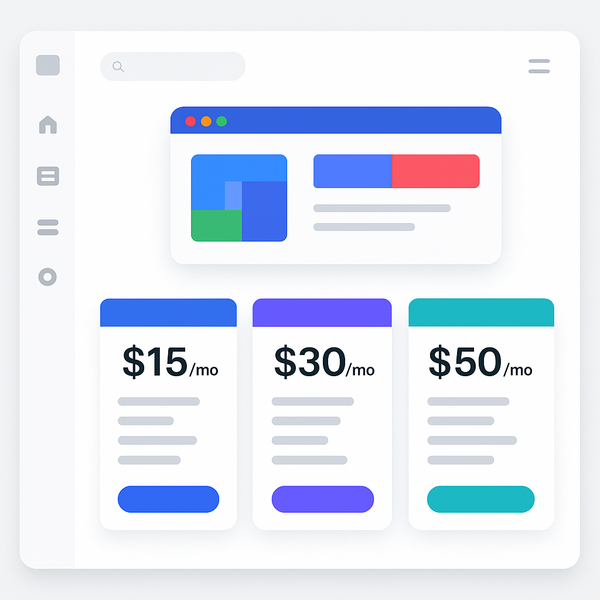
If you’re looking to create a website without spending money, you’ve probably wondered: Is Google Sites 100% free? The short answer is yes, but there’s much more to understand about what this truly means for your website building journey. In this comprehensive guide, we’ll explore everything you need to know about Google Sites’ pricing, features, and how to make the most of this powerful platform without opening your wallet.
Building a professional website doesn’t have to break the bank. Whether you’re creating a personal portfolio, a small business site, or a project showcase, Google Sites offers a compelling solution. For those exploring Free Website Design options, understanding exactly what Google Sites provides at no cost is crucial for making an informed decision.
Is Google Sites 100% Free? The Direct Answer
Yes, Google Sites is completely free to use. This isn’t a limited trial or a freemium model with essential features locked behind a paywall. Google provides the entire website building platform, hosting, and core functionality at absolutely no cost to users. This commitment to free access has remained consistent since Google Sites launched and continues today.
What Google Officially Says About Pricing
Google’s official stance is clear and straightforward: Google Sites is a free service included with every Google account. When you sign up for a Gmail account or any Google Workspace account, you automatically gain access to Google Sites. There are no subscription fees, no hosting charges, and no payment requirements to create, publish, and maintain your website.
The platform operates on Google’s infrastructure, which means your website benefits from the same reliable hosting that powers Google’s other services. This includes automatic scaling, security updates, and maintenance—all handled by Google without any cost to you. The company has consistently maintained this free model as part of its broader strategy to provide accessible tools for users worldwide.
No Hidden Costs or Surprise Fees
One of the most refreshing aspects of Google Sites is the complete absence of hidden costs. Unlike many website builders that lure users with free plans only to reveal limitations later, Google Sites maintains transparency. You won’t encounter surprise charges for features like SSL certificates, which are included automatically. There are no bandwidth overage fees, no charges for additional pages, and no premium templates that require payment.
The platform doesn’t even require credit card information to get started. You simply log in with your Google account and begin building immediately. This approach eliminates the common concern about forgetting to cancel a trial or being charged unexpectedly. When asking “Is Google Sites 100% free?”, you can rest assured that the answer remains consistently yes throughout your entire usage experience.
Everything Included in Google Sites Free Plan
Understanding what’s included when Is Google Sites 100% free? helps you appreciate the value of this platform. Google doesn’t use the term “free plan” because there’s only one plan—and it’s free. This comprehensive offering includes features that many competitors reserve for paid tiers.
Core Website Building Features
The website building features in Google Sites rival those of many premium platforms. You get a intuitive drag-and-drop editor that makes creating professional layouts simple, even without coding knowledge. The platform includes responsive design capabilities, ensuring your site looks great on desktop computers, tablets, and smartphones without additional effort.
Google Sites provides robust content management features, including the ability to create unlimited pages, organize them hierarchically, and establish navigation menus. You can embed various content types, from text and images to videos and Google Drive documents. The platform supports collaboration, allowing multiple users to work on the same site simultaneously, making it ideal for team projects or client work.
Integration with other Google services enhances functionality significantly. You can embed Google Forms for contact forms or surveys, display Google Calendar for event scheduling, and showcase Google Sheets data in real-time. These integrations work seamlessly without requiring technical configuration or additional costs.
Storage and Bandwidth Limits
Storage on Google Sites works differently than traditional web hosting. Your site’s content counts against your Google Drive storage quota, which provides 15GB free with every Google account. This generous allocation is typically more than sufficient for most websites, especially considering that Google Sites optimizes images and content delivery automatically.
Bandwidth is essentially unlimited for Google Sites. Google doesn’t impose traffic restrictions or charge for visitor volume. Whether your site receives ten visitors or ten thousand, the service remains free. This unlimited bandwidth is particularly valuable for sites that might experience traffic spikes or gradual growth over time.
The platform automatically handles performance optimization through Google’s content delivery network (CDN). This means your site loads quickly for visitors worldwide without any configuration or additional cost on your part. Such infrastructure would typically cost hundreds of dollars monthly with traditional hosting providers.
Design Templates and Customization Options
Google Sites offers a selection of professional templates to jumpstart your design process. While the template variety might not match some competitors, the quality is consistently high, focusing on clean, modern designs that work well for various purposes. All templates are fully responsive and customizable without restrictions.
Customization options include color schemes, fonts, and layout modifications. You can upload custom logos, adjust spacing, and create unique headers and footers. The platform supports custom HTML embedding for advanced users who want to add specific functionality or styling beyond the standard options.
The theme system allows consistent branding across your entire site. You can define colors, fonts, and styles that automatically apply to new pages, maintaining visual coherence without manual formatting. This professional appearance is achievable entirely within the free offering, answering definitively that Is Google Sites 100% free? even for professional-looking results.
Is Google Sites 100% Free Forever? Understanding the Terms

A common concern when evaluating free services is longevity. Will Google Sites remain free, or might the company introduce paid tiers in the future? Understanding Google’s approach to this service helps address these concerns and plan confidently for long-term use.
Google’s Business Model Explained
Google Sites operates within Google’s broader ecosystem strategy. The company benefits from keeping users within its services, gathering anonymous usage data to improve products, and strengthening its overall platform appeal. This model has proven sustainable for numerous Google services that have remained free for years.
The platform serves as a gateway to Google’s productivity suite. Users who build sites often utilize Google Drive for storage, Google Analytics for tracking, and potentially upgrade to Google Workspace for business email and additional storage. This ecosystem approach means Google has incentives to keep Sites free as a valuable entry point.
Historical precedent supports the sustainability of Google Sites’ free model. The service has been free since its inception, through multiple redesigns and updates. Google has consistently invested in improving the platform without introducing charges, suggesting a long-term commitment to accessibility.
When You Might Need to Pay
While Is Google Sites 100% free? for the core service, there are scenarios where you might choose to spend money for enhanced functionality. These aren’t requirements but optional additions for specific needs.
Custom domain names represent the most common optional expense. While Google Sites provides free subdomain hosting (sites.google.com/view/yoursite), many users prefer custom domains like yoursite.com. You’ll need to purchase a domain from a registrar, typically costing around $10-20 annually. Google Sites supports custom domain connection at no additional charge beyond the domain registration fee.
If you exceed the 15GB storage limit, you might consider upgrading your Google storage plan. However, this is rarely necessary for typical websites. Even image-heavy sites can stay within limits through Google’s automatic optimization. Additional Google storage starts at very affordable rates if needed.
Some users might want advanced functionality requiring third-party tools or services. For example, e-commerce capabilities, advanced forms, or specific integrations might necessitate external services with their own costs. These represent choices to extend beyond Google Sites’ core offerings rather than limitations of the free service.
How to Start Building Your Free Google Sites Website
Getting started with Google Sites is remarkably straightforward. The process requires only a Google account and a few minutes to create your first page. Let’s walk through the exact steps to begin building your free website.
Step-by-Step Setup Process
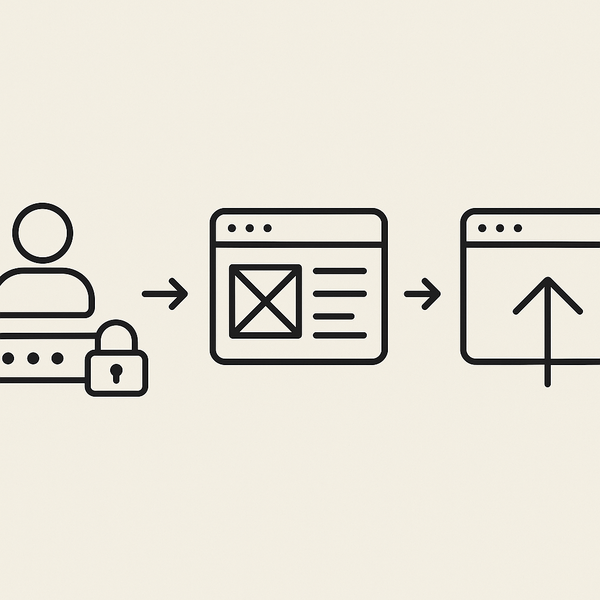
First, ensure you have a Google account. If you use Gmail, Google Drive, or any Google service, you already have one. If not, creating an account is free and takes just minutes. Visit accounts.google.com and follow the simple registration process.
Once logged in, navigate to sites.google.com. You’ll see the Google Sites homepage with options to start a new site or browse templates. The interface is clean and intuitive, designed for users of all technical levels. Click the “+” button to create a new site, or select a template that matches your vision.
Choose a template or start with a blank site. Templates provide pre-designed layouts for common use cases like portfolios, project sites, or help centers. Each template is fully customizable, so don’t worry about being locked into a specific design. The blank option gives you complete creative freedom from the start.
Accessing Google Sites Dashboard
The Google Sites dashboard serves as your central hub for managing websites. From here, you can view all your sites, create new ones, and access recent edits. The dashboard integrates with Google Drive, showing your sites alongside other documents and files.
Navigation within the editor is intuitive. The right sidebar contains all editing tools, including insert options for text, images, and embeds. The pages panel on the left shows your site structure, allowing easy navigation and page management. Preview options let you see how your site appears on different devices before publishing.
Collaboration features are accessible directly from the dashboard. You can share your site with others for editing or viewing, similar to Google Docs. This makes Google Sites excellent for team projects, client reviews, or educational purposes where multiple contributors need access.
Creating Your First Page
Creating pages in Google Sites follows a simple process. Click the “Pages” tab in the right sidebar, then select “+” to add a new page. You can choose the page location in your site hierarchy and set navigation options immediately.
The editor provides sections for different content types. Add text sections for written content, image carousels for galleries, or embed sections for external content. Each section is independently customizable with its own styling options. Drag and drop functionality makes rearranging content effortless.
Publishing your site requires just one click. The “Publish” button in the top right corner makes your site live instantly. Google provides a preview link for testing before making your site publicly accessible. You can update and republish anytime without downtime or technical complexity. This seamless process reinforces that Is Google Sites 100% free? extends to the entire publishing and maintenance experience.
Free Features vs Competitor Limitations
Understanding how Google Sites compares to other website builders helps appreciate its value proposition. While many platforms advertise free plans, the reality often involves significant limitations that Google Sites avoids.
Comparison with Other Free Website Builders
Most website builders offering free plans impose strict limitations. Common restrictions include displaying platform advertisements on your site, limiting the number of pages, restricting bandwidth, or watermarking your content. These limitations often make free plans unsuitable for professional use, pushing users toward paid upgrades.
Google Sites stands apart by avoiding these common limitations. Your site displays no Google advertising or branding unless you choose to include it. There are no page limits within reasonable use, no bandwidth restrictions, and no watermarks on your content. This approach makes Google Sites genuinely viable for professional projects without payment.
Storage limitations vary significantly among competitors. Many free plans offer just 500MB or less, forcing quick upgrades for image-heavy sites. Google Sites’ integration with Google Drive’s 15GB allocation provides substantially more space. Additionally, automatic image optimization helps maximize this storage efficiency.
For businesses exploring professional Website Design Services, Google Sites offers a compelling starting point. While it may not replace specialized agency work for complex projects, it provides a legitimate free option for many business needs without the typical free-tier compromises.
What Makes Google Sites Stand Out
Several unique advantages distinguish Google Sites from competitors. Integration with Google Workspace creates seamless workflows for users already within the Google ecosystem. This integration extends beyond simple embedding to real-time data synchronization and collaborative editing.
Security represents another significant advantage. Google handles all security updates, SSL certificates, and infrastructure maintenance automatically. Your site benefits from the same security standards protecting Google’s own services. This enterprise-grade security comes without additional cost or configuration requirements.
The platform’s simplicity is deliberately designed. While some might view the streamlined feature set as a limitation, it ensures that anyone can create and maintain a website without technical expertise. This accessibility makes Google Sites ideal for educators, small organizations, and individuals who need web presence without complexity.
Performance optimization happens automatically through Google’s global infrastructure. Your site loads quickly worldwide without requiring CDN configuration or caching plugins. This technical sophistication, hidden behind a simple interface, delivers professional results while maintaining the answer that Is Google Sites 100% free? remains consistently yes.
Maximizing Your Free Google Sites Experience
Getting the most from Google Sites requires understanding its strengths and working creatively within its framework. The platform’s free nature doesn’t mean settling for mediocre results—professional, engaging websites are entirely achievable without spending money.
Best Practices for Free Users
Start with clear site organization and navigation structure. Google Sites excels at creating hierarchical content that’s easy to navigate. Plan your page structure before building, considering how visitors will move through your content. Use the built-in navigation features to create intuitive menus that guide users effectively.
Leverage Google’s ecosystem integrations fully. Embed Google Forms for contact functionality, saving the need for third-party form builders. Use Google Sheets to display data that updates automatically, creating dynamic content without programming. Google Calendar embeds can power event listings or appointment scheduling without additional tools.
Optimize images before uploading to maximize your storage allocation. While Google Sites handles some optimization automatically, pre-optimizing images ensures the best quality-to-size ratio. This practice extends your 15GB storage significantly and improves page load times for visitors.
Focus on content quality over complex features. Google Sites’ strength lies in presenting information clearly and professionally. Well-written content, organized logically with appropriate headings and sections, creates more impact than flashy but poorly executed features. This content-first approach aligns with modern web best practices.
Working Within the Limitations
Every platform has constraints, and understanding Google Sites’ limitations helps you work creatively within them. The template selection, while professional, is limited compared to some competitors. Combat this by customizing thoroughly—adjust colors, fonts, spacing, and layouts to create unique designs from standard templates.
Advanced functionality like e-commerce or membership systems isn’t built into Google Sites. However, creative solutions exist. For simple product showcases, create catalog pages with Google Forms for orders. For member content, use Google Drive’s sharing permissions to create protected resources linked from your site.
Custom code execution is limited to HTML embeds rather than full programming capability. This constraint actually benefits most users by preventing security issues and maintaining site stability. When you need specific functionality, look for embed codes from reputable services that integrate safely within Google Sites’ framework.
SEO capabilities in Google Sites are basic but sufficient for most needs. You can customize page titles, descriptions, and URLs. While you won’t find advanced SEO plugins, following fundamental practices like clear content structure, descriptive headings, and relevant keywords achieves good search visibility. Remember that Is Google Sites 100% free? includes these essential SEO features without additional cost.
Professional Results Without Cost
Creating professional-looking websites on Google Sites is entirely achievable through attention to design principles and content quality. Start with consistent branding throughout your site. Choose a color scheme and stick to it, select readable fonts, and maintain consistent spacing and alignment.
High-quality images make a significant difference in perceived professionalism. Use free stock photo resources or create original graphics to enhance your content. Google Sites’ automatic image optimization ensures these visual elements load quickly without consuming excessive storage.
Write clear, concise content that serves your audience’s needs. Professional websites prioritize user experience and valuable information over decorative elements. Google Sites’ clean design aesthetic supports this approach, creating focused, effective web experiences.
Regular updates keep your site fresh and relevant. The ease of editing in Google Sites encourages frequent content updates without technical barriers. This maintainability is crucial for professional web presence and comes without ongoing costs or technical complexity.
Common Misconceptions About Google Sites Pricing
Despite Google Sites’ straightforward free model, misconceptions persist about hidden costs or limitations. Addressing these myths helps users approach the platform with accurate expectations and confidence.
Myths vs Reality
One common myth suggests Google Sites is free only for personal use, with business use requiring payment. This is entirely false. Google Sites is free for any legal use, including commercial websites, business portfolios, and professional projects. No license terms restrict commercial usage of the free platform.
Another misconception involves storage limitations being prohibitively small. While the 15GB Google Drive quota is shared across services, it’s quite generous for website use. A typical small business website with optimized images rarely exceeds 1-2GB. The storage concern usually stems from misunderstanding how Google Sites handles content.
Some believe that asking Is Google Sites 100% free? means accepting poor performance or reliability. In reality, Google Sites runs on the same infrastructure as Google Search and other major services. Performance and uptime match or exceed many premium hosting services, all without cost.
The myth that free means temporary also deserves addressing. Google has maintained free services for decades, with Gmail being a prime example. Google Sites has been free since launch and shows no signs of changing. The service is integral to Google’s ecosystem strategy, ensuring its continued availability.
What Users Often Get Wrong
Many users misunderstand the custom domain situation. While connecting a custom domain is free, purchasing the domain itself requires payment to a domain registrar. This isn’t a Google Sites charge but a standard cost for any website wanting a custom web address. The actual connection and hosting remain free.
Expectations about design flexibility often need adjustment. Users coming from WordPress or other platforms might expect thousands of themes or plugins. Google Sites takes a different approach, prioritizing simplicity and reliability over endless customization options. This design philosophy enables the free model while ensuring consistent quality.
Some users worry about data ownership and export capabilities. Google Sites allows full content ownership, and you can copy your content elsewhere anytime. While there’s no one-click export to other platforms, your content remains yours without licensing restrictions or lock-in tactics common with some free services.
The assumption that free equals unsupported is another misconception. Google provides comprehensive documentation, community forums, and even direct support for Google Workspace users. While personalized support might be limited compared to paid services, the available resources adequately address most user needs without cost.
Making the Decision: Is Google Sites Right for You?
After exploring every aspect of the platform, you can confidently answer Is Google Sites 100% free? with a resounding yes. But free doesn’t automatically mean it’s the right choice for every project. Understanding when Google Sites excels helps you make informed decisions about your web presence.
Google Sites works exceptionally well for informational websites, portfolios, internal team sites, educational projects, and small business web presence. The platform’s strengths in simplicity, reliability, and integration make it ideal for users who prioritize getting online quickly without ongoing costs or technical complexity.
For projects requiring advanced e-commerce features, complex databases, or extensive custom programming, other solutions might better suit your needs. However, don’t dismiss Google Sites too quickly—creative workarounds often achieve surprising results within its framework.
The platform’s free nature makes it perfect for testing ideas, learning web development basics, or maintaining multiple projects without budget constraints. You can experiment freely, knowing there are no financial commitments or risks involved in trying different approaches.
Ultimately, Google Sites democratizes web publishing by removing financial barriers entirely. Whether you’re a student sharing projects, a nonprofit organization building community resources, or a business establishing online presence, the platform provides professional capabilities without cost. The question “Is Google Sites 100% free?” has a clear, positive answer that opens web publishing opportunities to everyone.
Consider starting with Google Sites for your next web project. The zero-cost entry, combined with professional capabilities and reliable hosting, makes it an excellent choice for many use cases. You can always migrate to other platforms later if your needs outgrow what Google Sites offers, but many users find it meets their requirements indefinitely.
The web should be accessible to everyone, and Google Sites embodies this principle through its genuinely free model. By removing financial barriers while maintaining quality and functionality, the platform enables millions to establish their online presence without compromise. Start building today and discover how professional, effective websites don’t require any financial investment when you choose the right tools.

Juan is a Digital Advertising / SEM Specialist with over 10 years of experience with Google AdWords, Bing Ad Center, Facebook, LinkedIn, Google Analytics, HTML, and WordPress. He is a co-founder of Sheaf Media Group and has work in several online advertising projects for retail, automotive, and service industries. Additionally, Juan holds a bachelor’s degree in Psychology and has a deep interest in the science of human behavior which he attributes as the key factor for his success in the advertising world.