


When searching for website builders, one of the most common questions people ask is: Is Wix actually free? The answer isn’t as straightforward as you might think. While Wix does offer a free plan that lets you create and publish a website without paying anything upfront, there are significant limitations and hidden costs that many users discover only after investing time in building their site. If you’re exploring Free Website Design options, understanding what Wix truly offers for free is crucial before making your decision.
In this comprehensive guide, we’ll expose the reality behind Wix’s free offering, revealing seven major limitations that could impact your website’s success. Whether you’re a small business owner, blogger, or creative professional, you’ll learn exactly when the free plan works and when it becomes a hindrance to your goals.
Is Wix Actually Free? The Truth About Wix’s Free Plan
Yes, Wix does offer a genuinely free plan that allows you to build and publish a website without entering credit card information. However, calling it “free” requires understanding what that really means in practical terms. The free plan comes with substantial restrictions that affect your website’s professionalism, functionality, and growth potential.
What Wix Offers for Free
Wix’s free plan provides access to their drag-and-drop website builder, hundreds of templates, and basic customization tools. You can create pages, add text and images, include contact forms, and even integrate some social media features. The platform gives you 500MB of storage space and 500MB of bandwidth, which sounds reasonable until you understand how quickly these limits can be reached.
Free users get access to Wix’s app market, though many apps require paid subscriptions to function properly. You can also use their mobile editor to optimize your site for smartphones and tablets. The SEO tools are partially available, allowing you to edit page titles and descriptions, though advanced SEO features remain locked behind paywalls.
One genuinely valuable free feature is SSL security, which encrypts data transmitted between your website and visitors. This basic security measure is essential for any modern website and helps establish trust with your audience, even on the free plan.
Understanding the Free Plan Structure
Wix’s free plan operates on a freemium model designed to showcase the platform’s capabilities while encouraging upgrades. The structure intentionally includes friction points that become more apparent as your website needs grow. These limitations aren’t hidden in fine print, but their real impact often isn’t clear until you’ve already invested significant time in building your site.
The free plan serves as an extended trial rather than a permanent solution for most users. It’s structured to work well for personal projects, temporary sites, or initial testing, but creates obstacles for anyone trying to build a professional online presence. Understanding this structure helps set realistic expectations about what you can achieve without paying.
7 Major Limitations of Wix’s Free Plan
While the question “Is Wix actually free” technically has a yes answer, the limitations make it impractical for most serious website owners. Let’s examine the seven most significant restrictions that push users toward paid plans.
Wix Branding and Ads
The most visible limitation of Wix’s free plan is the mandatory Wix branding. Every free website displays prominent Wix advertisements, typically appearing as a banner at the top of your site. This branding cannot be removed or customized, immediately signaling to visitors that you’re using a free service.
Beyond the aesthetic impact, Wix ads harm your credibility. Potential customers or clients may question your commitment to your business if you’re not willing to invest in ad-free hosting. The ads also compete for attention with your content, potentially driving traffic away from your site to Wix’s platform instead.
Domain Restrictions
Free Wix websites come with a subdomain that includes “wixsite.com” in the URL. For example, instead of “yourbusiness.com,” your address would be “yourbusiness.wixsite.com.” This lengthy, unprofessional URL is difficult to remember and share, making marketing efforts significantly harder.
Custom domains are completely unavailable on the free plan. You cannot connect a domain you already own, nor can you purchase one through Wix without upgrading. This restriction alone makes the free plan unsuitable for businesses, as a professional domain name is fundamental to establishing online credibility.
The subdomain limitation also affects your search engine optimization efforts. Search engines generally favor custom domains over subdomains, making it harder for your free Wix site to rank well in search results. Email forwarding and custom email addresses are also impossible without a proper domain.
Storage and Bandwidth Limits
The 500MB storage limit might seem adequate initially, but it fills up surprisingly fast. A typical website with moderate image use can exhaust this allocation within weeks. High-resolution photos, which are essential for professional appearance, consume significant storage space. Just ten high-quality images could use up 10% or more of your total allowance.
Bandwidth restrictions are equally problematic. The 500MB monthly bandwidth limit means only a few hundred visitors can view your site each month before it potentially becomes inaccessible. This cap makes growth impossible – success literally breaks your website. During traffic spikes, your site may go offline entirely until the next month’s bandwidth allocation begins.
When You’ll Need to Pay for Wix
Understanding when you’ll need to upgrade helps you plan appropriately and avoid investing time in a free site that won’t meet your needs. Most users discover these upgrade triggers sooner than expected.
Common Upgrade Triggers
The first upgrade trigger typically occurs when users want to remove Wix ads. This desire often emerges within days of launching, especially after receiving feedback from visitors about the prominent branding. The professional appearance gained by removing ads justifies the upgrade cost for most serious website owners.
Running out of storage space forces many upgrades. As you add content, products, or blog posts, the 500MB limit becomes restrictive. Video content is essentially impossible on the free plan, as even short clips can exceed your entire storage allocation. Bandwidth exhaustion creates urgency – when your site goes down due to traffic, you must upgrade immediately or lose visitors.
E-commerce functionality requires payment from day one. While you can display products on a free site, actually processing transactions requires a Business or E-commerce plan. This limitation makes the question “Is Wix actually free” particularly relevant for online sellers who discover they can’t actually sell anything without upgrading.
Business Growth Indicators
Several indicators suggest your business has outgrown Wix’s free plan. When you start investing in marketing or advertising, sending traffic to a branded subdomain wastes money and reduces conversion rates. Professional email addresses become necessary as you engage with customers, and these require a custom domain.
Analytics limitations on the free plan prevent proper business decision-making. Without detailed visitor insights, you can’t optimize your site effectively or understand your audience. Advanced SEO tools, locked behind paywalls, become essential as competition increases in your market.
Client expectations often drive upgrades. If you’re using your website for professional services, potential clients expect a polished, ad-free experience. The presence of Wix branding can cost you contracts or sales, making the upgrade a business necessity rather than a luxury.
Is Wix Actually Free for Business Use?

For business purposes, the answer to “Is Wix actually free” is effectively no. While you can create a business website on the free plan, the limitations make it unsuitable for any serious commercial endeavor.
E-commerce Limitations
E-commerce on Wix’s free plan is essentially non-existent. You cannot process payments, manage inventory, or handle shipping calculations. The platform teases these features but requires at least a Business plan to activate basic selling capabilities. Even then, transaction fees apply on top of your subscription cost.
Product galleries work on free plans, allowing you to showcase items, but the inability to complete sales makes this feature largely pointless. Customers who click “buy” encounter error messages or upgrade prompts, creating a frustrating experience that damages your brand reputation.
Essential e-commerce features like abandoned cart recovery, customer accounts, and automated tax calculations require even higher-tier plans. The true cost of running an online store on Wix extends far beyond the basic upgrade, making the free plan merely a preview of possibilities rather than a functional solution.
Professional Features Missing
Professional websites require features that Wix reserves for paid plans. Custom code injection, essential for integrating third-party tools and tracking pixels, remains locked on free accounts. This limitation prevents proper marketing attribution and advanced functionality that businesses need.
Form submissions are capped on free plans, restricting lead generation efforts. Once you exceed the monthly limit, contact forms stop working entirely. For service businesses relying on inquiries, this cap can halt operations unexpectedly. Advanced form features like file uploads, conditional logic, and integration with CRM systems require upgrades.
Professional design capabilities suffer on free plans. While basic customization is available, advanced design features, premium templates, and removal of Wix branding all require payment. The inability to fully customize your site’s appearance limits brand consistency and professional presentation.
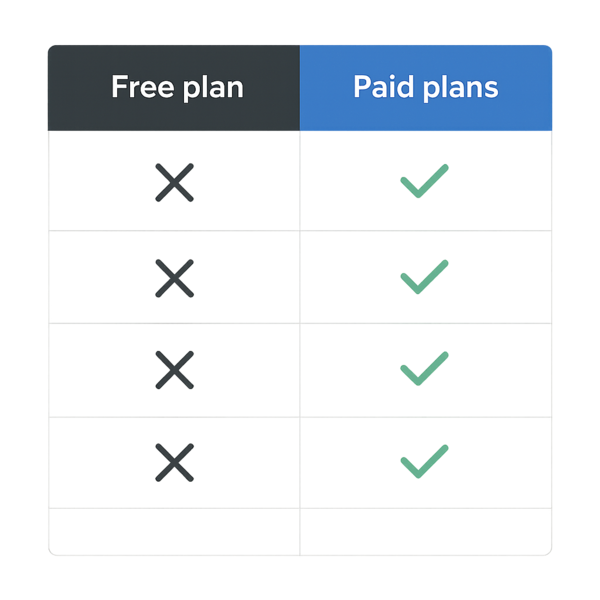
Free vs Paid Wix Plans: Complete Comparison
To truly understand whether Is Wix actually free works for your needs, examining the feature differences between free and paid plans is essential. This comparison reveals the strategic limitations placed on free accounts.
Feature-by-Feature Breakdown
Storage jumps from 500MB on the free plan to 3GB on the most basic paid plan, with higher tiers offering up to 50GB. This dramatic increase shows how restrictive the free allocation really is. Bandwidth similarly explodes from 500MB to 2GB on paid plans, with premium tiers offering unlimited bandwidth. When it comes to Is Wix actually free, this is one of the fastest checks to run.
Video hours present another stark contrast. Free plans allow zero video hosting, while paid plans include 30 minutes to 10 hours depending on the tier. For content creators or businesses using video marketing, this limitation alone necessitates an upgrade. The absence of video support on free plans feels particularly outdated in today’s multimedia-focused web environment.
Customer support differences are significant. Free users get basic help center access and community forums, while paid subscribers receive priority support with faster response times. When technical issues arise, free users often wait days for assistance while paying customers get help within hours.
SEO and marketing tools show the clearest value proposition for upgrades. Free plans include basic SEO settings, but advanced features like structured data markup, bulk redirect management, and comprehensive analytics require payment. Marketing integrations with email platforms, social media schedulers, and advertising pixels are largely restricted to paid accounts.
Cost Analysis for Different Use Cases
Personal blogs or hobby sites might function adequately on free plans if traffic remains minimal and professional appearance isn’t crucial. However, even hobbyists often upgrade once they realize the bandwidth limitations prevent sharing their content widely. The moment a blog post goes viral, the free plan fails.
Small businesses face immediate upgrade pressure. Between the need for professional domains, adequate storage for product images, and removal of Wix branding, staying on the free plan undermines business credibility. The minimum viable plan for most businesses costs significantly more than just the base paid tier once you factor in necessary apps and features.
Portfolio sites for creatives hit storage limits quickly. Photographers, designers, and artists need high-resolution image galleries that consume the free plan’s entire storage allocation with just a handful of works. Video artists can’t even begin to showcase their work without upgrading. For creative professionals, the free plan serves only as a brief testing ground.
Non-profits hoping to minimize costs discover that donation processing requires paid plans. While they might display their mission and impact stories on free sites, actually collecting contributions necessitates upgrades. The inability to process donations defeats the primary purpose of many non-profit websites.
Making the Most of Wix’s Free Plan
Despite its limitations, some specific scenarios exist where Wix’s free plan provides value. Understanding these use cases helps determine if “Is Wix actually free” works for your particular situation.
Tips to Maximize Free Features
Optimize every image before uploading to stretch your storage allowance. Use compression tools to reduce file sizes without significantly impacting quality. Choose image formats wisely – JPEG for photos and PNG for graphics with transparency. This optimization can triple or quadruple how many images fit within your storage limit.
Minimize bandwidth usage by keeping your design simple. Avoid auto-playing videos or high-resolution background images that load on every page. Use text-based content primarily, reserving images for where they add the most value. Monitor your bandwidth usage regularly to avoid unexpected downtime.
Leverage external services to extend functionality. Embed YouTube videos instead of hosting them directly. Use Google Forms for advanced form features. Link to social media galleries rather than uploading all images to your site. These workarounds partially compensate for free plan limitations.
Plan your content strategy around the restrictions. Instead of fighting limitations, design your site to work within them. Create a single-page website to minimize bandwidth usage. Focus on quality over quantity with images. Use text creatively to convey information typically shown through media.
When Free is Enough
Temporary event websites work well on free plans. If you need a wedding website, reunion page, or short-term campaign site, the limitations might not matter. The Wix branding becomes less problematic when the site has a defined end date. Just ensure expected traffic won’t exceed bandwidth limits.
Student projects and learning purposes represent ideal free plan use cases. When you’re experimenting with web design or teaching yourself digital skills, paying for hosting doesn’t make sense. The limitations provide valuable lessons about resource management and planning that benefit future projects.
Placeholder sites while developing your main website elsewhere can utilize free plans effectively. If you need a simple “coming soon” page or basic contact information while building a more robust site, the free plan suffices. This temporary use avoids leaving your domain completely empty during development.
Testing and prototyping benefit from free access. Before committing to Wix as your platform, the free plan lets you explore its interface and capabilities. Build a sample site to evaluate whether Wix meets your needs before investing in paid plans. This approach prevents costly platform switches later.
Hidden Costs Beyond the Subscription
When evaluating “Is Wix actually free,” consider costs beyond the obvious subscription fees. These hidden expenses catch many users off-guard after committing to the platform.
Premium apps often require separate subscriptions. While Wix’s app market appears extensive, most powerful applications charge monthly fees. A typical business website might need apps for email marketing, advanced galleries, booking systems, and social media integration. These app costs can exceed the base Wix subscription price.
Transaction fees on e-commerce plans eat into profits. Even paid Wix plans charge percentage-based fees on sales, in addition to payment processor fees. These double fees make Wix more expensive than specialized e-commerce platforms for high-volume sellers. The free plan’s inability to process payments hides these ongoing costs from initial evaluation.
Professional email addresses require Google Workspace or similar services. While Wix partners with email providers, these services bill separately. A professional email setup for a small team can add substantial monthly costs beyond your Wix subscription.
Alternatives to Consider
Understanding Wix’s limitations naturally leads to exploring alternatives. Several options provide different value propositions for budget-conscious website creators.
WordPress.com offers a free plan with different trade-offs. While also including platform branding, WordPress provides more flexibility for technical users. The open-source nature of WordPress means you can eventually migrate to self-hosted solutions without rebuilding entirely.
Google Sites provides completely free hosting without ads for basic websites. While less feature-rich than Wix, it integrates seamlessly with other Google services and handles simple business sites adequately. The lack of mandatory branding makes it more professional than Wix’s free option.
For those needing professional results without ongoing costs, working with Website Design Services might provide better long-term value. Professional developers can create custom solutions that you own outright, eliminating platform lock-in and recurring fees.
GitHub Pages offers free hosting for developers comfortable with code. While requiring technical knowledge, it provides complete control without platform restrictions. This option suits portfolio sites and technical documentation particularly well.
Making Your Decision: Is Wix Free Plan Right for You?
The question “Is Wix actually free” has a nuanced answer. Yes, you can create and publish a website without paying. No, that website won’t meet most professional or business needs. The free plan works for specific, limited use cases but fails as a long-term solution for serious websites.
Consider your goals honestly before starting with Wix’s free plan. If you need a professional presence, custom domain, or e-commerce capabilities, budget for paid hosting from the start. The time invested in building a free site that you’ll inevitably need to upgrade or abandon represents a hidden cost many overlook.
Calculate the total cost of ownership including necessary apps, email services, and transaction fees. What appears free initially often becomes expensive as needs grow. Sometimes investing in a proper solution upfront saves money and frustration long-term.
For temporary needs, learning purposes, or genuine hobby projects with minimal traffic, Wix’s free plan provides value. For anything else, treat it as a limited trial rather than a permanent solution. The platform’s structure intentionally pushes users toward paid plans, and fighting these limitations wastes energy better spent growing your online presence.
Conclusion: The Reality of “Free” Website Builders
After examining all aspects, we can definitively answer whether Is Wix actually free – technically yes, but practically no for most users. The free plan’s severe limitations in branding, functionality, storage, and bandwidth make it unsuitable for professional use. While Wix provides an excellent platform for paid users, the free tier serves primarily as an extended trial to hook users before revealing the true costs.
Success online requires investment, whether in platform fees, development costs, or your time learning technical skills. Wix’s free plan might help you start that journey, but it won’t carry you far. Understanding these limitations upfront helps you make informed decisions about your web presence and budget accordingly.
Remember that your website represents your brand, business, or passion project to the world. Compromising its professionalism and functionality to save modest monthly fees often costs far more in lost opportunities. Choose the solution that aligns with your goals, and don’t let the allure of “free” distract from building something truly valuable.
The most successful websites invest in their infrastructure from day one. Whether that investment goes toward Wix’s paid plans, alternative platforms, or professional development services depends on your specific needs. What matters is recognizing that truly free professional websites don’t exist – someone always pays, whether in money, time, or compromised results.
Is Wix actually free — Practical Checklist & Next Steps
Here’s a quick way to pressure-test your approach so you don’t end up with a “free” solution that costs you more in time, missed leads, or rebuilds.
- What you need live in the next 7 days vs. what can wait
- Must-have features (forms, payments, booking, blog, integrations)
- Branding limits and whether platform branding/ads are acceptable
- SEO essentials you control (titles, URLs, indexing, speed)
- How easy it is to move later (exporting content, redirects, domain)
- Who will maintain it (you, a contractor, or a managed service)
- Compliance basics (privacy, accessibility, security headers/SSL)
- Your realistic monthly budget after launch
Common mistakes people make with Is Wix actually free
Most issues come from unclear expectations. People choose the fastest option, then realize later they needed better SEO control, cleaner performance, or fewer platform limits. A simple checklist now saves weeks later.
If you’re trying to make a solid decision around Is Wix actually free, focus on outcomes, constraints, and tradeoffs—not just the headline promise. Start by listing what “success” means for you (speed, quality, cost, control, support), then rank those priorities. This makes it easier to choose the best path and avoid redoing everything later.
If you’re trying to make a solid decision around, focus on outcomes, constraints, and tradeoffs—not just the headline promise. Start by listing what “success” means for you (speed, quality, cost, control, support), then rank those priorities. This makes it easier to choose the best path and avoid redoing everything later.
How to move forward after choosing Is Wix actually free
Once you’ve decided, document your requirements (pages, calls-to-action, tracking, and the 3–5 key actions you want visitors to take). That document becomes your build plan and makes future improvements straightforward.

Juan is a Digital Advertising / SEM Specialist with over 10 years of experience with Google AdWords, Bing Ad Center, Facebook, LinkedIn, Google Analytics, HTML, and WordPress. He is a co-founder of Sheaf Media Group and has work in several online advertising projects for retail, automotive, and service industries. Additionally, Juan holds a bachelor’s degree in Psychology and has a deep interest in the science of human behavior which he attributes as the key factor for his success in the advertising world.