


In today’s digital-first world, your website is often the first impression potential customers have of your business. For local businesses competing in their communities, having a strong online presence isn’t just an advantage—it’s a necessity. Local business web design plays a crucial role in attracting customers, building trust, and driving sales. Yet many local businesses struggle with outdated websites that fail to convert visitors into customers. Whether you’re a restaurant owner, retail shop, service provider, or professional practice, your website needs to work as hard as you do. In this comprehensive guide, we’ll explore 10 proven recommendations that will transform your local business web design from a digital placeholder into a powerful marketing tool. These actionable insights will help you create a website that not only looks professional but actually generates results for your local business web design efforts.
Why Local Business Web Design Matters More Than Ever
The statistics don’t lie: 97% of consumers search online for local businesses, and 46% of all Google searches are looking for local information. When potential customers find your website, you have mere seconds to make an impression. Studies show that 94% of first impressions relate to your website’s design, and 75% of users admit to making judgments about a company’s credibility based on their website’s design alone.
Your local business web design directly impacts your bottom line. Businesses with well-designed websites see conversion rates that are 200-400% higher than those with poor design. The connection between design quality and trust is undeniable—customers equate a professional-looking website with a professional business. Meanwhile, your competitors who invest in quality local business web design are capturing the customers you’re losing.
The ROI potential of strategic design investments is substantial. For every dollar spent on user experience, businesses see a return of $100—that’s an ROI of 9,900%. When you consider that local business web design serves as your 24/7 salesperson, working around the clock to attract and convert customers, the investment becomes clear. Your website isn’t just a digital brochure; it’s your most valuable marketing asset and the foundation of your online presence in an increasingly digital marketplace.
Essential Elements of Effective Local Business Web Design
Creating an effective website starts with understanding the fundamental elements that make local business web design successful. These core components work together to create a cohesive experience that engages visitors and drives them toward action.
Essential Elements of Effective Local Business Web Design
Your value proposition must be crystal clear within seconds of a visitor landing on your site. What makes your business unique? Why should customers choose you over competitors? This messaging should be prominently displayed on your homepage, immediately communicating the benefits you offer. Avoid jargon and focus on the problems you solve for your customers.
Intuitive navigation structure is non-negotiable in local business web design. Visitors should never have to guess where to find information. Your main menu should include no more than seven items, with clear labels that describe exactly what users will find when they click. Consider the journey your customers take and organize your navigation to match their thought process.
Contact information prominence is especially critical for local businesses. Your phone number, address, and hours of operation should be visible on every page—typically in the header or footer. Make it effortless for customers to reach you. Visual hierarchy and branding consistency ensure that your website reflects your business identity while guiding visitors’ attention to the most important elements. Use consistent colors, fonts, and imagery that align with your brand.
Trust signals are the final piece of the puzzle in effective local business web design. Display customer testimonials, industry certifications, awards, and review ratings prominently. If you’ve been in business for decades, say so. If you’re a family-owned business, highlight that. These elements reassure potential customers that they’re making the right choice by doing business with you.
Recommendation #1: Mobile Optimization – Your Local Customers Are on Their Phones
Mobile devices now account for over 60% of all web traffic, and for local searches, that number is even higher. When someone searches for “restaurants near me” or “plumber in [city],” they’re almost always on their phone. If your local business web design doesn’t prioritize mobile users, you’re losing customers before they even see what you offer.
Mobile-first design principles mean designing for the smallest screen first, then scaling up. This approach ensures that your most important content and functionality work perfectly on smartphones. Touch-friendly interfaces require larger buttons, adequate spacing between clickable elements, and forms that are easy to fill out on a small screen. Remember that mobile users are often multitasking or on the go—every tap should have a purpose.
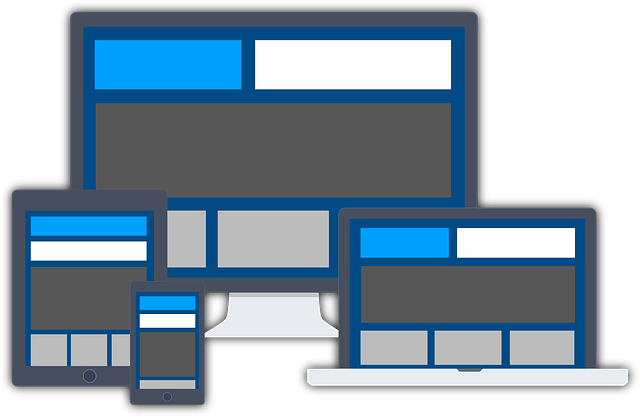
Responsive layouts that adapt seamlessly across all devices are essential for local business web design. Your website should look great whether someone is viewing it on a phone, tablet, or desktop computer. Test your site on multiple devices to ensure text remains readable without zooming, images scale properly, and navigation remains intuitive regardless of screen size.
Mobile page speed requirements are even more stringent than desktop. Mobile users expect pages to load in under three seconds—any longer and they’ll leave. Click-to-call functionality and integrated maps make it incredibly easy for mobile users to contact you or find your location. These features transform your website from an information source into an action-driving tool that connects customers to your business instantly.
Recommendation #2: Local SEO Integration in Your Web Design
Search engine optimization and web design aren’t separate considerations—they must work together from the start. Integrating local SEO into your local business web design ensures that customers in your area can actually find your website when they search for the services you provide.
NAP consistency (Name, Address, Phone number) is fundamental. These details must be identical across your website, Google Business Profile, social media, and every online directory where your business appears. Even small discrepancies can confuse search engines and hurt your local rankings. Display your NAP information in a prominent location, preferably in your footer so it appears on every page.
Schema markup for local businesses is code that helps search engines understand your business details. It enables rich snippets in search results—those enhanced listings that show your hours, ratings, and other information directly in Google. Implementing LocalBusiness schema on your local business web design improves your visibility and click-through rates from search results.
Google Business Profile integration creates a seamless connection between your website and your Google listing. Embed your Google reviews, link to your profile, and ensure the information matches perfectly. Location pages and service area optimization are crucial if you serve multiple cities or neighborhoods. Create dedicated pages for each location or service area, optimized with local keywords and specific information relevant to that community. This targeted approach in your local business web design helps you rank for searches in each area you serve.
Recommendation #3: Conversion-Focused Design Strategies
A beautiful website means nothing if it doesn’t convert visitors into customers. Every element of your design should guide users toward taking action, whether that’s calling your business, filling out a contact form, making a purchase, or scheduling an appointment.
Strategic call-to-action (CTA) placement makes the difference between a visitor who browses and one who becomes a customer. Your primary CTA should appear above the fold—the part of the page visible without scrolling—and be repeated strategically throughout longer pages. Use action-oriented language that creates urgency: “Get Your Free Quote Today” is more compelling than simply “Contact Us.”
Lead capture forms that actually convert are simple and ask only for essential information. Every additional field you add reduces conversion rates. For most local businesses, name, email, and phone number are sufficient for initial contact. You can gather more details later. Position forms prominently and explain what happens after submission—will someone call them within 24 hours? Will they receive a quote via email?
Service and product showcases should highlight what you offer with high-quality images and clear descriptions. Show your work through before-and-after photos, project galleries, or product demonstrations. Above-the-fold optimization ensures visitors see your value proposition and a clear next step without scrolling. Social proof integration—displaying testimonials, review ratings, and case studies near your CTAs—provides the final push hesitant visitors need to take action on your local business web design.
Recommendation #4: Speed and Performance Optimization
Website speed directly impacts both user experience and search engine rankings. A one-second delay in page load time can reduce conversions by 7%, and 53% of mobile users abandon sites that take longer than three seconds to load. Speed is a critical component of effective local business web design.
Core Web Vitals are Google’s metrics for measuring user experience, focusing on loading performance, interactivity, and visual stability. These metrics directly influence your search rankings. Your website must load quickly, respond immediately to user interactions, and maintain a stable layout as content loads—no jumping text or shifting buttons.
Image optimization techniques can dramatically improve load times. Compress images before uploading, use modern formats like WebP, and implement lazy loading so images only load as users scroll to them. Many local business websites suffer from unnecessarily large images that slow everything down. A beautiful photo means nothing if visitors leave before it loads.
Hosting considerations for local businesses matter more than many realize. Cheap shared hosting might save money initially, but slow server response times hurt your business. Invest in quality hosting with servers located near your target market. Caching and CDN (Content Delivery Network) strategies store copies of your site for faster delivery. Performance monitoring tools like Google PageSpeed Insights and GTmetrix help you identify and fix speed issues in your local business web design before they cost you customers.
Recommendation #5: User Experience (UX) Best Practices
User experience encompasses everything about how visitors interact with and feel about your website. Great UX in local business web design means visitors can easily find what they need, complete desired actions without frustration, and leave with a positive impression of your business.
Intuitive user flows anticipate what visitors want to do and make those tasks effortless. Map out the typical journeys customers take on your site—researching services, comparing prices, finding your location, or contacting you. Eliminate unnecessary steps and make each path as direct as possible. If someone wants to book an appointment, they shouldn’t have to navigate through four pages to find the scheduling form.
Accessibility standards (ADA compliance) aren’t just about legal requirements—they’re about ensuring everyone can use your website. This includes providing alt text for images, ensuring sufficient color contrast, enabling keyboard navigation, and using proper heading structures. Accessible design often improves usability for all visitors, not just those with disabilities.
Readability and typography choices significantly impact how visitors engage with your content. Use fonts that are easy to read on all devices, maintain adequate line spacing, and break up text with headings and short paragraphs. White space and visual breathing room prevent your pages from feeling cluttered and overwhelming. User testing and feedback integration—actually watching real people use your site or gathering their input—reveals problems you might never notice on your own. These UX best practices in local business web design create experiences that keep visitors engaged and encourage them to return.
Recommendation #6: Content Strategy for Local Business Websites
Content is what communicates your value, answers customer questions, and convinces visitors to choose your business. A strategic approach to content in your local business web design turns your website into a powerful marketing tool.
Compelling homepage messaging must immediately communicate who you are, what you do, and why visitors should care. Lead with benefits, not features. Instead of “We’ve been in business since 1995,” try “35 years of trusted service delivering results for families in [city].” Your homepage content should address your ideal customer’s needs and pain points directly.
Service and product page optimization means creating detailed, helpful pages for each service or product you offer. Don’t just list what you do—explain how it helps customers, what makes your approach unique, and what results they can expect. Include pricing information when possible, as transparency builds trust. If you offer free website design for business or free consultations, make that prominently clear.
Blog content for local audiences positions you as an expert while improving your SEO. Write about topics your customers actually care about—how to maintain what you install, when to call for service, what to look for when choosing a provider. Local information relevant to your community, like coverage of local events or neighborhood guides, helps establish your connection to the area. Customer success stories and case studies provide social proof while demonstrating the real-world results you deliver. These content elements make your local business web design more than just a digital brochure—they make it a valuable resource.
Recommendation #7: Avoid These Common Local Business Web Design Mistakes
Even with the best intentions, many local businesses make design mistakes that undermine their online effectiveness. Understanding these common pitfalls helps you avoid them in your local business web design.
Outdated design trends that hurt credibility include excessive animations, auto-playing music, Flash elements, and early-2000s color schemes. Visitors make split-second judgments about your professionalism based on your website’s appearance. An outdated design suggests your business might also be behind the times. Poor mobile experiences—sites that require zooming and horizontal scrolling on phones—frustrate users and send them straight to your competitors.
Neglecting local SEO signals means missing opportunities to rank in local searches. This includes forgetting to claim and optimize your Google Business Profile, failing to include location-based keywords, and not creating location-specific content. Complicated navigation with vague menu labels, hidden contact information, or too many options overwhelms visitors and increases bounce rates.
Missing or buried contact information is perhaps the most damaging mistake in local business web design. If potential customers can’t easily figure out how to reach you, they’ll move on. Your phone number and address should be visible on every page. Slow loading times caused by oversized images, inefficient code, or cheap hosting frustrate visitors and hurt search rankings. Stock photos that don’t represent your actual business, team, or work create a disconnect and reduce authenticity. Whenever possible, use real photos of your team, location, and work—they’re far more effective at building trust.
Recommendation #8: Choosing the Right Approach – DIY, Templates, or Custom Design
One of the first decisions local business owners face is how to create their website. Understanding the pros and cons of each approach helps you make the right choice for your local business web design needs and budget.
DIY website builders like Wix, Squarespace, or WordPress.com offer the most affordable entry point. They’re ideal for businesses with extremely tight budgets and owners who have time to learn the platform. Pros include low cost, full control, and no dependency on developers. Cons include time investment, learning curve, limitations in customization, and the need to handle all updates and maintenance yourself. For many local businesses looking to start a business, DIY builders provide an acceptable starting point.
Template-based solutions from platforms like WordPress, combined with premium themes, offer a middle ground. You get professional design at a lower cost than custom work, with more flexibility than pure DIY builders. Working with a small business web developer who can customize templates offers good value. The limitation is that templates can feel generic, and heavy customization still requires technical knowledge.
Custom professional design provides the highest quality and most tailored solution for your local business web design. A custom site is built specifically for your brand, audience, and goals. It includes professional copywriting, optimized code, and ongoing support. The investment is higher, but so are the results. Small business web page design services can create truly unique websites that stand out from competitors.
Budget considerations should factor in not just upfront costs but ongoing expenses for hosting, maintenance, updates, and marketing. Long-term scalability matters too—can your chosen solution grow with your business? When to hire a professional depends on your budget, technical skills, available time, and how critical your website is to your business success. If your website is a primary driver of leads and sales, professional design typically delivers better ROI.
Recommendation #9: Security and Trust Elements
In an era of data breaches and online scams, website security isn’t optional—it’s essential for protecting your business and customers. Security features in your local business web design also build the trust necessary to convert visitors into customers.
SSL certificates (HTTPS) are now standard requirements, not optional upgrades. The padlock icon in the browser address bar signals to visitors that their connection is secure. Google also ranks HTTPS sites higher than HTTP sites. Most hosting providers now include free SSL certificates, so there’s no excuse not to have one. If your site still shows “Not Secure” in the browser, fix this immediately.
Privacy policies and legal compliance demonstrate that you take customer data seriously. Even if you only collect email addresses for a newsletter, you need a clear privacy policy explaining how you use that information. For businesses in certain industries or locations, additional compliance requirements like GDPR, CCPA, or HIPAA may apply to your local business web design.
Trust badges and security seals from recognized organizations like the Better Business Bureau, industry associations, or security verification services add credibility. Display certifications, licenses, and memberships prominently. Secure payment processing is crucial if you accept online payments—use established providers like Stripe, Square, or PayPal rather than building your own payment system. Regular backups and updates protect your site from being compromised and ensure you can quickly recover if something goes wrong. Automated daily backups should be part of your website maintenance routine.
Recommendation #10: Analytics and Continuous Improvement
Your website should never be a “set it and forget it” project. The most effective local business web design evolves based on data about how visitors actually use your site and what drives results for your business.
Google Analytics setup provides invaluable insights into visitor behavior—where they come from, which pages they visit, how long they stay, and where they exit. This free tool shows you what’s working and what needs improvement. Set up goals to track important actions like form submissions, phone calls, or purchases. Google Search Console reveals which search terms bring people to your site and identifies technical issues that might hurt your rankings.
Heat mapping tools like Hotjar or Crazy Egg show exactly where visitors click, how far they scroll, and which elements they ignore. This visual data helps you optimize page layouts and CTA placement in your local business web design. Conversion tracking measures how many visitors complete desired actions. Track not just overall conversions but conversion rates for different traffic sources, pages, and campaigns to identify your most effective marketing channels.
A/B testing different versions of key pages helps you make data-driven decisions rather than guessing what works. Test headlines, images, CTA buttons, form placements, and color schemes. Even small changes can significantly impact conversion rates. Regular performance reviews—monthly or quarterly—let you spot trends, identify problems early, and capitalize on opportunities. User feedback collection through surveys, feedback forms, or direct conversations provides qualitative insights that numbers alone can’t capture. Continuous optimization based on this data ensures your local business web design keeps getting better at achieving your business goals.
Putting It All Together: Your Path Forward
Implementing these 10 proven recommendations will transform your local business web design from a basic online presence into a powerful tool for attracting and converting customers. Start by assessing your current website against these criteria—where are you strong, and where do you need improvement? Prioritize changes based on potential impact and available resources.
Remember that effective local business web design isn’t about following every trend or implementing every possible feature. It’s about creating a website that serves your specific customers, supports your business goals, and delivers measurable results. Whether you choose to handle improvements yourself or work with professionals, the key is taking action. Your competitors are investing in their web presence—staying competitive requires that you do the same. Start with the recommendations that will have the biggest impact for your business, measure the results, and keep improving over time. Your website is your hardest-working employee, available 24/7 to attract customers and grow your business. Give it the attention and investment it deserves.

Juan is a Digital Advertising / SEM Specialist with over 10 years of experience with Google AdWords, Bing Ad Center, Facebook, LinkedIn, Google Analytics, HTML, and WordPress. He is a co-founder of Sheaf Media Group and has work in several online advertising projects for retail, automotive, and service industries. Additionally, Juan holds a bachelor’s degree in Psychology and has a deep interest in the science of human behavior which he attributes as the key factor for his success in the advertising world.