


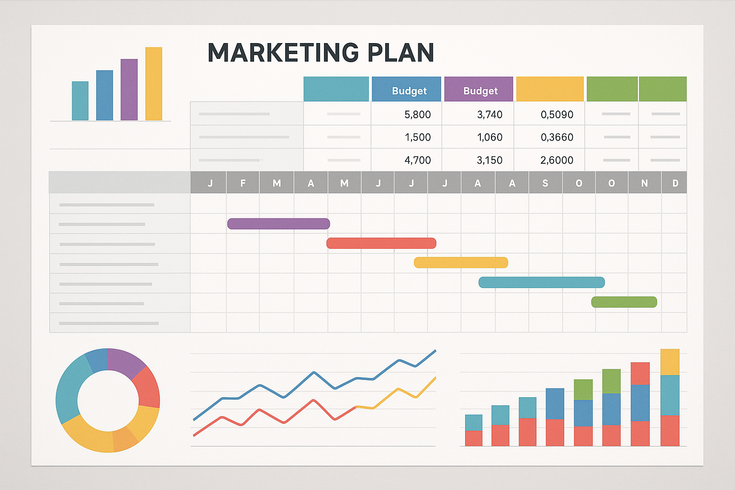
Marketing Plan Template Excel – A well-structured marketing plan is the foundation of business growth, and using a marketing plan template Excel can streamline your planning process while ensuring nothing falls through the cracks. Whether you’re launching a new campaign or refining your overall strategy, Excel provides the flexibility and functionality needed to create a comprehensive, data-driven marketing roadmap.
This guide walks you through creating and customizing your own marketing plan template in Excel, complete with automated calculations, performance tracking, and industry-specific variations. If you’re looking for a simple marketing plan template to get started quickly, Excel offers the perfect balance of sophistication and ease of use.
Why Use a Marketing Plan Template in Excel?
Excel remains one of the most powerful tools for marketing planning, offering unmatched versatility for businesses of all sizes. Unlike rigid online platforms or basic document templates, Excel allows you to create a dynamic, customizable framework that grows with your marketing needs.
Benefits of Excel for Marketing Planning
Excel transforms marketing planning from a static exercise into a dynamic, data-driven process. The platform’s computational power enables real-time budget tracking, automatic ROI calculations, and instant scenario planning. You can adjust one variable and immediately see its impact across your entire marketing ecosystem.
The collaborative nature of Excel makes it ideal for team-based planning. Multiple stakeholders can contribute to different sections while maintaining version control through cloud storage solutions. This accessibility ensures everyone from executives to junior marketers can understand and contribute to the plan.
Cost-effectiveness sets Excel apart from specialized marketing software. Most businesses already have access to Excel through their Office suite, eliminating additional software costs. The learning curve is minimal since most professionals have basic Excel knowledge, reducing training time and implementation barriers.
Key Features of an Effective Excel Marketing Template
An effective marketing plan template Excel leverages the platform’s core strengths while addressing common marketing challenges. The most crucial feature is automated calculations that eliminate manual math errors and save countless hours. Your template should automatically calculate budget allocations, ROI projections, and performance metrics based on your inputs.
Data visualization capabilities transform raw numbers into actionable insights. Built-in charting tools create professional graphs and dashboards that make complex data digestible for stakeholders. These visual elements are particularly valuable when presenting to executives or clients who need quick understanding of marketing performance.
Flexibility in structure allows you to adapt the template to your specific industry and goals. Unlike rigid templates, Excel lets you add or remove sections, create custom fields, and build industry-specific calculations. This adaptability ensures your marketing plan remains relevant as your business evolves.
Essential Components of Your Marketing Plan Template
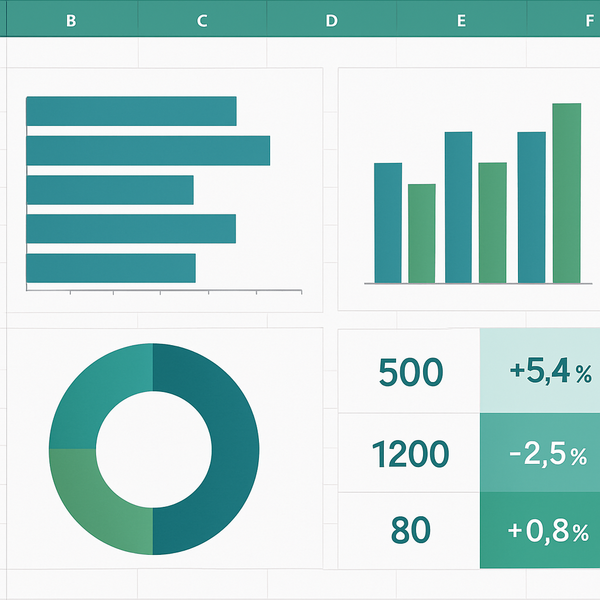
A comprehensive business marketing plan template Excel requires several interconnected components that work together to create a holistic view of your marketing strategy. Each section serves a specific purpose while contributing to the overall strategic narrative.
Executive Summary and Goals Section
The executive summary provides a high-level overview of your marketing strategy, objectives, and expected outcomes. In your Excel template, this section should include cells for your mission statement, annual marketing goals, and key success metrics. Create dropdown menus for goal categories like brand awareness, lead generation, or revenue growth to maintain consistency.
Structure your goals using the SMART framework directly in Excel. Create columns for Specific, Measurable, Achievable, Relevant, and Time-bound criteria. This approach ensures each goal meets all necessary criteria before inclusion in your plan. Link these goals to specific cells throughout your template to maintain alignment across all marketing activities.
Include a summary dashboard that pulls key metrics from other worksheets. This executive-level view should display budget utilization, campaign performance, and progress toward annual goals. Use conditional formatting to highlight areas requiring attention, making it easy for leadership to identify opportunities and challenges at a glance.
Target Audience and Market Analysis
Your target audience section forms the foundation of all marketing decisions. Create detailed buyer persona templates within Excel, including demographic data, psychographic characteristics, and behavioral patterns. Use separate worksheets for each persona, allowing deep dives into specific audience segments while maintaining organization.
Market analysis components should include competitive positioning, market size calculations, and growth projections. Build formulas that calculate your market share based on revenue data and competitor information. Create pivot tables to analyze market trends and identify opportunities for differentiation.
Include a customer journey mapping section that tracks touchpoints across the buying process. Use Excel’s timeline features to visualize how different personas interact with your brand from awareness through purchase and retention. This visual representation helps identify gaps in your current marketing approach and opportunities for improvement.
Marketing Channels and Tactics
Organize your marketing channels in a matrix format that shows the relationship between tactics, target audiences, and business goals. Create separate tabs for each major channel category: digital marketing, traditional advertising, content marketing, and events. This structure allows detailed planning while maintaining a connection to your overall strategy.
For each channel, include columns for budget allocation, timeline, responsible team members, and expected outcomes. Build formulas that automatically calculate the percentage of total budget allocated to each channel and tactic. This real-time calculation helps maintain budget discipline while allowing quick reallocation based on performance.
Develop a content calendar within your template that integrates with your channel strategy. Include publication dates, content types, target personas, and distribution channels. Use Excel’s filtering capabilities to view content by channel, persona, or campaign, ensuring balanced coverage across all marketing initiatives.
How to Customize Your Excel Marketing Plan Template
Customization transforms a generic template into a powerful tool tailored to your specific business needs. When you create a comprehensive marketing plan, Excel’s flexibility allows you to build exactly what your organization requires without unnecessary complexity.
Setting Up Your Budget Calculations
Begin by creating a master budget worksheet that serves as the financial hub of your marketing plan. Structure your budget with categories for each marketing channel, then break these down into specific line items. Use Excel’s SUMIF function to automatically aggregate spending by category, channel, or time period.
Build percentage-based allocation formulas that distribute your total marketing budget across channels based on your strategic priorities. For example, if digital marketing receives 60% of your budget, create formulas that automatically calculate dollar amounts when you update your total budget. This approach maintains proportional spending even as budgets fluctuate.
Implement variance tracking to compare planned versus actual spending. Create columns for budgeted amounts, actual expenses, and variance calculations. Use conditional formatting to highlight when spending exceeds predetermined thresholds, enabling proactive budget management throughout the year.
Creating Timeline and Milestone Tracking
Develop a comprehensive timeline view using Excel’s date functions and formatting capabilities. Create a Gantt chart-style visualization that shows campaign duration, dependencies, and milestone markers. This visual timeline helps coordinate multiple campaigns and ensures proper resource allocation across initiatives.
Build automatic date calculations that adjust campaign timelines based on start dates. For instance, if a campaign launches on a specific date, Excel can automatically calculate review dates, content deadlines, and performance evaluation periods. These dynamic dates eliminate manual timeline updates and reduce scheduling conflicts.
Include milestone tracking with automatic status updates based on completion criteria. Create dropdown menus for milestone status (not started, in progress, completed) and use formulas to calculate overall project completion percentages. Link these milestones to your executive dashboard for real-time progress visibility.
Adding Performance Metrics and KPIs
Design a KPI framework that aligns with your marketing goals and business objectives. Create separate sections for awareness metrics (impressions, reach), engagement metrics (clicks, shares, comments), and conversion metrics (leads, sales, revenue). Use consistent naming conventions to ensure clarity across your organization.
Implement automated KPI calculations using Excel formulas. For example, calculate cost per acquisition by dividing channel spending by conversions, or determine ROI by comparing revenue generated to marketing investment. These automated calculations eliminate manual errors and provide instant performance insights.
Build trend analysis capabilities using Excel’s statistical functions. Create rolling averages, month-over-month growth calculations, and year-over-year comparisons. Visualize these trends using sparklines or charts embedded directly in your KPI dashboard, making performance patterns immediately apparent.
Industry-Specific Template Variations
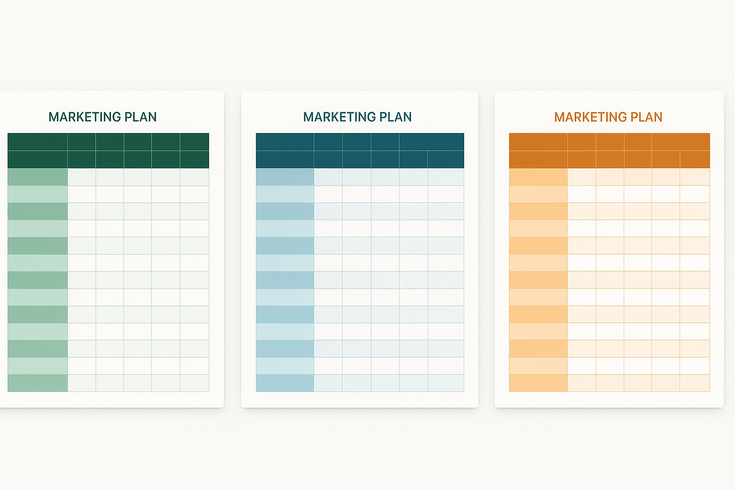
Different industries require unique approaches to marketing planning. A simple marketing plan template Excel can be adapted to meet specific industry needs while maintaining core planning principles.
B2B Marketing Plan Templates
B2B marketing plans require longer sales cycle tracking and multi-stakeholder engagement strategies. Create worksheets that map decision-maker roles, influence levels, and engagement tactics for each account. Include account-based marketing (ABM) sections with company-specific strategies and personalized content plans.
Build lead scoring models directly into your Excel template using weighted criteria for demographic fit, behavioral engagement, and buying signals. Create formulas that automatically calculate lead scores based on your inputs, helping sales teams prioritize outreach efforts. Include pipeline velocity calculations to track how quickly leads move through your funnel.
Develop ROI tracking specific to B2B metrics like customer lifetime value, average deal size, and sales cycle length. Create attribution models that account for multiple touchpoints typical in B2B buying journeys. Include sections for partner marketing, trade show planning, and thought leadership content calendars.
E-commerce and Retail Templates
E-commerce templates need robust inventory and promotional planning capabilities. Create seasonal planning worksheets that align marketing campaigns with inventory levels, buying patterns, and competitive shopping events. Build formulas that calculate optimal promotional timing based on historical sales data and inventory turnover rates.
Include detailed product launch templates with pre-launch, launch, and post-launch marketing activities. Create automated email campaign schedulers that trigger based on customer behavior patterns. Build abandoned cart recovery sequences and customer win-back campaign templates with performance tracking built in.
Design conversion funnel analysis tools specific to e-commerce metrics. Track visitor-to-purchase conversion rates, average order values, and cart abandonment rates across different marketing channels. Create cohort analysis templates to understand customer lifetime value and repeat purchase patterns by acquisition source.
Service Business Templates
Service businesses require templates focused on relationship building and trust development. Create content calendars emphasizing educational content, case studies, and testimonials. Build referral tracking systems that monitor and incentivize word-of-mouth marketing, often the most effective channel for service businesses.
Develop local marketing sections for location-based services, including local SEO tracking, community event planning, and partnership opportunities. Create review management workflows that systematically encourage satisfied clients to share their experiences while addressing concerns proactively.
Include capacity planning elements that align marketing efforts with service delivery capabilities. Build formulas that calculate optimal client acquisition rates based on current capacity and growth projections. This prevents overcommitting resources and ensures consistent service quality as you scale.
Advanced Excel Features for Marketing Plans
Leveraging Excel’s advanced features transforms your monthly marketing plan template Excel from a static document into a dynamic planning tool that provides real-time insights and automated reporting.
Automated Formulas and Calculations
Master the use of VLOOKUP and INDEX-MATCH functions to pull data from multiple sources into unified reports. Create lookup tables for standard costs, conversion rates, and performance benchmarks that automatically populate throughout your template. This standardization ensures consistency while reducing data entry errors.
Implement array formulas to perform complex calculations across multiple data sets simultaneously. For example, calculate weighted campaign performance scores that consider both quantitative metrics and qualitative factors. Use SUMPRODUCT functions to analyze multi-dimensional data like channel performance across different audience segments.
Build error-checking formulas using IF statements and data validation rules. Create alerts when budgets exceed limits, when performance falls below thresholds, or when data inconsistencies occur. These proactive checks maintain data integrity and prevent costly mistakes before they impact your campaigns.
Dashboard Creation and Data Visualization
Design interactive dashboards using Excel’s advanced charting capabilities and form controls. Create dropdown menus that allow users to filter data by time period, campaign, or channel without editing formulas. Use slicers to provide intuitive filtering options that update multiple charts simultaneously.
Implement conditional formatting rules that create heat maps of performance data. Use color scales to instantly identify high-performing campaigns, budget overruns, or areas requiring attention. Create icon sets that provide visual indicators of performance against goals, making dashboards accessible to non-technical stakeholders.
Build dynamic charts that automatically update as new data is added. Use named ranges and table references to ensure charts expand to include new information without manual adjustment. Create combination charts that display multiple metrics on different axes, providing comprehensive performance views in compact visualizations.
Linking Multiple Worksheets
Develop a hub-and-spoke architecture where a master dashboard pulls data from specialized worksheets. Create summary sheets that aggregate information from channel-specific tabs, providing unified views while maintaining detailed data in organized locations. Use 3D references to perform calculations across multiple worksheets simultaneously.
Build data flow diagrams that document how information moves between worksheets. Create clear naming conventions for linked cells and ranges, making troubleshooting and updates straightforward. Implement protection settings that allow data entry in specific cells while protecting formulas and structure from accidental changes.
Design modular worksheet structures that can be easily duplicated for new campaigns or time periods. Create template worksheets for recurring activities like monthly campaigns or quarterly reviews. Use Excel’s grouping features to organize related worksheets while maintaining easy navigation through complex workbooks.
Best Practices for Marketing Plan Implementation
Successfully implementing your marketing plan requires more than just creating a template. Establish regular review cycles to ensure your plan remains aligned with business objectives and market conditions. Schedule monthly reviews of tactical execution and quarterly strategic assessments.
Create accountability systems within your Excel template by assigning ownership to specific cells or sections. Use Excel’s comment features to document decisions, assumptions, and change history. This documentation proves invaluable during performance reviews and strategy adjustments.
Develop training materials that help team members effectively use your customized template. Create quick reference guides for common tasks like updating budgets, entering performance data, or generating reports. Consider recording short video tutorials for complex processes to ensure consistent usage across your organization.
For additional guidance on marketing strategy and planning, the Marketing and sales | U.S. Small Business Administration provides valuable resources for businesses of all sizes.
Conclusion
A well-designed marketing plan template Excel serves as the operational backbone of successful marketing execution. By leveraging Excel’s powerful features—from automated calculations to dynamic dashboards—you create a living document that evolves with your business needs. The key is starting with a solid foundation and gradually adding complexity as your comfort with the platform grows.
Remember that the best template is one that gets used consistently. Focus on creating a structure that your team finds intuitive and valuable rather than building overly complex systems that become barriers to adoption. Start with essential components like budget tracking and campaign calendars, then expand functionality based on actual needs and usage patterns.
Your marketing success depends not just on having a plan, but on having a plan that adapts to changing conditions while maintaining strategic focus. Excel provides the perfect platform for this balance of flexibility and structure, ensuring your marketing efforts remain both ambitious and achievable. Take the time to customize your template thoughtfully, and it will reward you with clearer insights, better decisions, and improved marketing performance for years to come.

Juan is a Digital Advertising / SEM Specialist with over 10 years of experience with Google AdWords, Bing Ad Center, Facebook, LinkedIn, Google Analytics, HTML, and WordPress. He is a co-founder of Sheaf Media Group and has work in several online advertising projects for retail, automotive, and service industries. Additionally, Juan holds a bachelor’s degree in Psychology and has a deep interest in the science of human behavior which he attributes as the key factor for his success in the advertising world.