



Introduction: Understanding Wix’s Appeal and Limitations
What is the downside of using Wix for your website? While millions of users worldwide choose Wix for its drag-and-drop simplicity and attractive templates, understanding its limitations is crucial before committing to this platform for your business website. This comprehensive guide explores the critical constraints that might impact your online success.
Wix has revolutionized website creation by making it accessible to users without technical expertise. However, as businesses grow and digital needs evolve, many discover that the platform’s ease of use comes with significant trade-offs. From SEO restrictions to migration nightmares, these limitations can seriously impact your long-term digital strategy.
Why businesses choose Wix initially
The initial appeal of Wix stems from its promise of quick website deployment without coding knowledge. Small businesses, freelancers, and entrepreneurs are drawn to its visual editor, pre-designed templates, and all-in-one hosting solution. The platform markets itself as a complete website solution that eliminates the need for developers, designers, or technical maintenance.
Many users appreciate the integrated features like contact forms, galleries, and basic e-commerce functionality. The platform’s marketing emphasizes creative freedom and professional results, which resonates with budget-conscious businesses looking to establish an online presence quickly. Is Wix actually free? Understanding the true costs becomes essential as you delve deeper into the platform’s offerings.
When limitations become apparent
The honeymoon phase with Wix typically ends when businesses attempt to scale, optimize for search engines, or implement custom functionality. Users often discover restrictions when trying to integrate specific third-party tools, improve site performance, or achieve advanced SEO goals. These limitations become particularly frustrating for growing businesses that need more sophisticated features.
Common scenarios where Wix disadvantages surface include attempts to implement complex e-commerce features, optimize for local search, or create membership sites with specific functionality. Technical limitations also become evident when businesses need custom code implementations or want to improve site loading speeds beyond what Wix’s infrastructure allows.
What is the downside of using Wix for SEO and Performance?
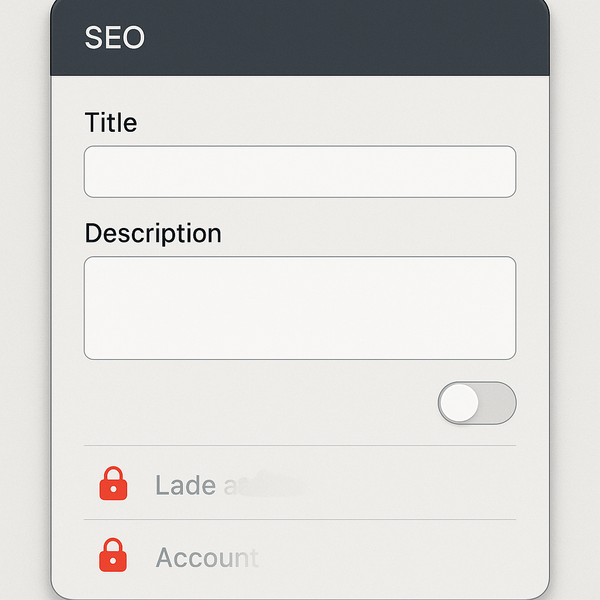
Search engine optimization and website performance are critical factors for online success, yet these areas represent some of the most significant Wix limitations. Understanding these constraints helps businesses make informed decisions about their platform choice.
Limited SEO customization options
Wix’s SEO capabilities have improved over the years, but significant restrictions remain. Users cannot fully control their URL structures, which often include unnecessary parameters and subfolders. This limitation affects how search engines crawl and index your pages, potentially impacting your rankings.
The platform restricts access to important technical SEO elements. You cannot modify the robots.txt file comprehensively, limiting your ability to guide search engine crawlers effectively. Server-side rendering issues can cause problems with how search engines interpret your content, particularly for JavaScript-heavy elements.
Meta tag customization, while available, lacks the flexibility found in other platforms. Structured data implementation is limited to Wix’s pre-defined options, preventing advanced schema markup that could enhance your search visibility. These Wix SEO limitations become increasingly problematic as competition intensifies in search results.
Site speed and performance issues
Website loading speed directly impacts user experience and search rankings, yet Wix sites consistently underperform compared to well-optimized websites on other platforms. The platform’s reliance on heavy JavaScript frameworks and multiple HTTP requests creates inherent performance bottlenecks.
Wix’s hosting infrastructure, while convenient, doesn’t allow for performance optimization techniques like server-level caching configurations or CDN customization. Users cannot implement advanced compression methods or optimize server response times beyond what Wix provides automatically.
The platform’s visual editor adds layers of code that bloat page sizes. Even simple pages can contain excessive CSS and JavaScript that cannot be removed or optimized. This code bloat particularly affects mobile performance, where every kilobyte matters for user experience. When it comes to What is the downside of using Wix, this is one of the fastest checks to run.
Mobile optimization constraints
While Wix offers mobile-responsive templates, the mobile optimization options remain limited compared to custom development or other platforms. The mobile editor provides basic adjustments but lacks fine-tuned control over mobile-specific elements and performance optimization.
Problems with Wix mobile sites include limited control over mobile-specific redirects, inability to implement Accelerated Mobile Pages (AMP), and restricted options for mobile-first indexing optimization. These limitations can significantly impact mobile search rankings and user engagement on smartphones.
The platform’s approach to responsive design often results in mobile layouts that look adequate but don’t provide optimal user experiences. Touch targets, navigation patterns, and content prioritization for mobile users cannot be customized to the degree necessary for competitive mobile experiences.
Design and Customization Restrictions
Creative freedom hits a ceiling when working within Wix’s ecosystem. While the platform promises design flexibility, users quickly discover that true customization requires compromises that can limit brand expression and functionality.
Template switching limitations
One of the most frustrating Wix disadvantages is the inability to switch templates after your site goes live. Once you’ve chosen a template and built your site, changing to a different design requires rebuilding from scratch. This limitation locks businesses into design decisions made early in their journey.
The template restriction becomes particularly problematic as businesses evolve and rebrand. What seemed like an appropriate design for a startup might not suit an established company. The inability to migrate content between templates means hours of work recreating pages, reformatting content, and re-establishing SEO elements.
This limitation also affects seasonal updates or industry trend adaptations. While competitors can quickly adopt new design trends or user experience improvements, Wix users must work within their original template’s constraints or face complete site reconstruction.
Code access restrictions
What is the downside of using Wix for developers and technically-minded users? The platform’s most significant limitation is restricted code access. While Wix Velo (formerly Corvid) provides some coding capabilities, users cannot access or modify the underlying HTML, CSS, and JavaScript that powers their sites.
This restriction prevents implementation of custom features, third-party scripts, or performance optimizations that require code-level changes. Developers cannot optimize resource loading, implement custom analytics tracking, or create sophisticated interactive elements beyond what Wix’s tools allow.
The lack of server-side code access means no custom backend functionality, database modifications, or API integrations beyond Wix’s approved methods. This limitation severely restricts possibilities for creating unique user experiences or integrating with enterprise systems.
Third-party integration challenges
Wix’s app market offers various integrations, but businesses often find that specific tools they need aren’t available or don’t integrate properly. The platform’s closed ecosystem means you’re limited to approved apps and integrations, which may not include industry-specific or niche solutions.
Custom API integrations require workarounds that often compromise functionality or performance. Marketing automation platforms, CRM systems, and specialized business tools may have limited or no integration options. This forces businesses to either abandon preferred tools or maintain disconnected systems that require manual data synchronization.
Payment gateway options, shipping calculators, and inventory management systems are restricted to Wix’s partners. This limitation can increase transaction costs and reduce operational efficiency for e-commerce businesses with specific needs or existing vendor relationships. If you’re working on What is the downside of using Wix, make sure this step is covered before moving on.
What is the downside of using Wix for Growing Businesses?
As businesses expand, platform limitations become increasingly constraining. Understanding these growth-related challenges helps companies anticipate when they might outgrow Wix’s capabilities.
Scalability concerns
Wix’s infrastructure works well for small to medium-sized websites but struggles with high-traffic scenarios or complex functionality requirements. The platform doesn’t offer dedicated hosting options or server scaling capabilities that growing businesses need for reliable performance under load.
Database limitations become apparent as content volume increases. Wix’s content management system lacks advanced filtering, sorting, and display options needed for large product catalogs or extensive content libraries. Dynamic content generation is limited, making it difficult to create sophisticated user experiences based on visitor behavior or preferences.
Multi-language websites face particular challenges, with limited options for managing translations, regional variations, and international SEO requirements. The platform’s approach to multilingual content often results in duplicate content issues and suboptimal user experiences for international audiences.
E-commerce limitations
While Wix offers e-commerce functionality, serious online retailers quickly encounter Wix limitations that impact sales and operations. Product variant management is basic, lacking sophisticated options for complex product configurations or customization options that many businesses require.
Inventory management capabilities fall short of dedicated e-commerce platforms. Advanced features like drop-shipping automation, multi-warehouse inventory tracking, and sophisticated shipping rules require workarounds or third-party solutions that may not integrate seamlessly.
The checkout process customization is limited, preventing optimization for conversion rate improvements. Abandoned cart recovery features, one-page checkout options, and guest checkout configurations lack the flexibility needed for competitive e-commerce operations.
Professional features gap
Professional service businesses discover that Wix lacks sophisticated features for client management, appointment scheduling, and service delivery. While basic booking systems exist, they don’t match the capabilities of specialized platforms for service-based businesses.
Membership site functionality is rudimentary, lacking advanced content gating, tiered access levels, and member management features. Businesses cannot create sophisticated learning management systems, community platforms, or subscription-based content services that compete with dedicated solutions.
Advanced form builders, survey tools, and data collection capabilities are limited compared to professional alternatives. The inability to create complex conditional logic, multi-step forms, or integrate with advanced marketing automation platforms restricts lead generation and customer data collection strategies.
Cost Considerations Over Time

Understanding the true cost of using Wix requires looking beyond initial pricing to consider long-term expenses and value propositions. Hidden costs and limited flexibility can make Wix more expensive than anticipated for growing businesses.
Hidden fees and upgrades
What is the downside of using Wix from a financial perspective? The platform’s pricing structure includes numerous hidden costs that emerge as businesses grow. Premium apps often require monthly subscriptions that quickly add up, turning an affordable website into an expensive monthly commitment.
Transaction fees for e-commerce operations eat into profit margins. Unlike open-source alternatives where payment processing is separate, Wix charges platform fees on top of payment processor costs. These fees become significant for high-volume sellers. A practical rule of thumb for What is the downside of using Wix: verify the basics first, then tighten the details.
Storage and bandwidth limitations force upgrades sooner than expected. Media-rich websites quickly exceed basic plan limits, requiring costly upgrades. Email marketing features, advanced analytics, and professional features each require additional subscriptions or plan upgrades.
Value comparison with competitors
When comparing total cost of ownership, Wix often proves more expensive than initially apparent. WordPress hosting, while requiring technical knowledge, offers unlimited customization potential at lower long-term costs. Dedicated e-commerce platforms provide better value for online retailers despite higher initial costs.
The inability to optimize hosting costs as traffic fluctuates means paying for peak capacity continuously. Competitors allow server scaling, CDN optimization, and performance tuning that can significantly reduce operational costs while improving user experience.
Professional development costs are often hidden in Wix’s ecosystem. While the platform promises no coding required, achieving professional results often requires hiring Wix-certified developers at premium rates due to the specialized knowledge required.
Long-term investment analysis
Investing in a Wix website creates technical debt that compounds over time. The inability to export and migrate content means your investment is locked into the platform. This vendor lock-in becomes increasingly costly as switching platforms requires complete website reconstruction.
Opportunity costs mount as Wix limitations prevent implementation of revenue-generating features or optimization strategies. The inability to implement advanced SEO techniques, conversion optimization tools, or sophisticated e-commerce features directly impacts revenue potential.
Training and expertise invested in the Wix platform doesn’t transfer to other systems. Unlike learning WordPress or general web development skills, Wix expertise has limited market value and career advancement potential for team members.
Migration and Data Portability Issues
One of the most critical problems with Wix emerges when businesses decide to migrate to another platform. Understanding these challenges before committing to Wix can save significant time and resources.
Difficulty moving to other platforms
Wix’s proprietary system makes migration exceptionally challenging. Unlike open-source platforms that use standard formats, Wix stores content in proprietary databases that cannot be directly exported. This means manual copying and pasting of content, reformatting, and rebuilding entire site structures.
URL structures cannot be maintained during migration, creating SEO disasters. Every page receives new URLs on the new platform, requiring extensive redirect mapping to maintain search rankings. Many businesses experience significant traffic drops during and after migration.
Design elements, animations, and interactive features built with Wix’s tools cannot be exported. Years of design refinement and user experience optimization must be recreated from scratch on the new platform. For What is the downside of using Wix, small adjustments like this often make the biggest difference.
Content export limitations
What is the downside of using Wix for content creators becomes painfully clear during migration attempts. Blog posts export without formatting, metadata, or images properly linked. Product descriptions, categories, and attributes require manual recreation.
Customer data, order history, and user accounts cannot be seamlessly transferred. E-commerce businesses face the prospect of losing valuable customer relationships and purchase history. This limitation can severely impact customer retention and lifetime value.
Media files must be individually downloaded and re-uploaded to new platforms. The lack of bulk export options for images, videos, and documents makes migration a time-consuming process that often requires technical assistance.
SEO impact of migration
Search rankings typically plummet during Wix migrations due to URL changes, content restructuring, and temporary technical issues. Recovery can take months or years, during which businesses lose organic traffic and revenue.
The inability to implement proper 301 redirects at the server level means relying on JavaScript redirects or meta refresh tags, which pass less SEO value. Search engines may interpret the migration as a completely new website, resetting domain authority.
Local SEO particularly suffers during migration as citation consistency breaks. NAP (Name, Address, Phone) information across directories becomes inconsistent with URL changes, damaging local search visibility that can take considerable effort to repair.
Comparing Wix to Alternative Solutions
Understanding how Wix limitations compare to other platforms helps businesses make informed decisions. Each alternative offers distinct advantages for specific use cases and growth trajectories.
WordPress vs Wix
WordPress powers over 40% of the internet for good reasons. Unlike Wix, WordPress offers complete control over every aspect of your website. The open-source nature means unlimited customization potential, thousands of plugins, and complete ownership of your content and code.
SEO capabilities in WordPress far exceed Wix’s offerings. Plugins like Yoast and RankMath provide granular control over every SEO element. Technical SEO implementations, schema markup, and site speed optimizations are limited only by your technical expertise or budget for developers.
While WordPress requires more technical knowledge, the investment pays dividends through flexibility, scalability, and cost-effectiveness. Professional website design services can help businesses leverage WordPress’s full potential without dealing with technical complexities.
Cost comparisons favor WordPress for growing businesses. While initial setup might require professional help, ongoing costs are typically lower, and the platform scales efficiently. The vast ecosystem of free and premium themes and plugins provides solutions for virtually any requirement.
Shopify vs Wix for e-commerce
For serious e-commerce operations, Shopify’s specialized features far exceed Wix’s capabilities. Purpose-built for online selling, Shopify provides advanced inventory management, sophisticated shipping calculations, and extensive payment gateway options without transaction fees beyond processing costs.
Shopify’s app ecosystem focuses exclusively on e-commerce enhancements. From advanced analytics to drop-shipping automation, the platform provides tools that directly impact revenue generation. Multi-channel selling capabilities allow seamless integration with marketplaces, social media platforms, and retail point-of-sale systems.
The platform’s infrastructure handles traffic spikes during sales events without performance degradation. Built-in CDN optimization, automatic image compression, and mobile-first design principles ensure fast loading times that directly impact conversion rates. In most cases, What is the downside of using Wix is solved by following a clear, repeatable checklist.
While Shopify costs more than basic Wix plans, the specialized features justify the investment for businesses serious about e-commerce. The ability to customize checkout processes, implement advanced marketing automation, and access detailed analytics provides competitive advantages that translate to increased revenue.
Custom development options
For businesses with specific requirements or unique value propositions, custom development offers unlimited possibilities. While more expensive initially, custom solutions provide exact functionality without platform limitations or ongoing subscription costs.
Modern development frameworks allow rapid deployment of custom solutions that match or exceed Wix’s ease of use while providing complete control. Progressive web applications, headless CMS architectures, and API-first development approaches offer flexibility that template-based platforms cannot match.
Custom development eliminates vendor lock-in concerns. Your code, content, and data remain portable, allowing platform changes or hosting provider switches without rebuilding. This flexibility becomes increasingly valuable as technology evolves and business needs change.
The investment in custom development often proves cost-effective for businesses with specific needs or growth trajectories that exceed platform limitations. The ability to implement exactly what you need, when you need it, without working around platform constraints, provides competitive advantages that justify higher initial costs.
Making an Informed Decision About Wix
What is the downside of using Wix ultimately depends on your specific needs, growth plans, and technical requirements. For simple websites with basic needs and no plans for significant growth or customization, Wix’s limitations might be acceptable trade-offs for its ease of use.
However, businesses with serious online ambitions should carefully consider these limitations before committing to the platform. The initial time savings and ease of use can quickly become costly constraints that limit growth potential and competitive capabilities.
Consider your long-term digital strategy before choosing Wix. If you anticipate needing advanced SEO capabilities, custom functionality, e-commerce growth, or the flexibility to adapt to changing market conditions, investing in a more flexible platform initially can save significant time and money.
The hidden costs of Wix limitations extend beyond monthly fees to include lost opportunities, reduced competitiveness, and eventual migration expenses. Understanding these downsides helps businesses make platform choices that support rather than constrain their growth objectives.
For many businesses, the question isn’t whether Wix can create a website today, but whether it can support your vision tomorrow. The platform’s limitations become increasingly restrictive as businesses grow, markets evolve, and competition intensifies in digital spaces.
Professional guidance can help evaluate whether Wix’s limitations will impact your specific objectives. Web development professionals can assess your requirements, growth projections, and competitive landscape to recommend platforms that provide the flexibility and capabilities your business needs for long-term success.
WordPress.org offers extensive documentation and resources for those considering open-source alternatives. The investment in learning or hiring expertise for more flexible platforms often provides returns through increased capabilities, better performance, and lower long-term costs.
Remember that your website platform choice impacts every aspect of your online presence. From search visibility to user experience, from operational efficiency to growth potential, the limitations of your chosen platform become limitations of your business. Choose wisely, with full understanding of both current needs and future aspirations.
What is the downside of using Wix — Practical Checklist & Next Steps
Here’s a quick way to pressure-test your approach so you don’t end up with a “free” solution that costs you more in time, missed leads, or rebuilds.
- What you need live in the next 7 days vs. what can wait
- Must-have features (forms, payments, booking, blog, integrations)
- Branding limits and whether platform branding/ads are acceptable
- SEO essentials you control (titles, URLs, indexing, speed)
- How easy it is to move later (exporting content, redirects, domain)
- Who will maintain it (you, a contractor, or a managed service)
- Compliance basics (privacy, accessibility, security headers/SSL)
- Your realistic monthly budget after launch
Common mistakes people make with What is the downside of using Wix
Most issues come from unclear expectations. People choose the fastest option, then realize later they needed better SEO control, cleaner performance, or fewer platform limits. A simple checklist now saves weeks later.
If you’re trying to make a solid decision around What is the downside of using Wix, focus on outcomes, constraints, and tradeoffs—not just the headline promise. Start by listing what “success” means for you (speed, quality, cost, control, support), then rank those priorities. This makes it easier to choose the best path and avoid redoing everything later.
If you’re trying to make a solid decision around, focus on outcomes, constraints, and tradeoffs—not just the headline promise. Start by listing what “success” means for you (speed, quality, cost, control, support), then rank those priorities. This makes it easier to choose the best path and avoid redoing everything later.
How to move forward after choosing What is the downside of using Wix
Once you’ve decided, document your requirements (pages, calls-to-action, tracking, and the 3–5 key actions you want visitors to take). That document becomes your build plan and makes future improvements straightforward.

Juan is a Digital Advertising / SEM Specialist with over 10 years of experience with Google AdWords, Bing Ad Center, Facebook, LinkedIn, Google Analytics, HTML, and WordPress. He is a co-founder of Sheaf Media Group and has work in several online advertising projects for retail, automotive, and service industries. Additionally, Juan holds a bachelor’s degree in Psychology and has a deep interest in the science of human behavior which he attributes as the key factor for his success in the advertising world.