



Which Is Cheaper Wix or WordPress? – When you embark on the journey of creating an online presence, one of the most fundamental decisions you will face concerns the platform upon which your digital edifice will be constructed. Two titans dominate this landscape: Wix and WordPress.org. While both offer robust solutions for website creation, their financial implications, particularly in 2026, diverge significantly. Understanding these differences is crucial for you to make an informed choice that aligns with your budget and technical acumen. This article will meticulously dissect the cost structures of both platforms, providing you with a clear roadmap to navigate their respective expenses.
Before delving into granular figures, it is essential to grasp the foundational cost philosophies that underpin Wix and WordPress.org. Think of them as two distinct architectural approaches to building your online home.
Wix: The All-Inclusive Resort Model
Wix operates primarily on an “all-inclusive resort” model. When you opt for a Wix premium plan, you are essentially purchasing a bundled service that encompasses website builders, hosting, security, and often a suite of integrated tools. This means that the monthly or annual fee you pay to Wix covers virtually all the essential components required for your website to function.
- Simplicity and Predictability: This bundled approach offers you a high degree of predictability. You know precisely what your monthly or annual expenditure will be, as the core services are neatly packaged. There are fewer hidden costs or unexpected technical hurdles that might necessitate additional outlays.
- Ease of Entry: For users with limited technical experience, this model is incredibly appealing. You are provided with a complete ecosystem where all the moving parts are managed by Wix, allowing you to focus primarily on content creation and design. This is akin to being handed the keys to a fully furnished apartment; you simply need to decorate it.
WordPress.org: The Modular Construction Model
WordPress.org, conversely, adheres to a “modular construction” model. The core WordPress software itself is open-source and entirely free for you to download and use. However, to bring your WordPress website to life, you must independently acquire and integrate various components. This approach grants you unparalleled flexibility but also places the onus on you to manage these separate expenses.
- Freedom and Customization: This modularity is WordPress.org’s greatest strength. You have complete control over every aspect of your website, from hosting provider to security measures, themes, and plugins. This freedom allows for an infinitely customizable website, akin to building a house from the ground up, selecting every brick and beam yourself.
- Variable Costs: The downside, or rather the operational characteristic, is variable costs. Your total expenditure will be an aggregate of several distinct services, and these costs can fluctuate based on your specific choices and needs. You are responsible for sourcing and integrating each component, which requires a greater degree of hands-on management.
Wix Pricing: A Deep Dive into Premium Plans (2026)
When you consider Wix, you are looking at a tiered subscription service. While a free plan exists, it comes with significant limitations, including Wix branding and a subdomain (e.g., yoursite.wixsite.com), making it unsuitable for professional use. For a truly functional website, you will need to invest in one of their premium plans.
Entry-Level Premium Tiers
In 2026, Wix’s entry-level premium plans start from approximately $10.50-$17 per month for basic website functionalities, though many sources cite closer to $17-29 per month for their Light/Core plans. These plans are designed to remove Wix branding, provide a custom domain connection, and offer increased storage and bandwidth.
- Light/Core Plans ($17-29/month): These are often the starting points for individuals or small businesses needing a professional web presence. They typically include features such as free SSL certificates, a custom domain name (often free for the first year), and a certain amount of storage and bandwidth. You are essentially paying for the convenience of an ecosystem where everything is managed for you.
- Annual Discounts: You will often find significant annual discounts available. While monthly pricing might appear high, committing to an annual plan can reduce your effective monthly cost, sometimes bringing it closer to the lower end of the stated range. It is always prudent for you to check the annual pricing to get a true picture of the long-term cost.
Mid-Range and Advanced Plans
As your website’s needs grow, Wix offers progressively more robust plans with additional features and resources.
- Business & eCommerce Plans: If you intend to sell products or services online, you will need to upgrade to Wix Business & eCommerce plans. These plans are generally more expensive, typically starting higher than the basic website plans and scaling upwards. They include features like online payment processing, abandoned cart recovery, and more sophisticated shipping options.
- VIP/Elite Plans ($159/month for elite/business): For high-traffic sites or businesses requiring dedicated support and advanced features, Wix offers higher-tier plans, which can reach up to $159 per month. These plans often include priority support, professional site review, and increased storage and bandwidth capacities. This is where the “all-inclusive” aspect truly blossoms, offering a concierge-like service for your online presence.
What’s Included in Wix Pricing?
A key aspect to remember about Wix pricing is its integrative nature. When you pay for a premium plan, you are effectively paying for:
- Hosting: Your website files are stored on Wix’s servers, and they manage uptime, security, and maintenance.
- Website Builder: The drag-and-drop interface that makes designing your site intuitive and accessible.
- Security (SSL): An SSL certificate is usually included, ensuring secure connections for your visitors.
- Customer Support: Access to Wix’s support channels for assistance.
- Basic Marketing & SEO Tools: Integrated tools to help you manage your site’s visibility.
You gain a streamlined experience where these elements are seamlessly woven together, freeing you from the complexities of managing them individually.
WordPress.org Pricing: A Landscape of Choices (2026)
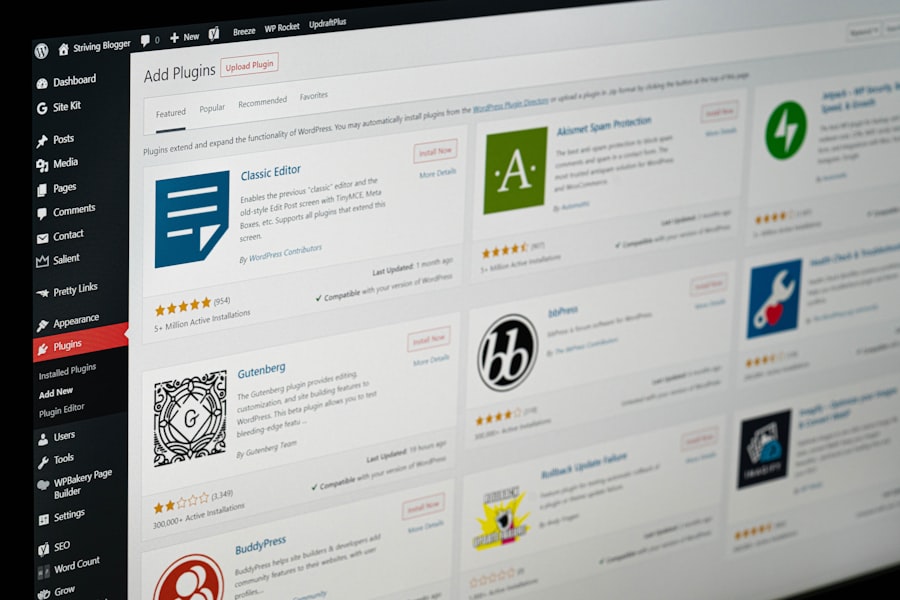
In stark contrast to Wix, the WordPress.org core software is free. This fundamental difference sets the stage for a fragmented, yet ultimately more flexible, cost structure. Your total expenditure on a WordPress.org site will be an amalgamation of several distinct components, each with its own price tag.
The Immutable Zero: WordPress Core Software
At the heart of the WordPress.org ecosystem is the software itself, which costs you precisely nothing. You can download it directly from WordPress.org and install it on any compatible hosting environment. This freedom from licensing fees is a significant advantage, particularly for budget-conscious individuals or organizations.
The Cornerstone: Web Hosting
This is where your primary expense for a WordPress.org site will reside. Without hosting, your free WordPress software has no home on the internet. Hosting providers offer various types of hosting, each with different performance characteristics and price points.
- Shared Hosting ($3-9/month, or $30/year): This is the most common and cheapest option for new websites. Shared hosting means your website shares server resources with numerous other websites. It’s like living in an apartment building – you share utilities and space with neighbors, which keeps costs down. Prices typically range from $3 to $9 per month, though some providers offer introductory rates as low as $2-3 for the first year, jumping to $8-15/month upon renewal. You might also find annual plans advertised as low as $30/year, making it incredibly cost-effective.
- Pros: Very affordable, easy to set up for beginners.
- Cons: Performance can be affected by other sites on the server; less control over server environment.
- Managed WordPress Hosting ($10-45/month): This specialized hosting environment is optimized for WordPress, offering features like automatic updates, enhanced security, staging environments, and expert WordPress support. Think of it as a concierge service for your WordPress site. While more expensive, it removes much of the technical burden from your shoulders. Prices can range from $10 to $45 per month, depending on the provider and features included.
- Pros: Optimized performance, enhanced security, automatic backups, expert support.
- Cons: Higher cost than shared hosting, slightly less control than self-managed VPS.
- VPS (Virtual Private Server) Hosting ($15-100+/month): For growing websites that require more resources and control than shared hosting can provide, VPS hosting offers a dedicated portion of a server’s resources. It’s like having your own condominium unit in an apartment building. This option requires more technical expertise to manage.
- Dedicated Server Hosting ($80-500+/month): For very large, high-traffic websites, a dedicated server provides exclusive use of an entire physical server. This is the ultimate in performance and control but also the most expensive.
The Canvas: Themes
After installing WordPress, you’ll need a theme to define your website’s appearance.
- Free Themes: The WordPress.org theme directory boasts thousands of free themes. Many of these are professionally designed, responsive, and offer considerable customization options.
- Premium Themes ($30-100+ one-time): For unique designs, advanced features, and dedicated support, you can purchase premium themes from marketplaces like ThemeForest or directly from theme developers. These are typically a one-time purchase, though some developers offer annual support and update subscriptions.
The Functionality Enhancers: Plugins
WordPress’s power lies in its extensive plugin ecosystem, which allows you to add virtually any functionality to your website without coding.
- Free Plugins: The WordPress.org plugin directory hosts tens of thousands of free plugins for everything from SEO to contact forms, security, and e-commerce. You can build a highly functional website using only free plugins.
- Premium Plugins ($20-200+/year, or one-time): For specialized features, enhanced functionality, or dedicated developer support, you might opt for premium plugins. Many popular plugins, such as advanced SEO tools, e-commerce extensions (like WooCommerce add-ons), or complex form builders, offer premium versions or add-ons. These often come with annual subscriptions to receive updates and support.
The Identity: Domain Name ($10-20/year)
Regardless of whether you choose Wix or WordPress, you will need a custom domain name (e.g., yourwebsite.com).
- Initial Cost: A domain name typically costs $10-20 per year to register. Some hosting providers or Wix may offer a free domain for the first year as an incentive.
- Renewal: Remember that this is an annual recurring cost.
Optional, But Often Necessary, Expenses for WordPress
- Security Plugins/Services: While many free security plugins exist, some users opt for premium security solutions for enhanced protection, firewalls, and malware scanning ($50-200/year).
- Backup Solutions: Many hosting providers include backups, but you might want an independent backup solution for greater peace of mind (free to $50/year).
- Professional Services: If you are not comfortable with DIY, you might hire a developer or designer for custom coding, theme customization, or site maintenance (variable costs, often significant).
You can Hire WordPress Developer to create a stunning and functional website tailored to your needs.
Comparative Cost Analysis: A Head-to-Head
Now that you understand the individual cost components, let’s put them side-by-side to determine which platform offers a cheaper solution, on average, for comparable features in 2026.
The Consensus: WordPress.org Tends to Be Cheaper for DIY Users
The overarching consensus in 2026 remains that WordPress.org is generally cheaper than Wix, especially for those willing to engage in a degree of self-management.
- WordPress Starting Point: With free core software, affordable shared hosting (starting around $3-9/month or $30/year), a free theme, and free plugins, you can get a functional WordPress website online for as little as $36-$108 per year initially (excluding domain for calculation, as it’s common to both).
- Wix Starting Point: Wix’s premium plans, offering comparable features to a basic WordPress setup, begin at $10.50-$17/month, often higher at $17-29/month for Light/Core plans, totaling $126-$348 per year.
This immediately demonstrates a significant cost advantage for WordPress.org in the entry-level scenario.
Scaling Up: Where the Gap Can Widen or Narrow
The cost disparity can become more nuanced as your needs evolve.
- WordPress Scalability: As your WordPress site grows, you might upgrade to managed WordPress hosting ($10-45/month), invest in premium themes ($30-100 one-time), and select premium plugins ($20-200/year). Even with these additions, you retain control over your spending. You can selectively choose which premium features are truly necessary. The flexibility allows you to optimize your budget.
- Wix Scalability: For Wix, scaling often means upgrading to higher-tier premium plans. While these plans bundle more features, their pricing tiers are generally fixed. If you need advanced e-commerce functionality, for instance, you are likely moving into higher price brackets, which can quickly reach $50, $100, or even $159 per month. The “all-inclusive” nature, while convenient, means you might be paying for features you don’t fully utilize if they are bundled with features you do need.
The “Hidden” Costs for Both
While the direct monetary costs are clear, it’s also helpful to consider other “costs.”
- Your Time Investment (WordPress): WordPress.org demands more of your time and effort for initial setup, maintenance, and learning. This “cost of time” can be significant if you value your time highly or lack technical inclination.
- Wix’s Ecosystem Lock-in: While not a direct monetary cost, Wix operates as a closed ecosystem. Migrating your website content away from Wix can be challenging, potentially incurring costs if you need to hire a professional for data extraction. This is a crucial consideration for long-term strategic planning.
Key Takeaways and Recommendations
Ultimately, the cheaper option between Wix and WordPress.org is not a universal truth but rather contingent on your specific circumstances, technical comfort, and long-term goals.
When WordPress.org is Cheaper for You
- You possess technical aptitude or willingness to learn. If you are comfortable with a degree of DIY, managing hosting, and installing themes/plugins, WordPress.org will almost certainly be more cost-effective.
- You prioritize ultimate control and flexibility. WordPress.org provides an open canvas, allowing you to optimize every expense.
- Your budget is a primary constraint. You can initiate a professional WordPress site for significantly less than a comparable Wix premium plan.
- You anticipate significant customization or scaling needs. The modular nature of WordPress allows you to precisely tailor expenses to your evolving requirements.
When Wix Might Feel “Cheaper” (Due to Convenience)
- You prefer an all-in-one, “set it and forget it” solution. The bundled pricing and managed services of Wix mean less time spent on technicalities.
- You have minimal technical expertise and prefer a guided experience. Wix’s drag-and-drop builder is exceptionally user-friendly, reducing the initial learning curve.
- Your website needs are relatively simple and static. For basic brochure websites or portfolios, Wix’s straightforward pricing and builder can be a highly efficient solution.
- You value predictable, fixed monthly costs over variable expenses. Wix offers clear, upfront pricing without the need to manage multiple vendor invoices.
Recent Notes and 2026 Outlook
As of 2026, the fundamental dynamics remain largely unchanged. WordPress continues to be lauded for its value through free plugins and vast customization potential, making it the champion for cost-conscious users who enjoy autonomy. Wix maintains its position as an accessible and user-friendly platform, ideal for beginners or those prioritizing ease of use over granular control, though its costs can escalate for advanced functionalities. There have been no major reported price shifts from 2025, suggesting a stable market for both platforms.
In conclusion, you are faced with a choice between two distinct value propositions. If you view your website as a project where you are the architect and primary builder, WordPress.org offers a cheaper and infinitely customizable foundation. If you desire a prefabricated, fully managed structure where convenience and simplicity are paramount, Wix provides a compelling, albeit generally more expensive, all-inclusive package. It is your assessment of your own skills, time, and specific project requirements that will ultimately determine which platform offers the superior value and, therefore, the cheaper overall solution for you.

Juan is a Digital Advertising / SEM Specialist with over 10 years of experience with Google AdWords, Bing Ad Center, Facebook, LinkedIn, Google Analytics, HTML, and WordPress. He is a co-founder of Sheaf Media Group and has work in several online advertising projects for retail, automotive, and service industries. Additionally, Juan holds a bachelor’s degree in Psychology and has a deep interest in the science of human behavior which he attributes as the key factor for his success in the advertising world.