


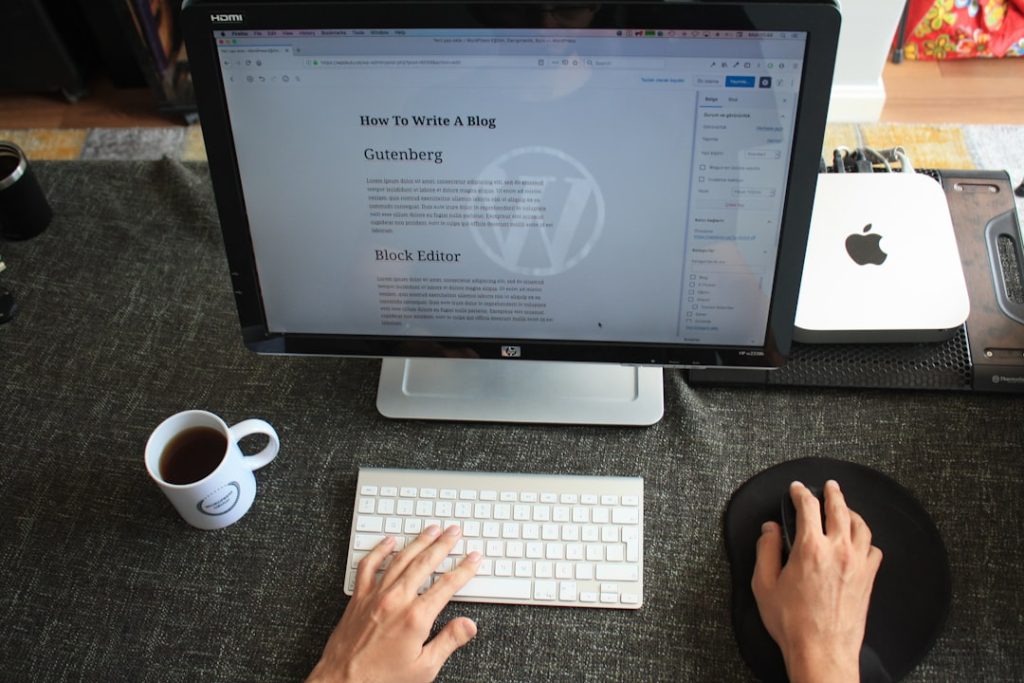
Why do devs hate WordPress? – You, as a developer, have likely encountered WordPress at some point in your career. It’s an undeniable giant in the web development landscape, powering a significant portion of the internet. Yet, despite its ubiquity, you might also have detected a palpable sense of disdain, or at least a healthy skepticism, among your peers regarding this particular content management system (CMS). This exploration delves into the various facets that contribute to this widespread developer apprehension, moving beyond anecdotal grievances to unpack the technical and operational reasons why many in your profession view WordPress with a critical eye.
The Performance Predicament
You, with your finely tuned understanding of web performance, know that speed is paramount. A slow website is not merely an inconvenience; it’s a digital anchor that drags down user experience, search engine rankings, and ultimately, conversions. WordPress, in its default state, often presents a significant challenge in this regard.
The Weight of Bloated Themes
Imagine you are building a custom high-performance race car, but the manufacturer insists on fitting it with luxury seating, a picnic table, and an overly complex sound system, all of which are integrated into the chassis in such a way that they cannot be easily removed or optimized. This is often the experience you encounter with many WordPress themes. Designed to be everything to everyone, they frequently come packed with an excessive array of features, sliders, animations, and pre-built blocks that the majority of users will never fully utilize. This “feature creep” translates directly into larger file sizes for CSS, JavaScript, and images, creating a heavy load for the browser to process.
The Proliferation of Plugins
Plugins are the lifeblood of WordPress functionality, allowing you to extend its capabilities without writing extensive code. However, you also understand that this flexibility comes at a cost. Each plugin you install adds its own layer of code, database queries, and often, external dependencies. When you combine numerous plugins, particularly those written by different developers with varying coding standards and optimization practices, you quickly create a Frankenstein’s monster of interwoven scripts and styles. This amalgamation can lead to:
- Increased HTTP Requests: More individual files need to be fetched from the server, slowing down initial page load.
- JavaScript Conflicts: Different scripts attempting to manipulate the same elements on a page can lead to unexpected behavior or breakage.
- Database Overheads: Many plugins add their own tables and entries to the WordPress database, increasing its size and the complexity of queries, which can bottleneck performance.
- Resource Consumption: Poorly written plugins can consume excessive server memory and CPU cycles, leading to slower server response times for all visitors.
The consequence of this theme and plugin bloat is a website that loads slowly, a reality borne out by empirical data suggesting that slow-loading sites can suffer from higher bounce rates and diminished search engine visibility. You, the developer, are then tasked with the laborious and often frustrating process of diagnosing and rectifying these performance issues, a task that frequently feels like bailing out a leaky boat with a teacup.
The Persistent Security Problem
You, as a cybersecurity-conscious professional, understand that the internet is a hostile environment. Websites are constantly probed, scanned, and attacked by malicious actors seeking vulnerabilities. WordPress, due to its immense market share, presents an enormous target, making it a constant focal point for security exploits.
The Patching Treadmill
WordPress core, themes, and plugins are frequently updated to address newly discovered security vulnerabilities. For you, this translates into a perpetual patching treadmill. Neglecting these updates, even for a short period, is akin to leaving your front door unlocked in a high-crime neighborhood. The consequences can be severe. Unpatched vulnerabilities are routinely exploited, leading to:
- Website Defacement: Your client’s brand image tarnished by unwanted content.
- Data Breaches: Sensitive customer or user data exposed, with potentially devastating legal and reputational ramifications.
- Malware Injection: Your website weaponized to spread malware to visitors, leading to blacklisting by search engines and browsers.
- SEO Spam: Your site leveraged to host spammy links, damaging its search engine authority.
The High Cost of Remediation
When a WordPress site is compromised, the emergency remediation process is often complex, time-consuming, and expensive. You might find yourself spending hours, or even days, meticulously identifying the source of the breach, cleaning infected files, hardening security, and restoring backups. The cost of such emergency fixes, ranging from $200 to $500 per hour, quickly escalates into a substantial financial burden for your clients, a cost that you, as their trusted advisor, would prefer to help them avoid. This constant vigilance and the ever-present threat of a breach can be a significant source of stress for you and your development team.
The Gutenberg Gauntlet
When a new standard is introduced, you expect a well-thought-out, intuitive system that enhances productivity. With WordPress, the introduction of the Gutenberg block editor has, for many developers and even end-users, proven to be a source of considerable frustration.
The Steep Learning Curve
You, accustomed to precise control and logical user interfaces, might find Gutenberg to be a perplexing experience. While the concept of blocks for content creation is not inherently flawed, its implementation in Gutenberg has been criticized for its unintuitive nature. Users, even those utilizing simple themes, often struggle to:
- Understand Block Settings: The myriad of options for each block, often hidden or inconsistently presented, can be overwhelming.
- Achieve Desired Layouts: Positioning and arranging blocks to create specific page layouts can be a laborious process, especially for non-technical users expecting a true drag-and-drop experience.
- Navigate the Interface: The overall UI can feel clunky and less responsive compared to more modern, purpose-built editors.
This steep learning curve often means that you, the developer, end up spending valuable time training clients on how to use their own website’s editor, rather than focusing on higher-value development tasks.
The Development Overhead
From your perspective, Gutenberg introduces additional development complexities. Traditional WordPress development often relied on custom fields and meta boxes for data entry and theme templates for rendering. Gutenberg, while offering powerful capabilities, requires a different approach:
- Custom Block Development: If your client needs specific functionality not covered by existing blocks, you are tasked with developing custom blocks, which involves learning React and maintaining a separate build process.
- Theme Integration: Ensuring your custom themes are fully compatible with Gutenberg, both in terms of styling and functionality, can be an ongoing challenge.
- Legacy Content Conversion: Dealing with existing content created in the Classic Editor, and ensuring its graceful transition to a block-based structure, can be a headache.
For you, these factors can transform content editing from a straightforward task into a considerable time sink, impacting project timelines and budgets.
You can Hire WordPress Developer to create a stunning and functional website tailored to your needs.
The Maintenance Mountain
You understand that a website is not a “set it and forget it” endeavor. Like a garden, it requires continuous care and attention to thrive. WordPress, however, frequently presents itself as a self-sustaining ecosystem in the minds of non-technical clients, leading to a neglect of essential ongoing maintenance.
The Unseen Costs
Post-launch, clients often underestimate or entirely overlook the ongoing costs associated with a WordPress website. You know these costs are crucial for its long-term health and security. These include:
- Regular Updates: As discussed above, core, theme, and plugin updates are non-negotiable for security and performance. This requires dedicated time and careful testing to avoid conflicts.
- Performance Optimization: As content grows and traffic increases, ongoing optimization (caching, image compression, database cleanup) is essential to maintain speed.
- Security Monitoring: Proactive monitoring for malware, suspicious activity, and brute-force attacks is necessary to prevent breaches.
- Backups and Disaster Recovery: Regular, reliable backups are your last line of defense in case of a catastrophic failure or hack.
These are not “unexpected” costs for you, the developer, but they frequently are for clients who might have been sold a “cheap website” and are unaware of the long-term commitment. This misalignment often leads to neglected websites that become slow, insecure, and eventually, expensive problems you are called in to fix.
The Contrast with Managed Alternatives
Consider platforms like Shopify or Webflow. These are managed services where much of the underlying infrastructure, security patching, and core updates are handled by the platform itself. While they may offer less granular control in certain areas, they significantly reduce the ongoing maintenance burden on you and your end-users. With WordPress, you are often solely responsible for the entire stack, from the server configuration to plugin compatibility. This means that if something breaks, the buck (and the stress) stops with you.
The Inconsistent Support Labyrinth
When you encounter a technical issue, you expect readily available, reliable support to help you resolve it efficiently. With WordPress, particularly when dealing with issues beyond the core, you often find yourself navigating a labyrinth of inconsistent and often unreliable support channels.
The Forum-Based Frustration
The primary support mechanism for many WordPress themes and plugins is community forums. While these can be repositories of valuable information, they suffer from inherent limitations:
- Delayed Responses: You might post a critical issue and wait hours, or even days, for a response, if one comes at all.
- Variable Quality: The quality of advice can range from expert insights to well-intentioned but incorrect suggestions.
- Lack of Direct Accountability: There’s no guarantee that the original developer of a plugin or theme will engage directly with your specific problem.
- Difficulty with Unique Issues: Highly specific or complex issues that deviate from common scenarios are often difficult to resolve through community forums, as they require deep product knowledge or access to your specific environment.
This lack of immediate, direct, and accountable support contrasts sharply with the offerings of competing platforms.
The Competitor’s Edge
Think about the support models offered by platforms like Shopify or Webflow. They typically provide:
- Live Chat: Instantaneous communication with a support agent who can often access your account or guide you through troubleshooting in real-time.
- Dedicated Support Teams: A professional team whose job it is to understand the platform intimately and provide consistent, high-quality assistance.
- Escalation Paths: Clear processes for escalating complex issues to higher-tier technical support.
For you, the developer, this means less time spent searching for solutions and more time building. The inconsistent nature of WordPress support, particularly for third-party extensions, forces you to become a relentless detective, often reverse-engineering problems or sifting through fragmented information, rather than receiving straightforward assistance.
Conclusion
You, the discerning developer, recognize that WordPress, despite its unparalleled market penetration and extensive ecosystem, comes with a distinct set of operational and technical challenges. The pervasive issues of performance degradation due to bloat, the constant vigilance required for security, the sometimes-frustrating new editor, the ongoing maintenance burden, and the often-inconsistent support infrastructure combine to create an environment that can be less than ideal for many in your profession. While WordPress continues to evolve, these deeply ingrained characteristics explain why many developers, when given the choice, often opt for alternative platforms or frameworks that offer greater control, predictability, and a more streamlined development experience. The “simplicity” often touted for WordPress can, for you, frequently translate into a complex web of workarounds, optimizations, and constant firefighting.

Juan is a Digital Advertising / SEM Specialist with over 10 years of experience with Google AdWords, Bing Ad Center, Facebook, LinkedIn, Google Analytics, HTML, and WordPress. He is a co-founder of Sheaf Media Group and has work in several online advertising projects for retail, automotive, and service industries. Additionally, Juan holds a bachelor’s degree in Psychology and has a deep interest in the science of human behavior which he attributes as the key factor for his success in the advertising world.