
What Is Conversion in Google Ads? – If you’ve ever run a Google Ad and wondered “did that actually do anything?” — then this article is for you. The answer to that question lives in one very important word: conversion.
Understanding what is conversion in Google Ads might be the single most valuable thing a small business owner can learn about online advertising. Once it clicks (pun intended), everything else about your ads starts to make a lot more sense. So let’s break it all down in plain, simple language — no confusing tech talk, just clear and honest answers.
What Is Conversion in Google Ads?
Let’s start with the simplest possible definition.
A conversion in Google Ads happens when someone sees or clicks your ad and then does something valuable for your business. That “something valuable” is completely up to you. It could be a customer buying a product from your website, filling out a contact form, calling your phone number, signing up for your newsletter, or even walking into your store.
The key idea is this: a conversion is proof that your ad worked. It’s the moment when a stranger becomes a potential customer — or better yet, an actual paying customer.
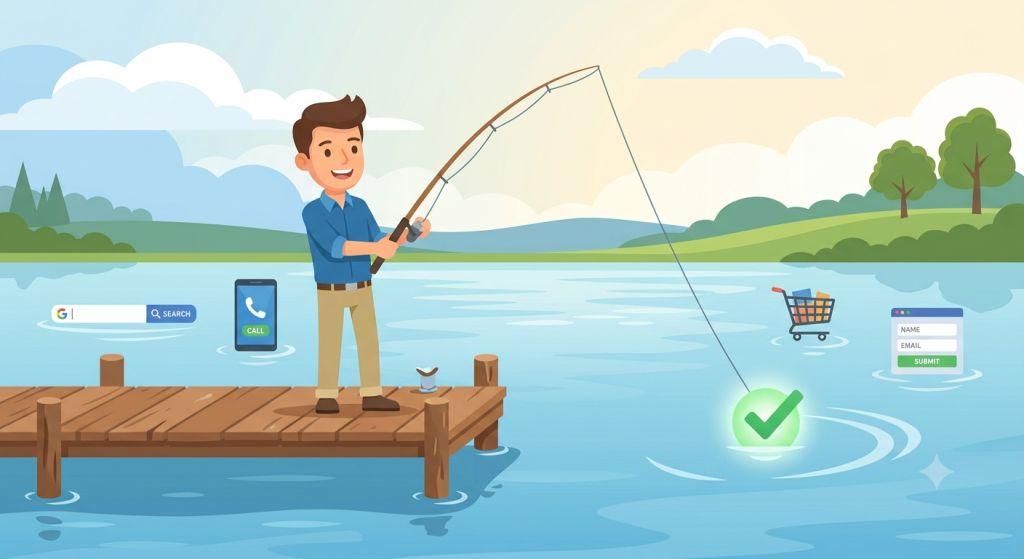
Think of it like fishing. Your ad is the fishing line you cast out into the water. A conversion is when a fish actually bites. Clicks are just fish swimming nearby. Conversions are the ones you actually catch.
Why Conversions Matter More Than Clicks
A lot of business owners get excited when they see lots of clicks on their Google Ads. And clicks are a good sign — it means people are interested enough to look. But clicks alone don’t pay the bills.
Here’s a simple way to think about it: imagine you own a pizza shop and you put up a sign that 1,000 people walk past every day. That’s great. But what really matters is how many of those people actually come inside and order a pizza. Those people are your conversions.
In Google Ads in 2026, the platform’s AI uses your conversion data to make smart decisions about who sees your ads, when they see them, and how much is bid for each click. If Google doesn’t know what a conversion looks like for your business, it’s basically guessing — and guessing with your money.
Running Google Ads without conversion tracking is like running a business without ever looking at your bank account. You might feel busy, but you have no idea if you’re actually making progress.
The Different Types of Conversions in Google Ads
Not every conversion looks the same. Google Ads tracks several different types, and knowing the difference helps you set things up correctly for your specific business.
Website Conversions are the most common type. These happen when someone clicks your ad and then takes an action on your website — like completing a purchase, filling out a form, or clicking a button. This is what most small businesses track first.
Phone Call Conversions happen when someone calls your business directly from your ad, or clicks a phone number on your website after seeing your ad. For many local businesses, this is actually the most valuable conversion type of all.
App Conversions track when someone installs your mobile app or takes an action inside the app after clicking your ad. This matters if your business has its own app.
Offline Conversions are a little more advanced but very powerful. These track what happens after the click — like a customer who clicked your ad, filled out a form online, and then came into your store two weeks later to make a purchase. Google lets you import that sale back into your account so the system knows that ad click actually led to real revenue.
There are also two important categories within these types:
Micro Conversions are small steps that show someone is interested but hasn’t committed yet — like adding a product to their cart, watching a video on your site, or visiting your pricing page multiple times. These are helpful signals, but they shouldn’t be treated the same as a completed sale.
Macro Conversions are the big ones — a completed purchase, a signed contract, a scheduled appointment. These are the actions that directly grow your business. Most experts recommend tracking no more than 3 to 5 conversion actions at a time, and making sure each one represents real business value. Tracking too many small actions confuses Google’s AI and can actually make your campaigns perform worse.
How Google Tracks Conversions (Without the Tech Jargon)
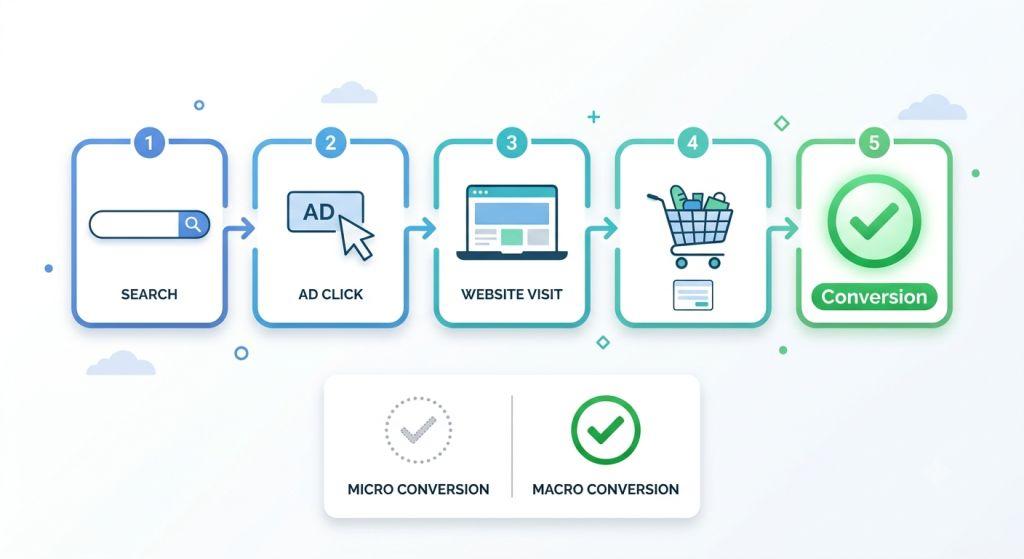
You don’t need to be a computer expert to understand how conversion tracking works. Here’s the simple version.
When you set up conversion tracking in Google Ads, Google gives you a tiny piece of code — called a tag — to place on your website. When someone clicks your ad and then completes the action you care about (like reaching your “Thank You” page after buying something), that tag fires and tells Google: “It worked! This person converted.”
Google then uses that information to understand which ads, keywords, and audiences are driving real results — and it uses that data to improve your campaigns automatically over time.
One important setting to know is the conversion window. This is how long Google waits to give your ad credit for a conversion. For example, if your window is set to 30 days and someone clicks your ad today but doesn’t buy until three weeks from now, Google still counts that as a conversion from your ad. You can set this window anywhere from 1 to 90 days depending on how long your customers typically take to make a decision.
The Biggest Google Ads Conversion News in 2026
This is where things get really important for anyone currently running ads. Google made major changes to how conversions are tracked in 2026 — and some of them could already be affecting your results without you knowing.
Enhanced Conversions Are Now One Simple Switch
For a long time, Google had two separate systems for enhanced conversion tracking — one for websites and one for leads. This confused a lot of advertisers. Starting in June 2026, Google combined both into a single, simple on/off setting. Whether you’re tracking online purchases, form submissions, or phone leads, it all goes through one setup now. This is genuinely great news for small businesses — it’s easier, and it works better.
Your Tracking Is Probably Missing Conversions Right Now
Here’s something surprising: standard Google Ads conversion tracking in 2026 misses somewhere between 30% and 50% of actual conversions. The reason is privacy. Browsers like Safari and Firefox block the tracking cookies that Google relies on, and more and more people are saying “no” to cookie banners when they visit websites.
This means Google’s AI may be optimizing your campaigns based on only half the picture. Enhanced Conversions help recover 5% to 30% of those missing conversions by using first-party data — information customers give you directly, like their email address — in a privacy-safe way. Consent Mode, another Google tool, can recover another 15% to 25% on top of that.
Phone Call Attribution Changed on June 15, 2026
If your business relies on phone calls from your ads, this update matters a lot. Google changed how it connects phone calls back to the ad that drove them. Now, if a potential customer says “no” to cookie tracking on your website and then calls your business, Google can no longer link that call to your ad. If your consent banner or tracking setup isn’t configured correctly, you could be losing credit for valuable phone leads without even realizing it.
Historical Data Is Now Limited to 37 Months
As of June 2026, Google only keeps detailed reporting data going back 37 months. If you need older records, export them now before they’re gone for good.
How to Make the Most of Your Conversions
Now that you know what conversions are and how they work, here’s how to make sure you’re getting the most out of them:
Track what actually matters. Pick 3 to 5 conversion actions that represent real business value. Don’t track every little click and button press — it creates noise that confuses the system and waters down your results.
Set a conversion value. If a new customer is worth $500 to your business, tell Google that. When the AI knows the dollar value of a conversion, it can make smarter bidding decisions and find you more of the customers who are actually worth your time.
Check your tracking regularly. Websites change, forms get updated, and pages get redesigned. Any of these things can break your conversion tracking without any warning. Make it a habit to check that your tags are firing correctly at least once a month.
Don’t ignore offline conversions. If your business closes deals over the phone, in person, or through a sales team, importing those outcomes back into Google Ads gives the AI the full picture of what’s working — and leads to much better results over time.
The Bottom Line
Understanding what is conversion in Google Ads is the foundation of everything else. Without it, you’re spending money without knowing what’s working. With it, you have a clear picture of your results and a powerful tool that gets smarter every day.
If Google Ads feels overwhelming — especially with all the 2026 changes to conversion tracking, privacy settings, and enhanced conversions — you’re not alone. This platform changes fast, and conversion tracking alone can have a dozen things that need to be set up just right.
That’s exactly why so many small business owners turn to professionals. A team that understands search engine marketing for small business can make sure your conversion tracking is set up correctly from day one, so you’re never flying blind. And with expert PPC Management For Small Business, every dollar you spend is working as hard as possible to bring real customers through your door.
For step-by-step setup instructions straight from the source, Google’s own Ads Help Center on conversion measurement is always the most accurate and up-to-date place to start.